Viewing Claim Denials
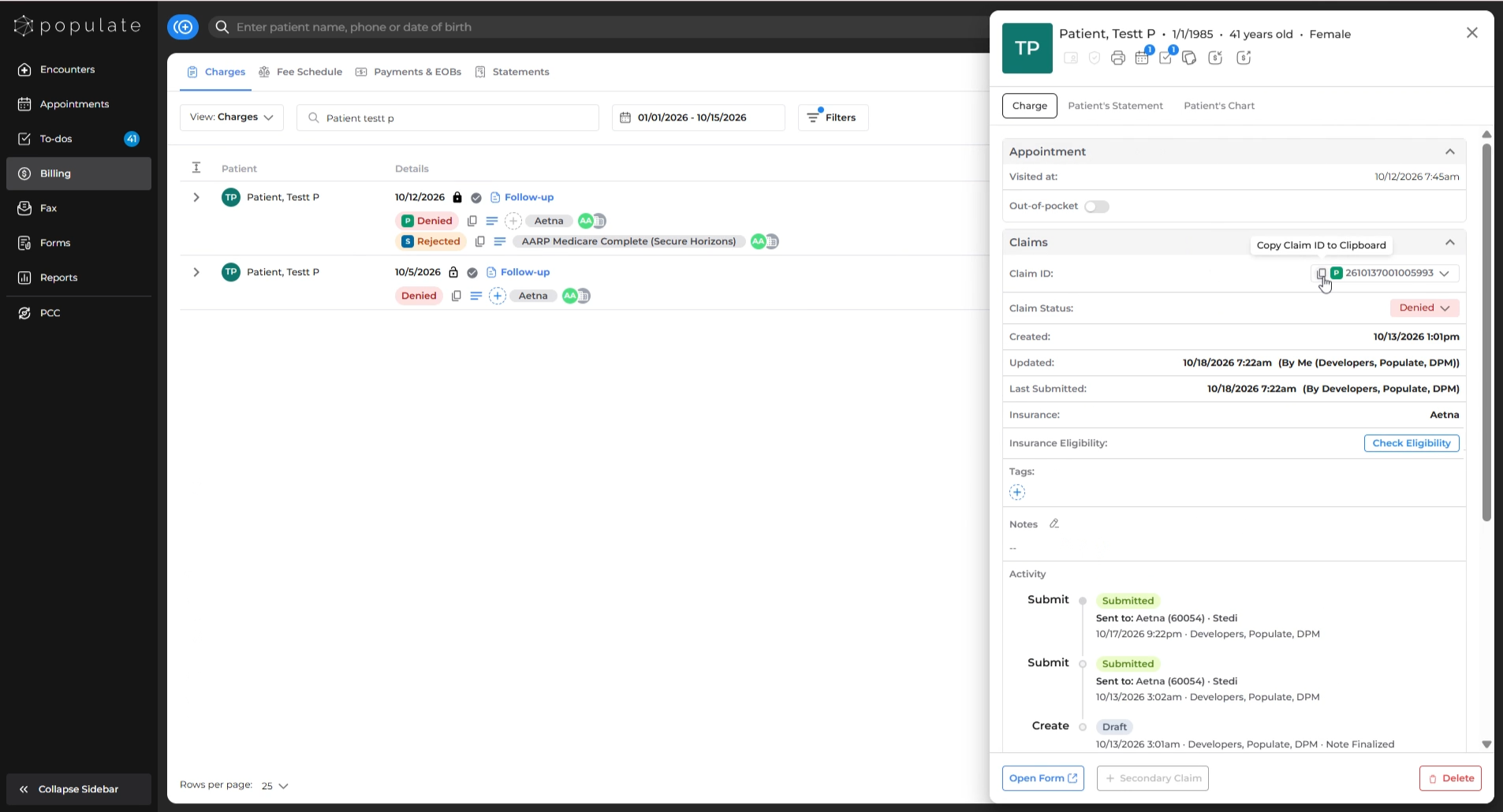
Navigate to the Charges tab under Billing and locate the intended charge for which you want to view the denial. Click on the charge to open the charges side-panel.
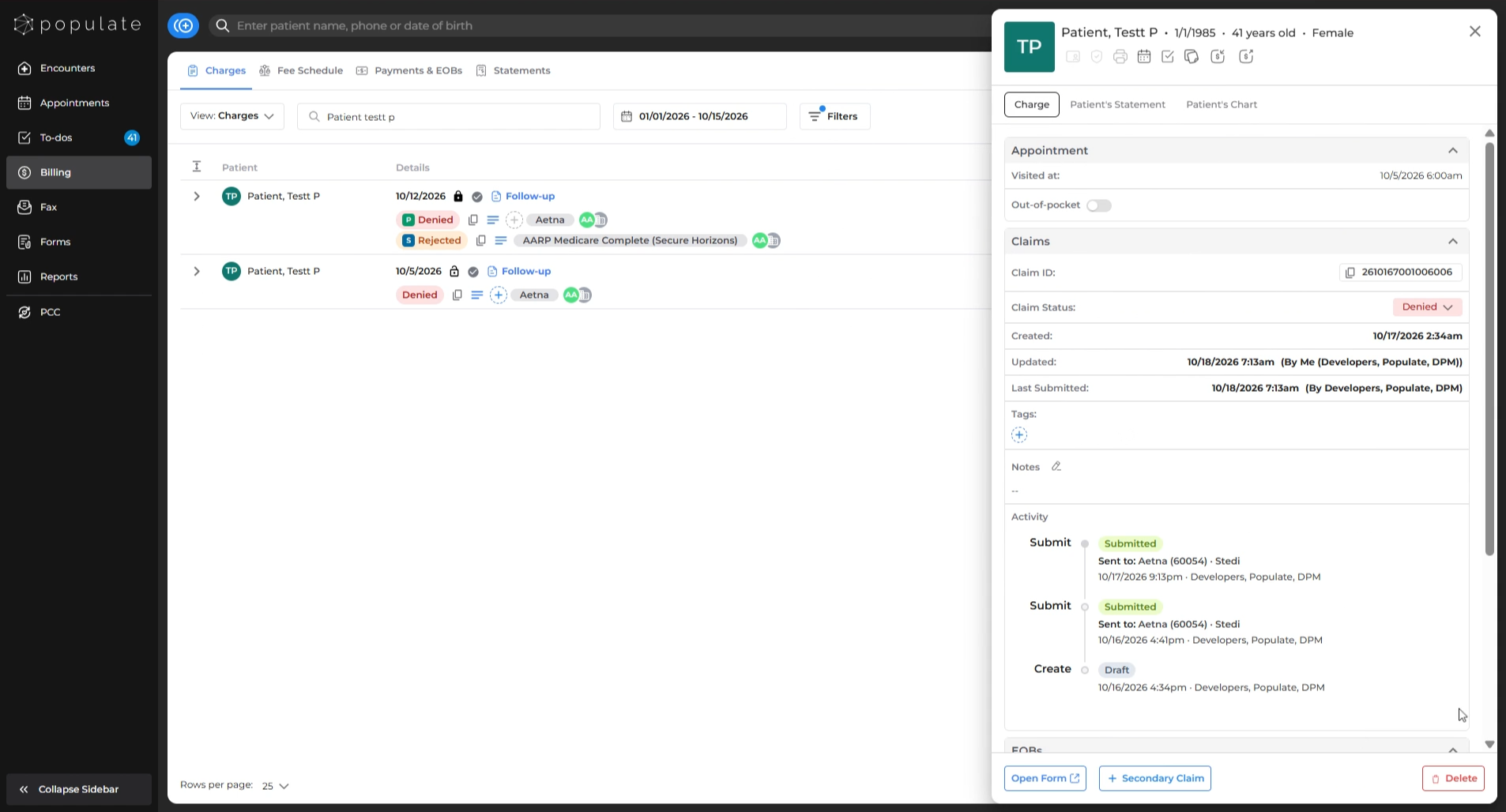
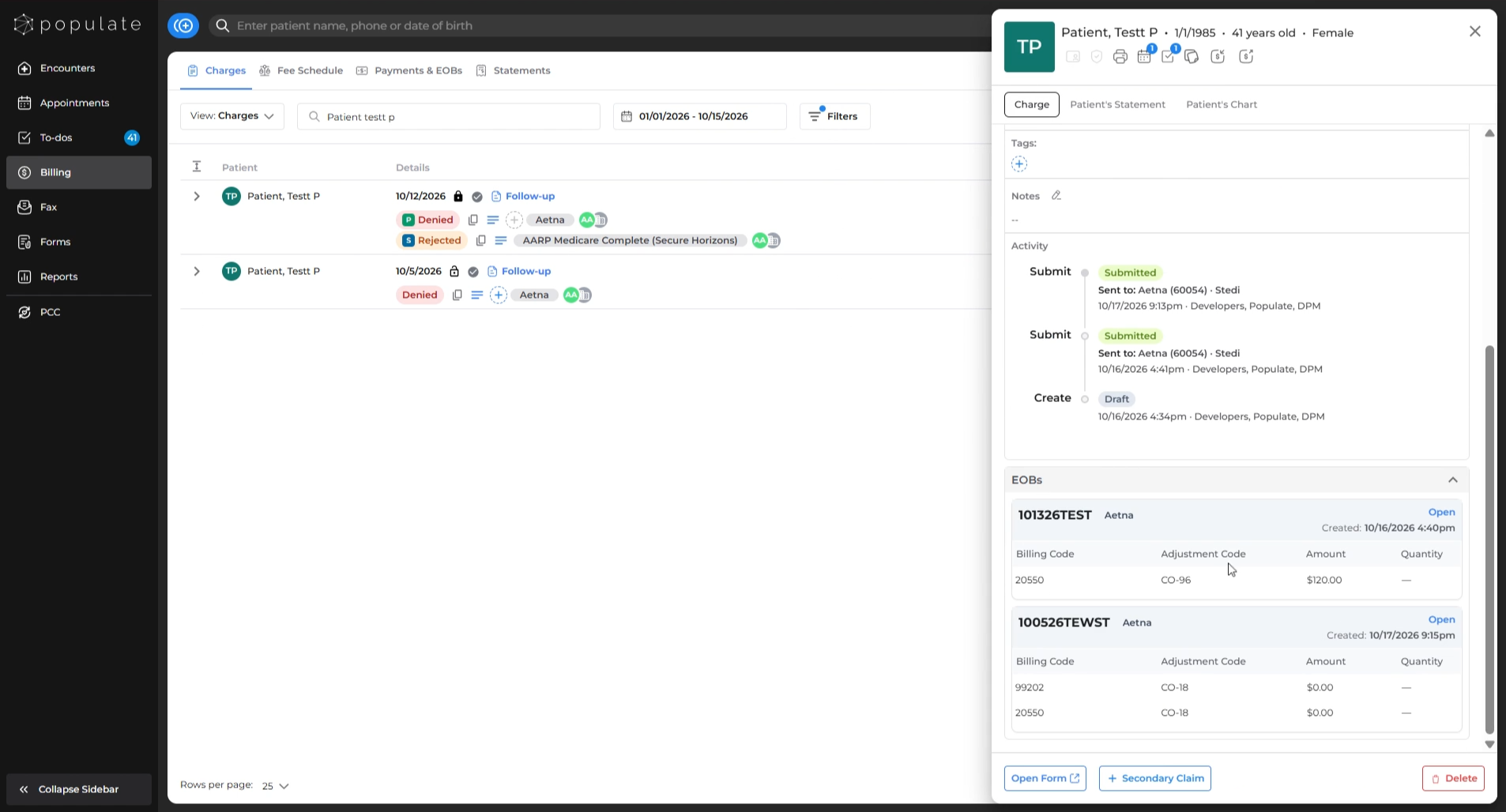
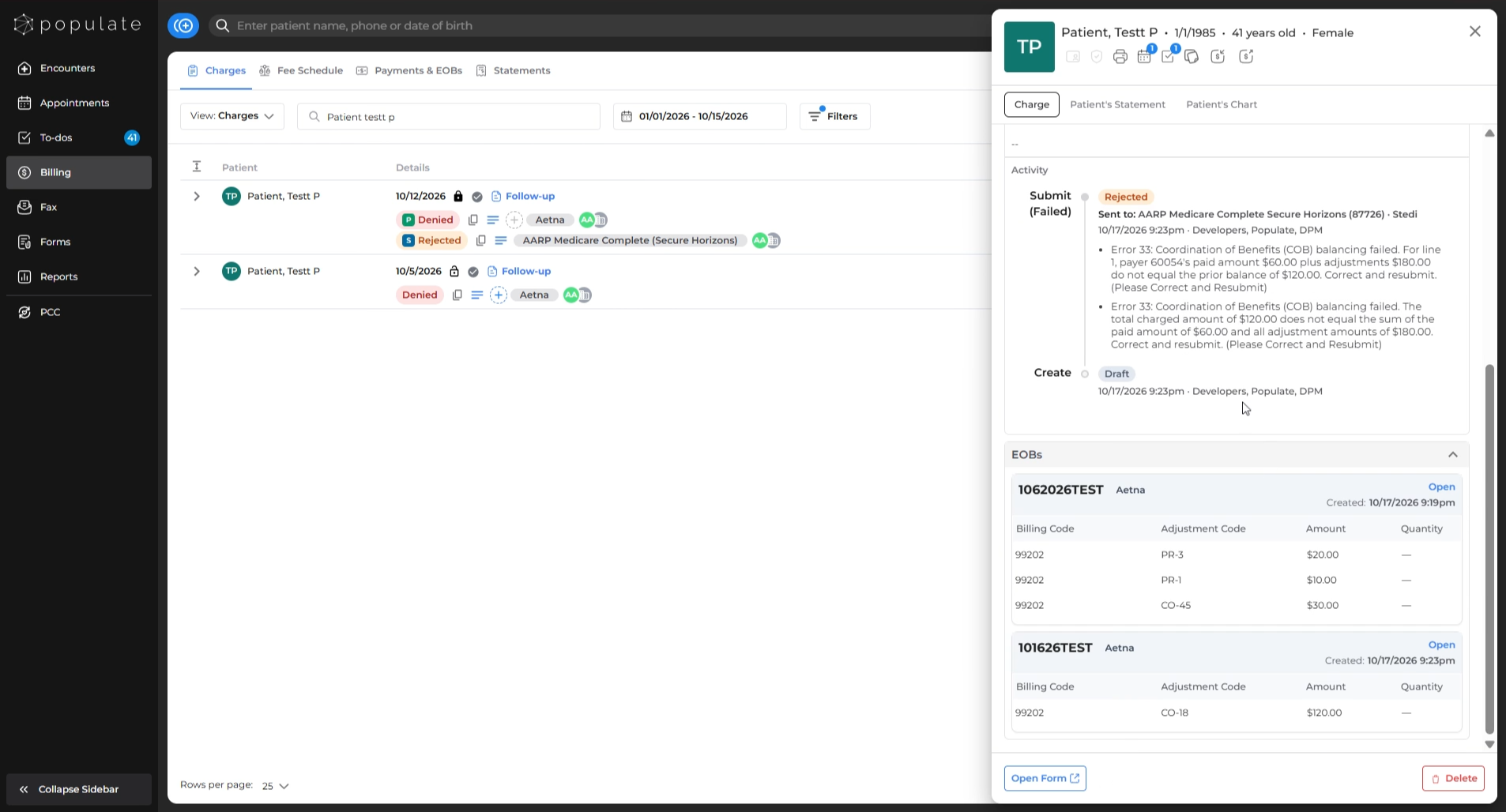
On the side-panel, scroll down to the EOBs (Explanation of Benefits) section at the bottom.
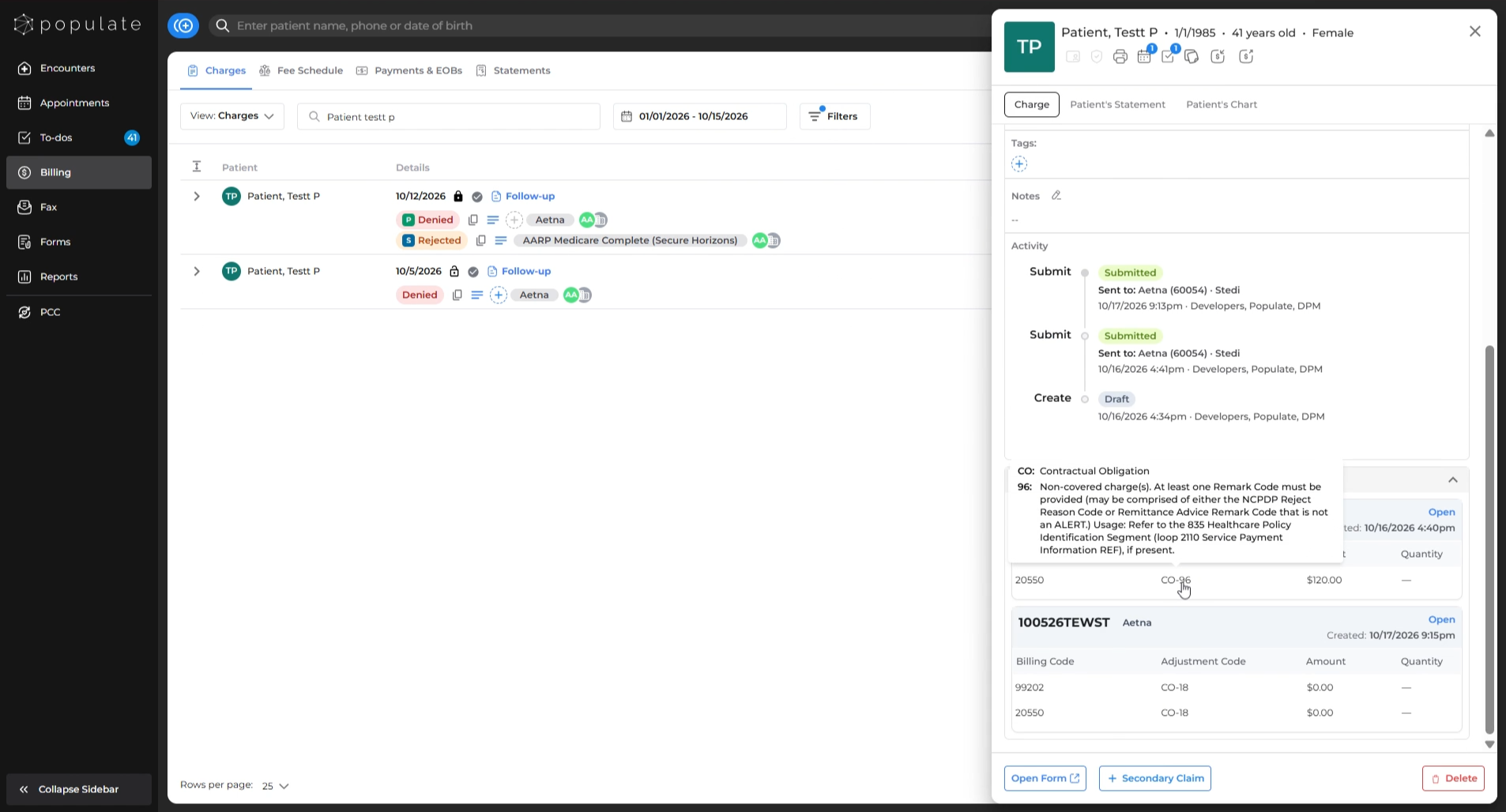
Hover over the adjustment codes to view the denial code details.
Viewing Rejection Details
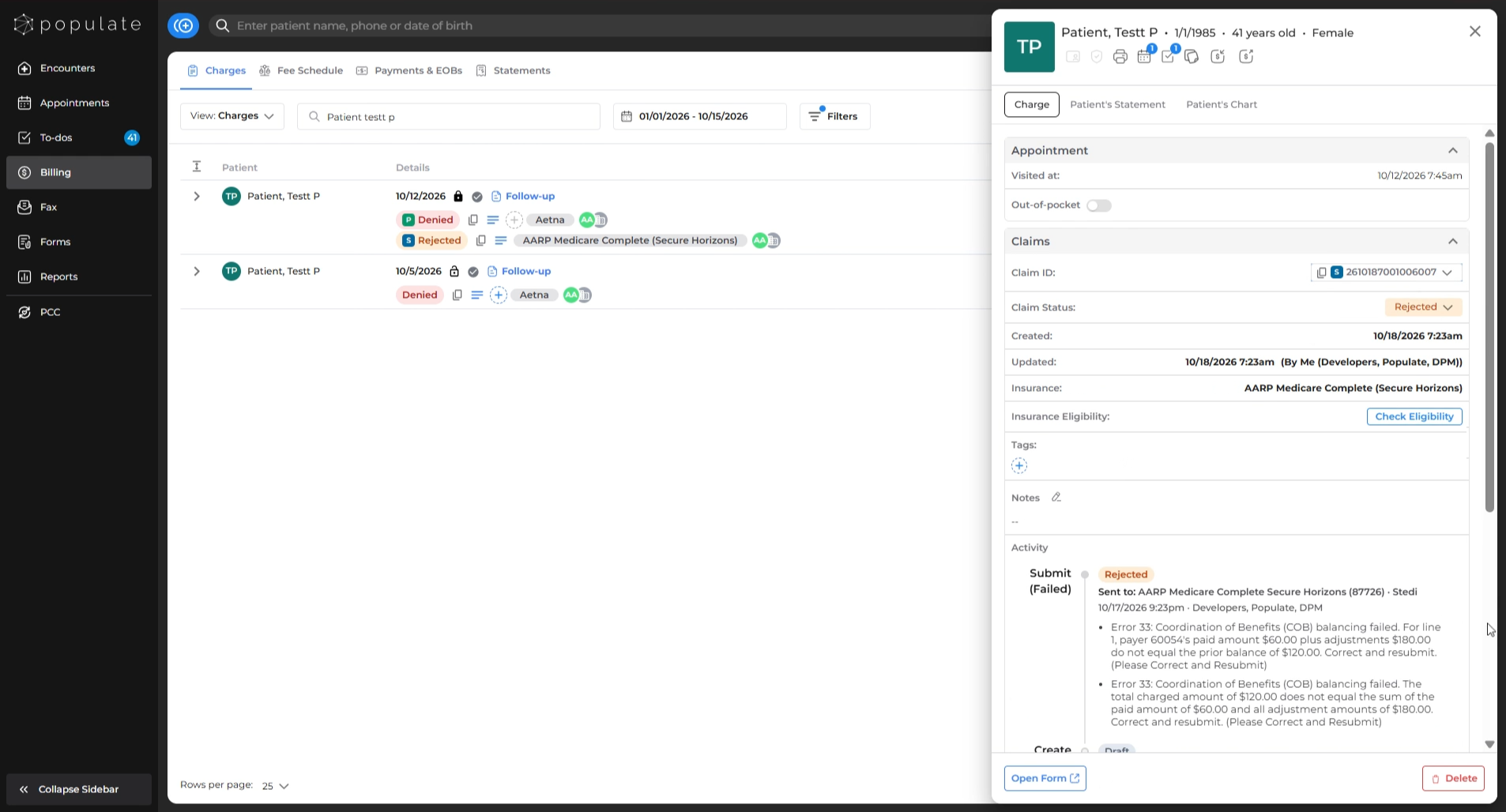
If the claim is rejected, you'll see a detailed reason for rejection in Activity section above EOBs section on the Charges side-panel.
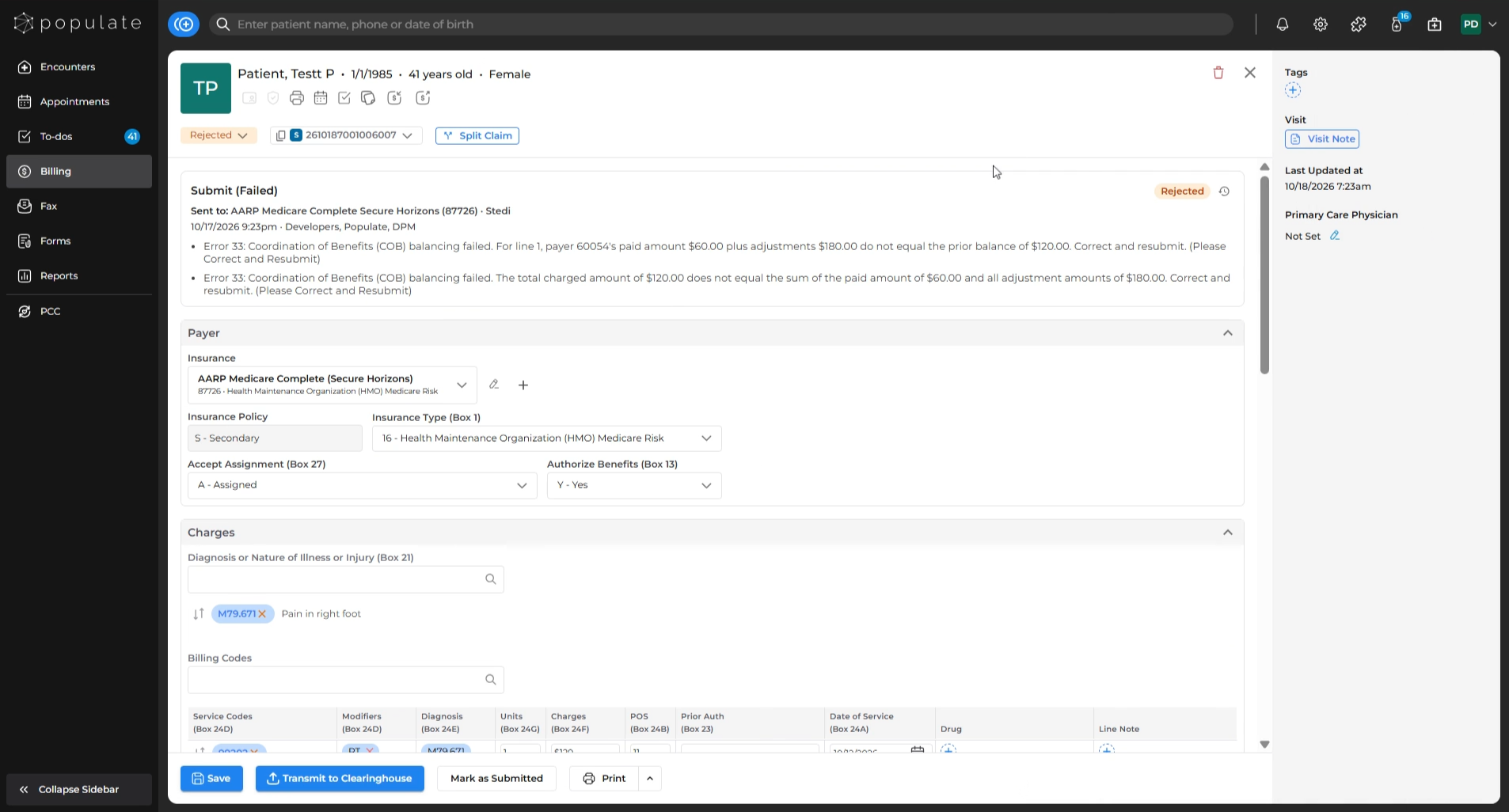
The rejection reason can be found on the Claim Form page - within the Submit section as well.
Viewing Claim Transmission Logs
1. From the Charges Side-Panel-
- Access the Activity section in the charges side-panel to find transmission logs.
-
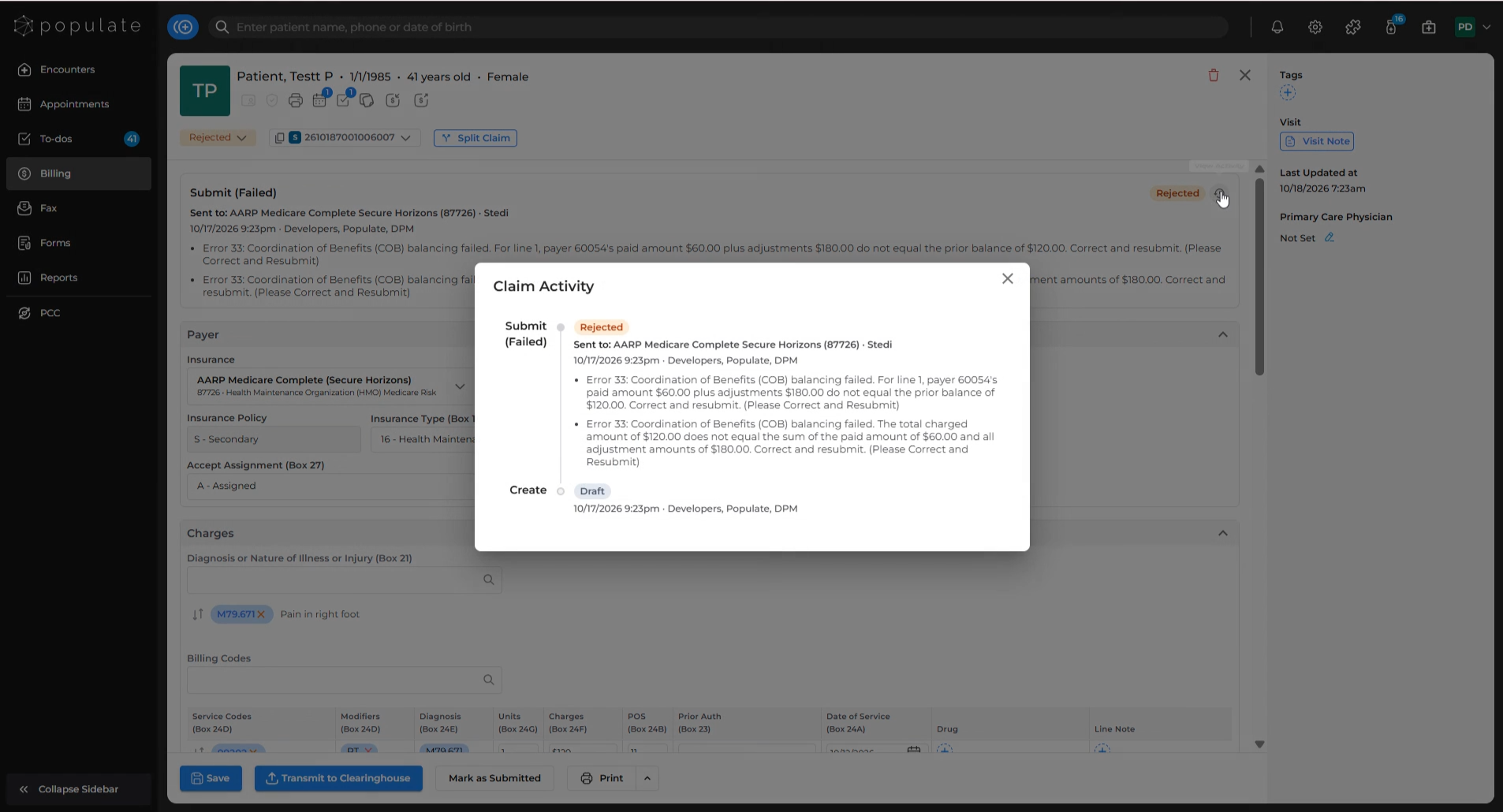
- Transmission logs can also be viewed on the claim form page. To see the full claim history, click the View Activity icon.
Copying the Claim ID
You can copy the claim ID by clicking the Copy Claim ID icon next to the Claim ID, either on the Charges Side-Panel or from the Claim Form page.