Click on the "Create" button on the top navigation bar beside the global search bar.
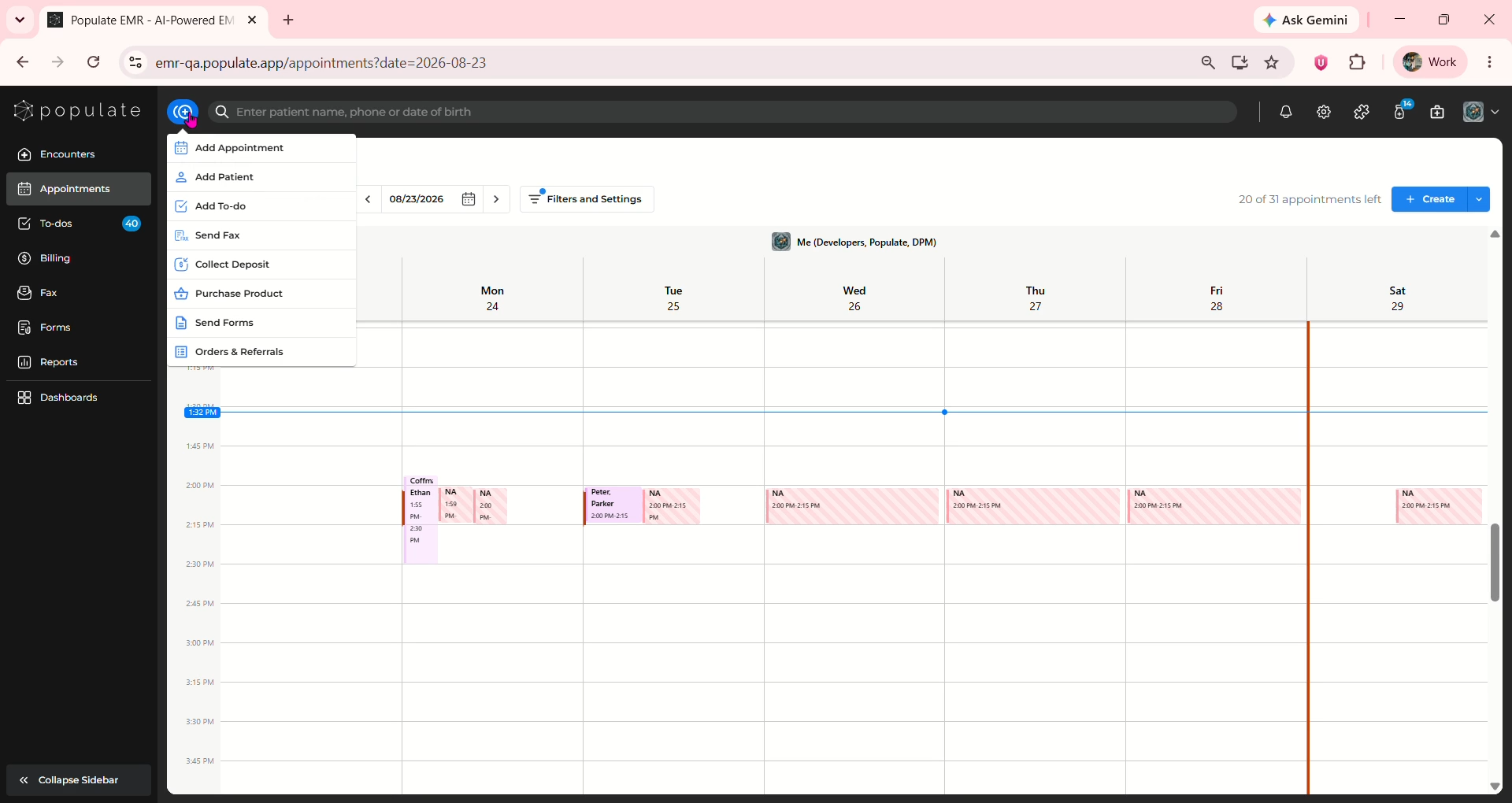
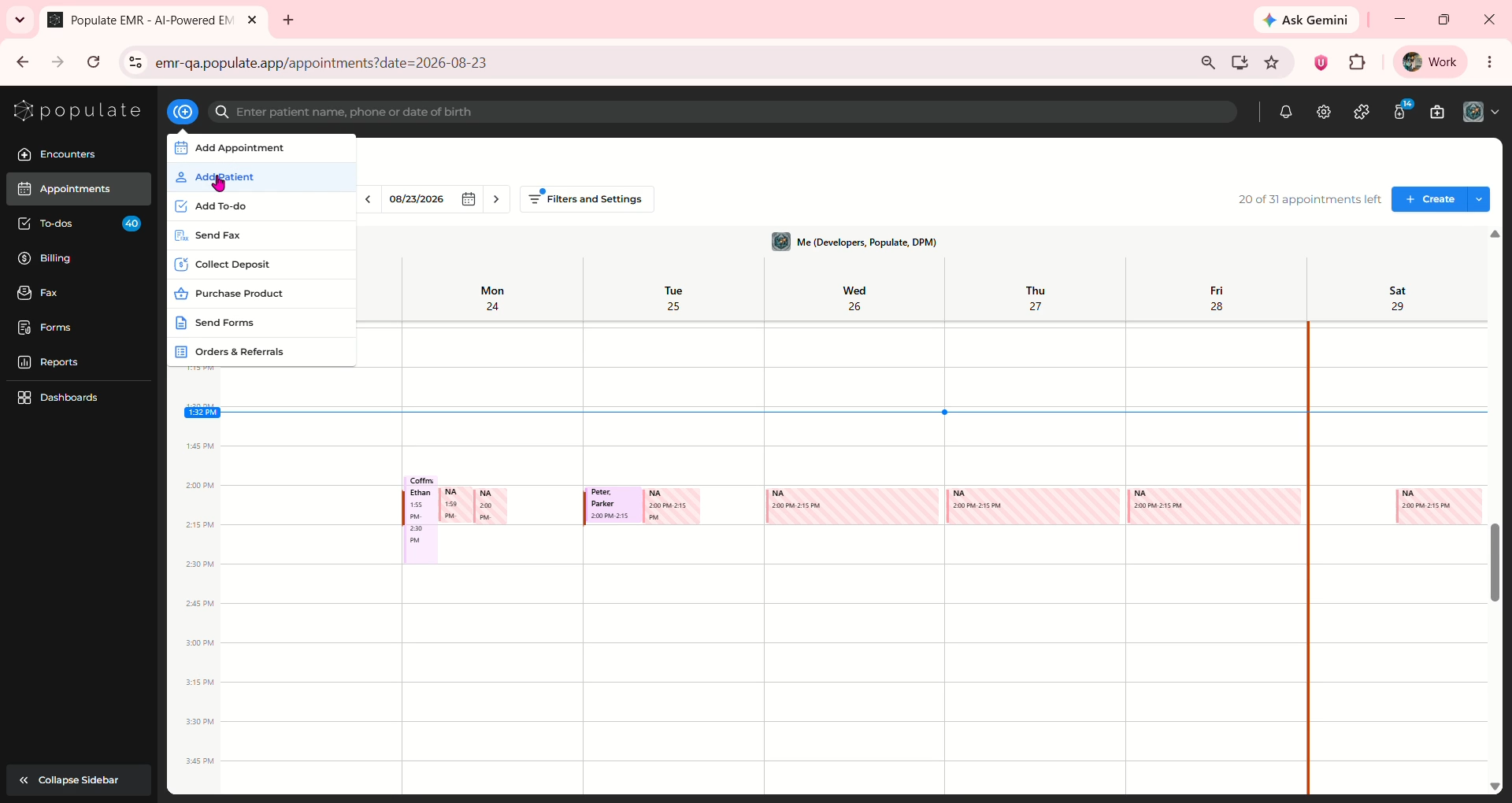
Select "Add Patient" from the available options.
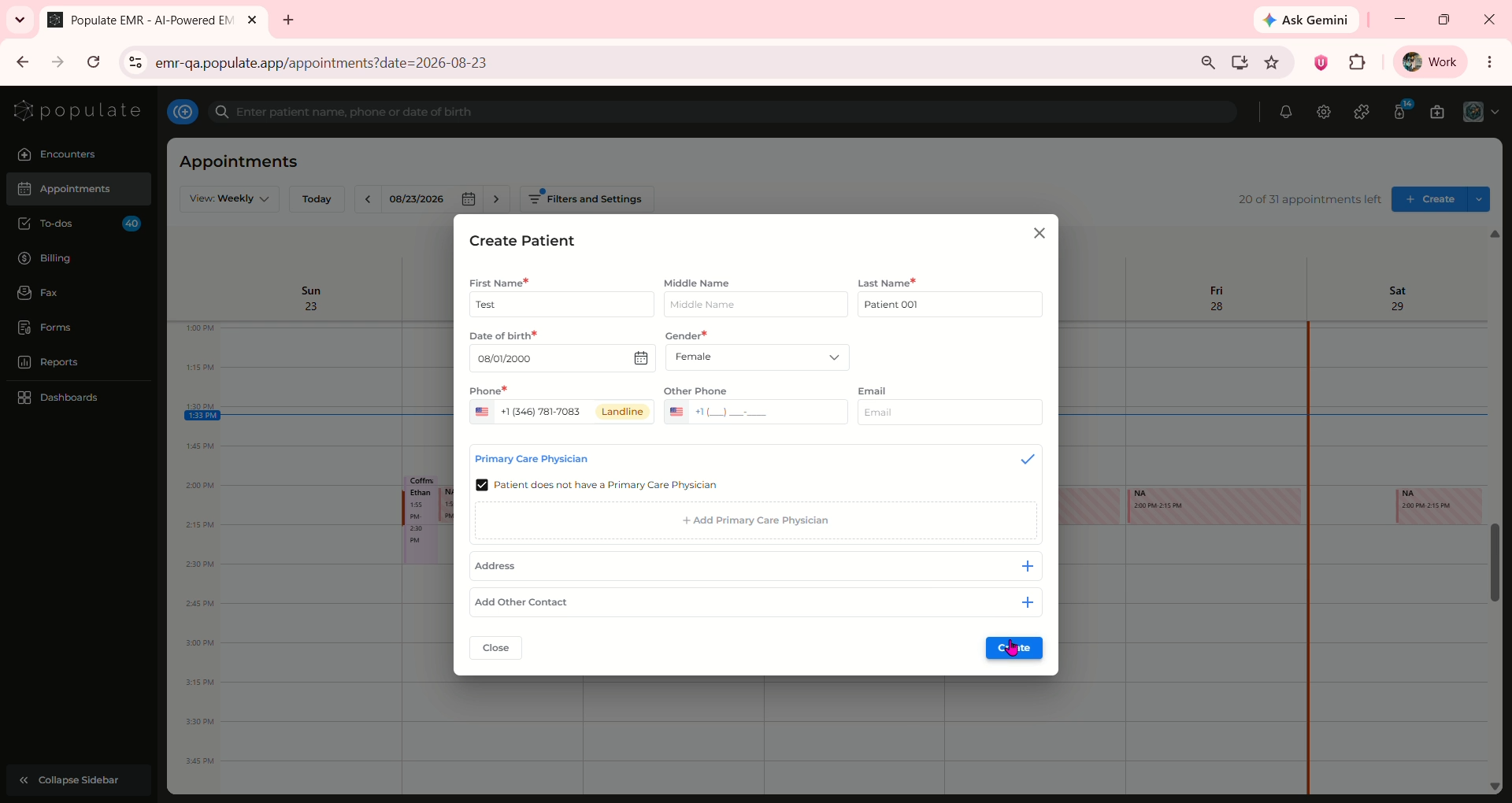
Enter all the required details marked with a red "*" and click "Create" once all the fields are filled out.
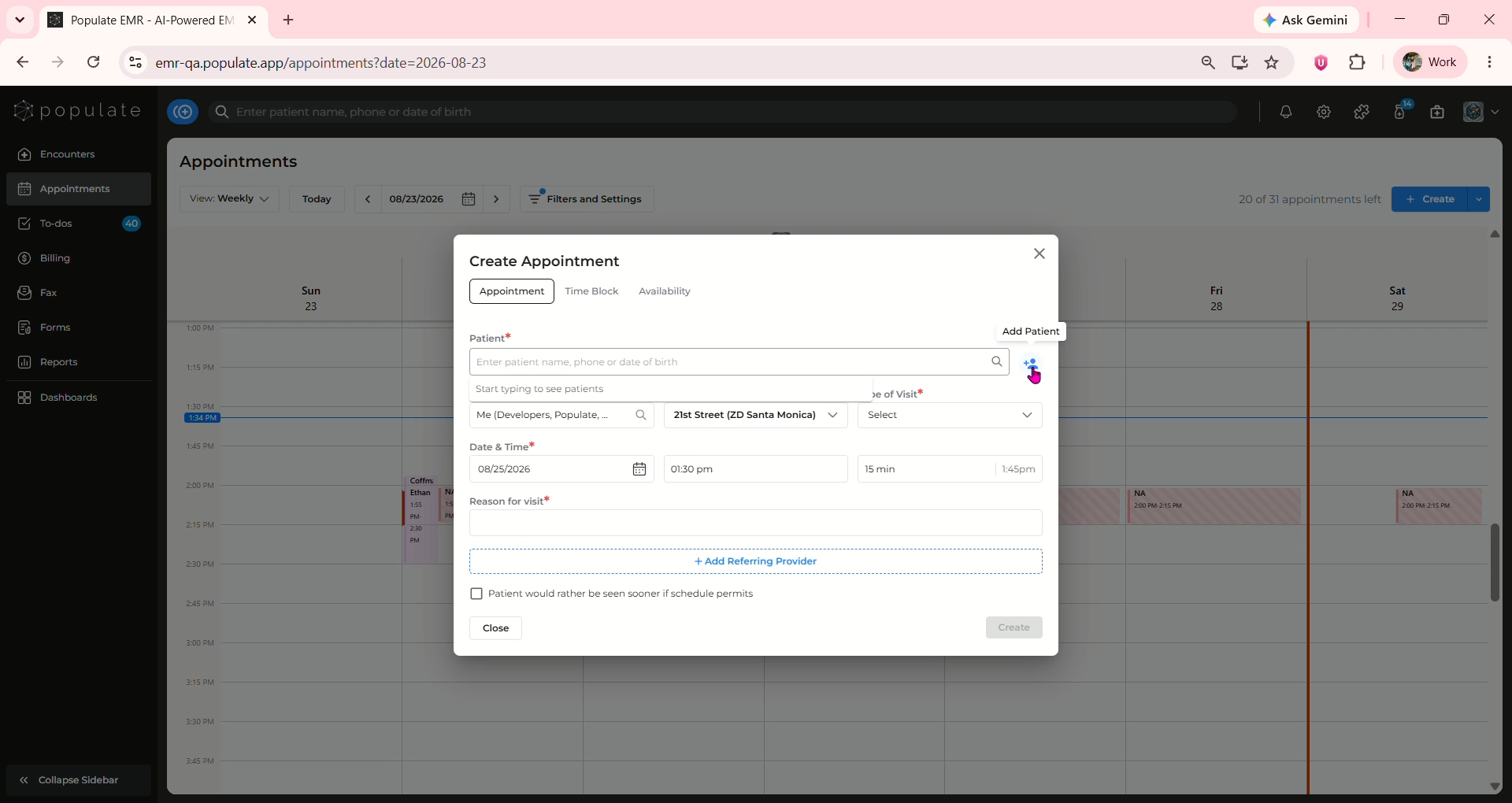
You can also add a new patient during appointment creation by clicking on the "Add Patient" icon.