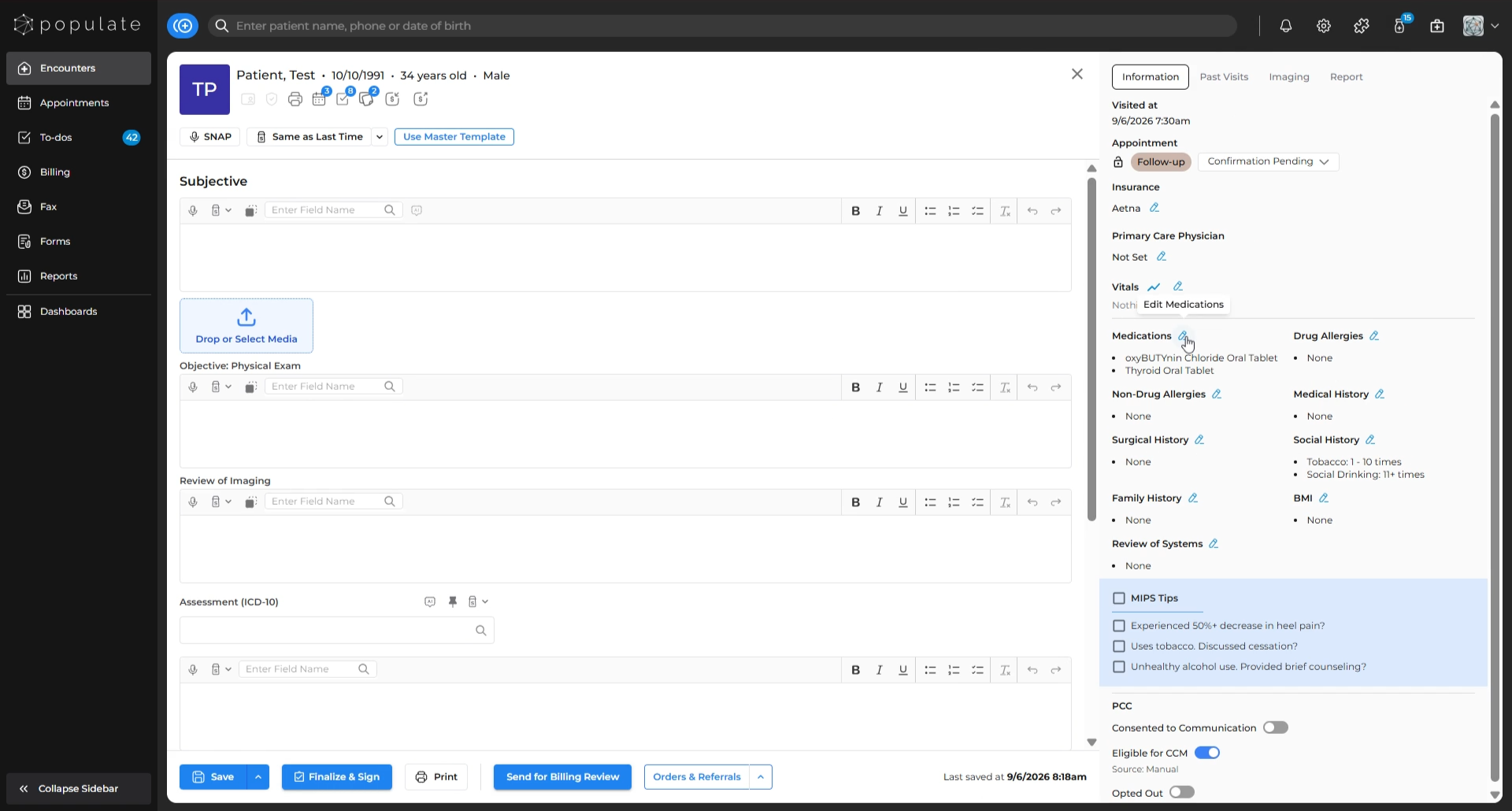
Navigate to the “Meds & Allergies” tab from the patient charts.
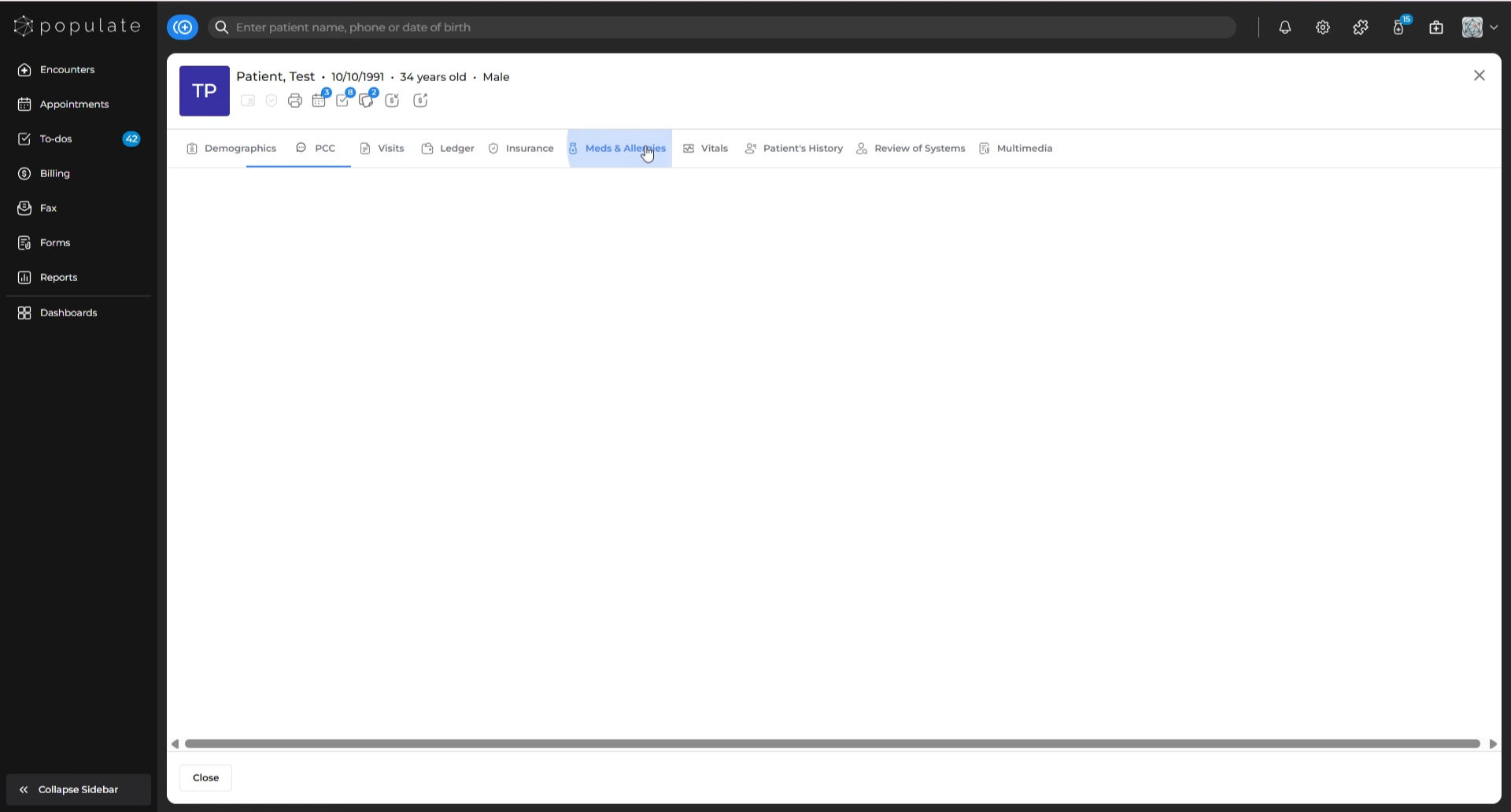
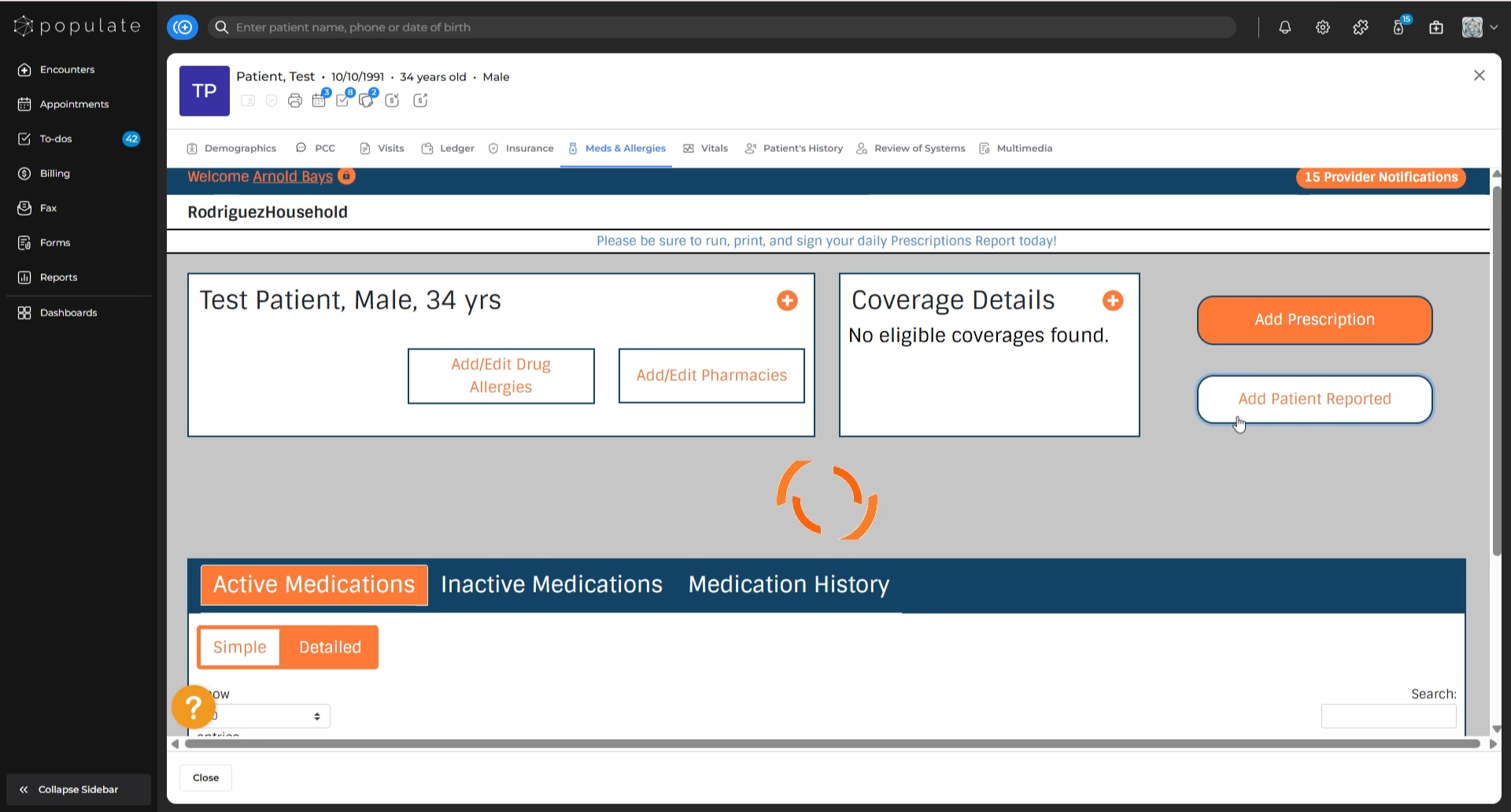
Click the “Add Patient Reported” button to start adding a new medication.
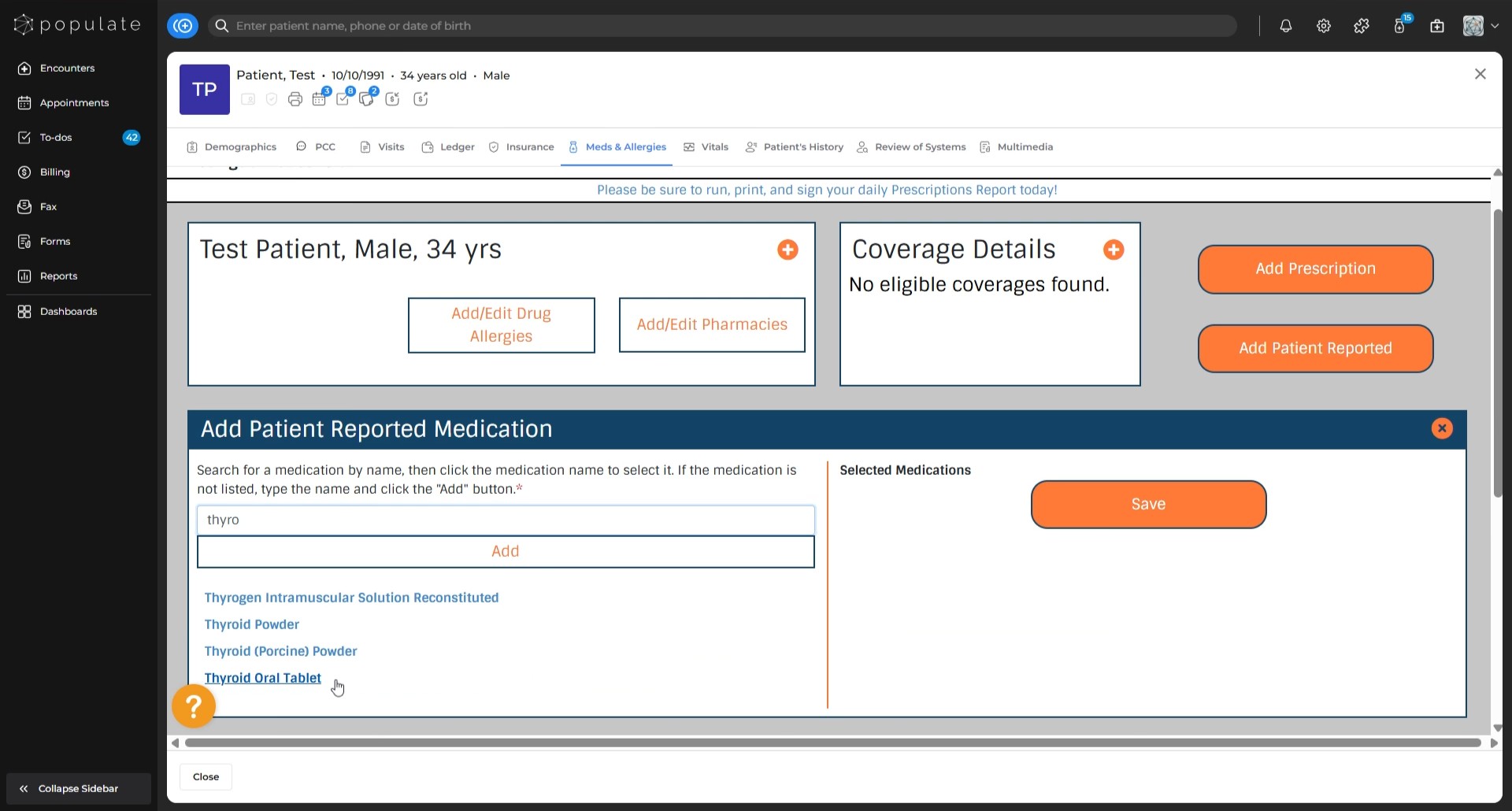
Search for the medication you want to add under the “Add Patient Reported Medication” section.
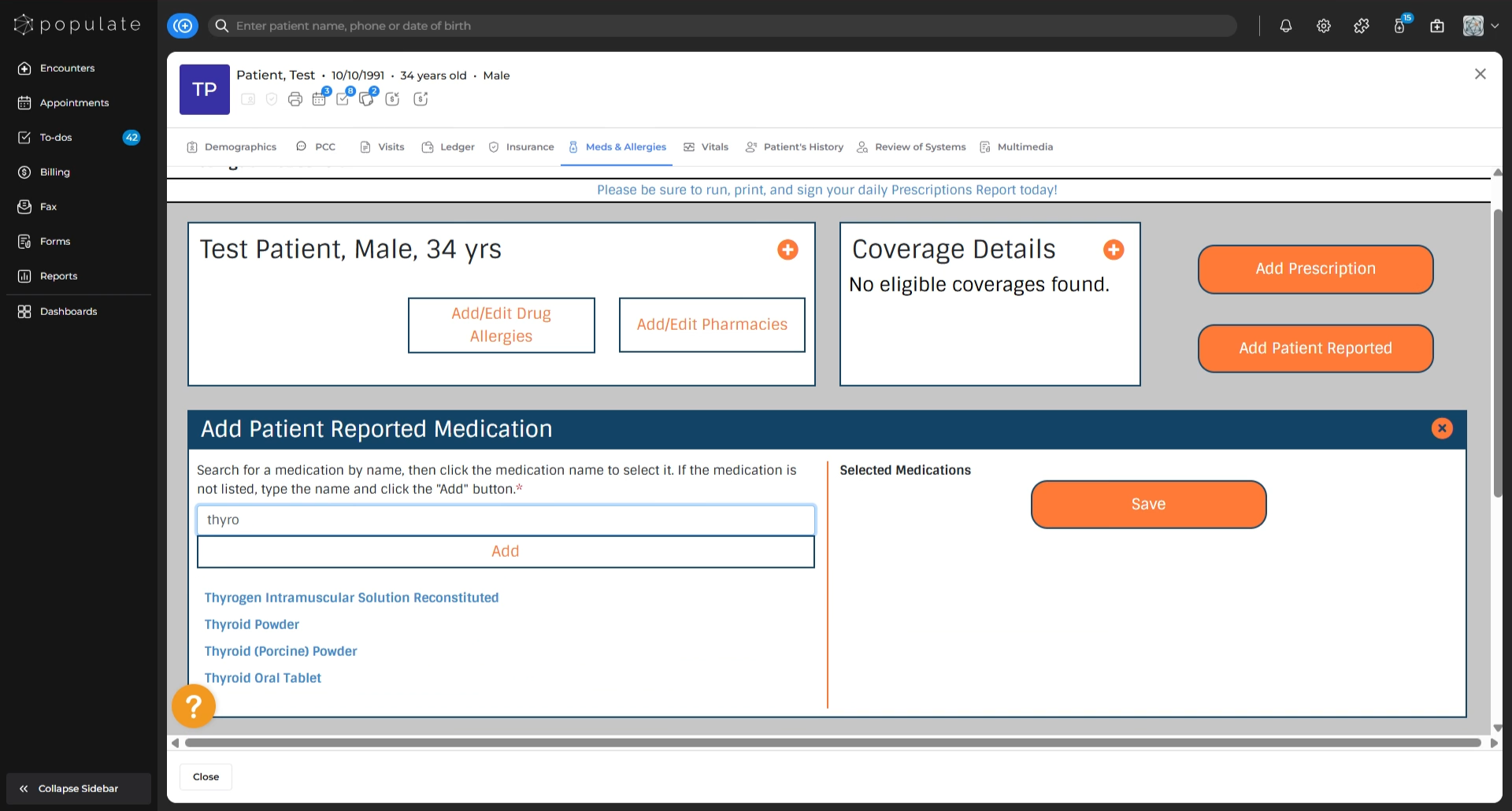
From the search results, select the desired medication and click “Add”. Repeat this process for each additional medication you want to add.
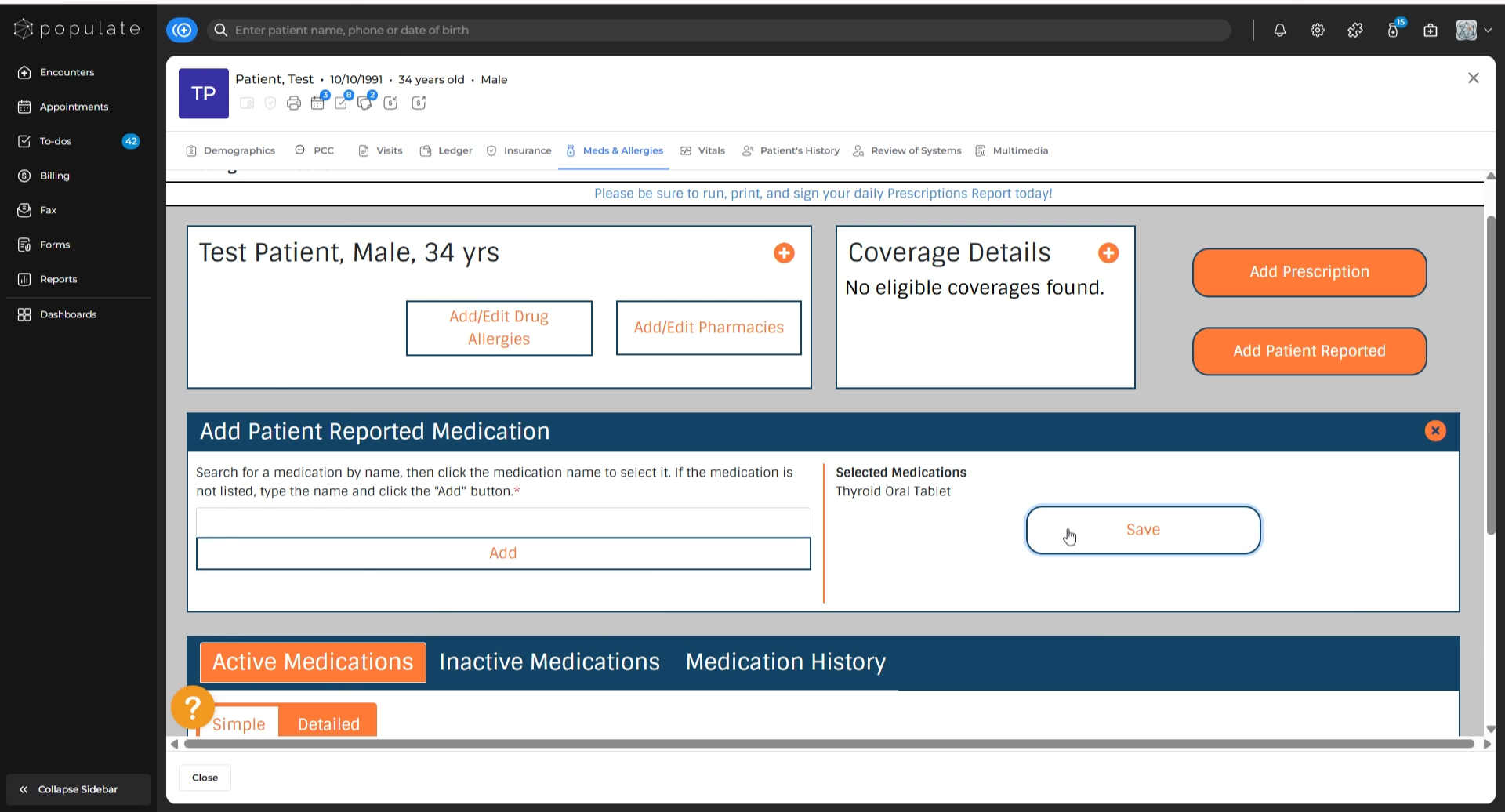
After adding all the necessary medications, click “Save” to update the patient’s medication list.
The newly-added patient-reported medications will now appear on the patient’s visit note.
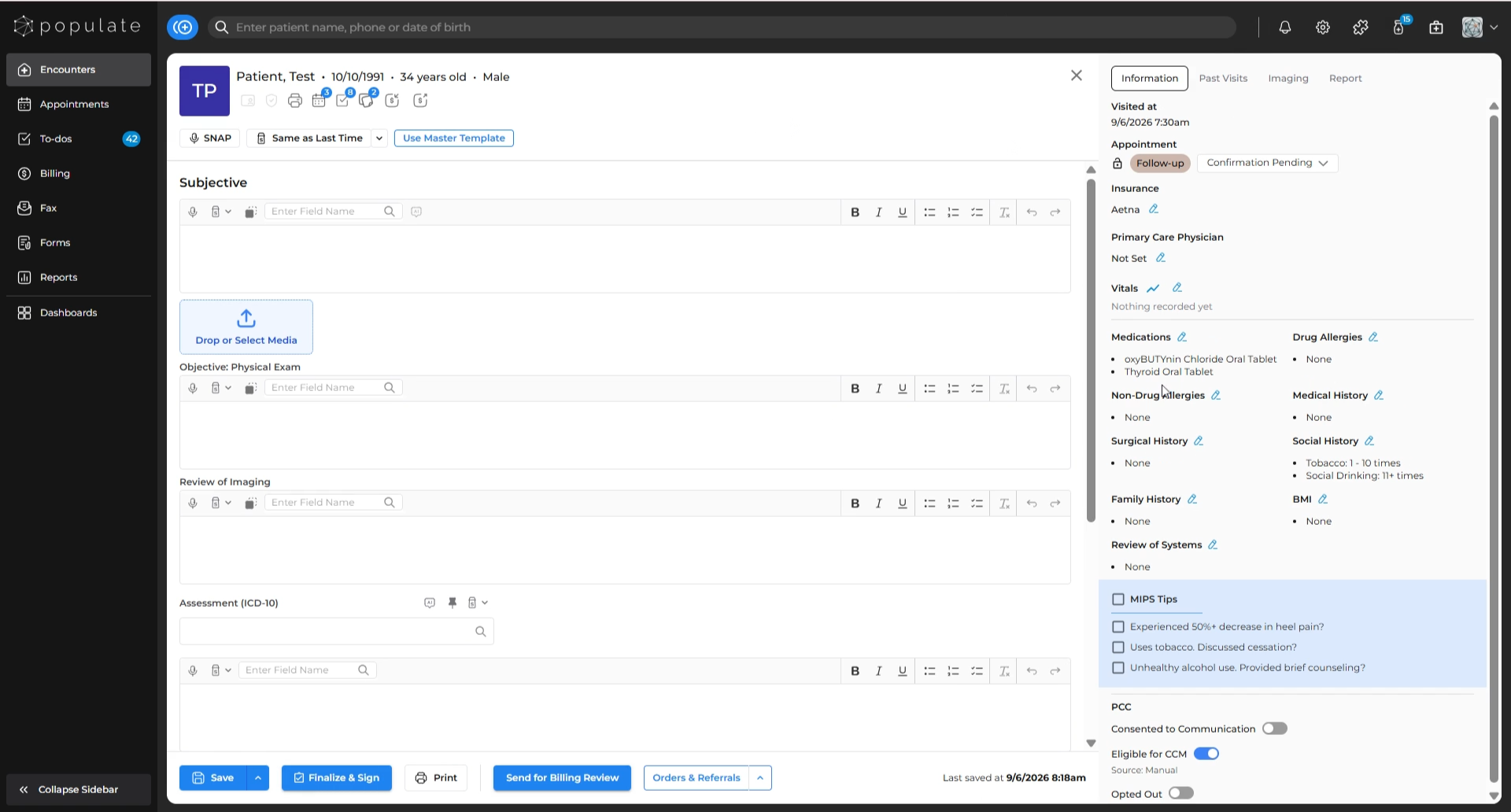
If you need to edit any medication, click the “Edit” icon next to it. You’ll be redirected to the “Meds & Allergies” section to make your changes.