
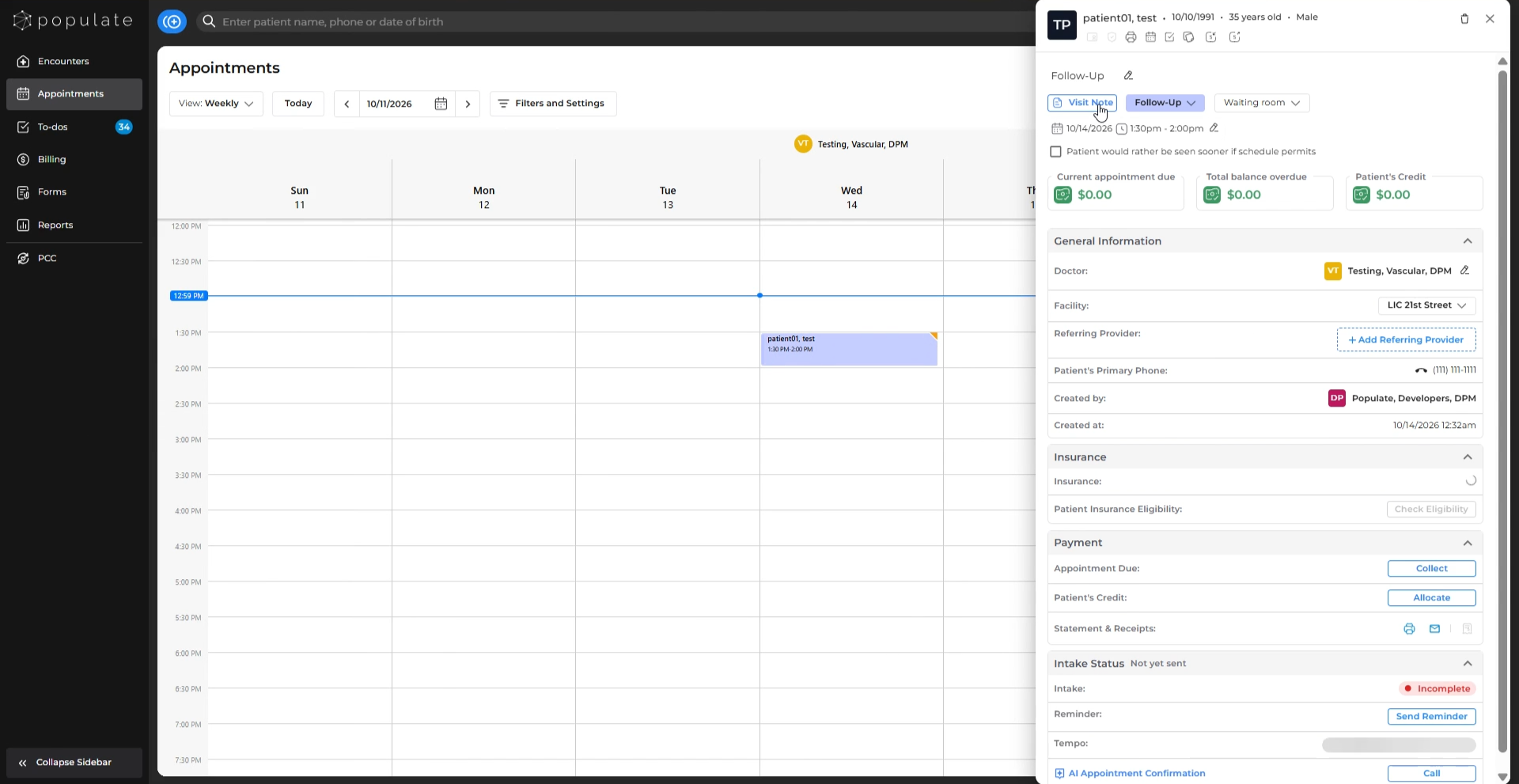
Navigate to the intended patient’s Visit Note.
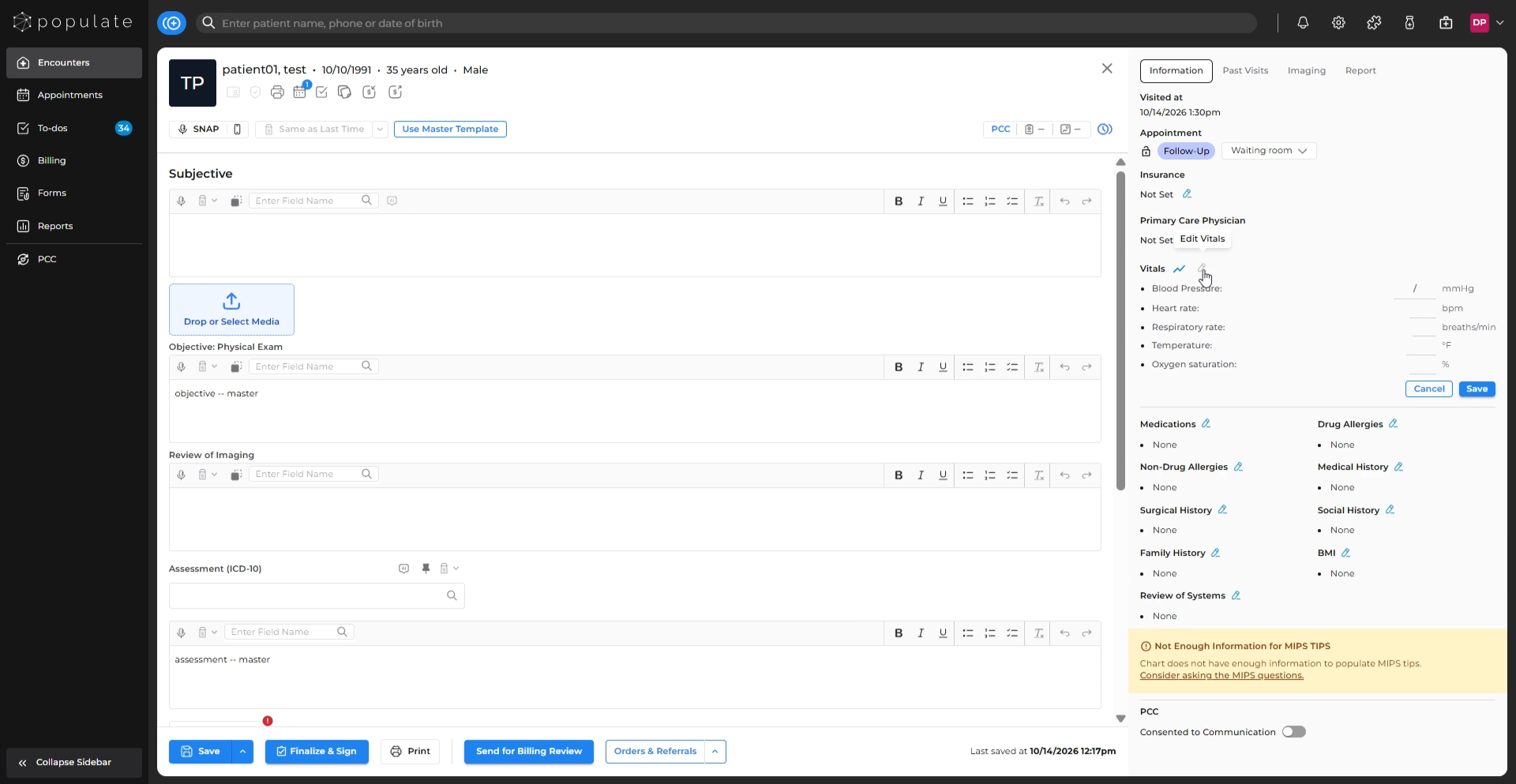
On the right-side panel, locate Vitals and click on the Edit Vitals icon.
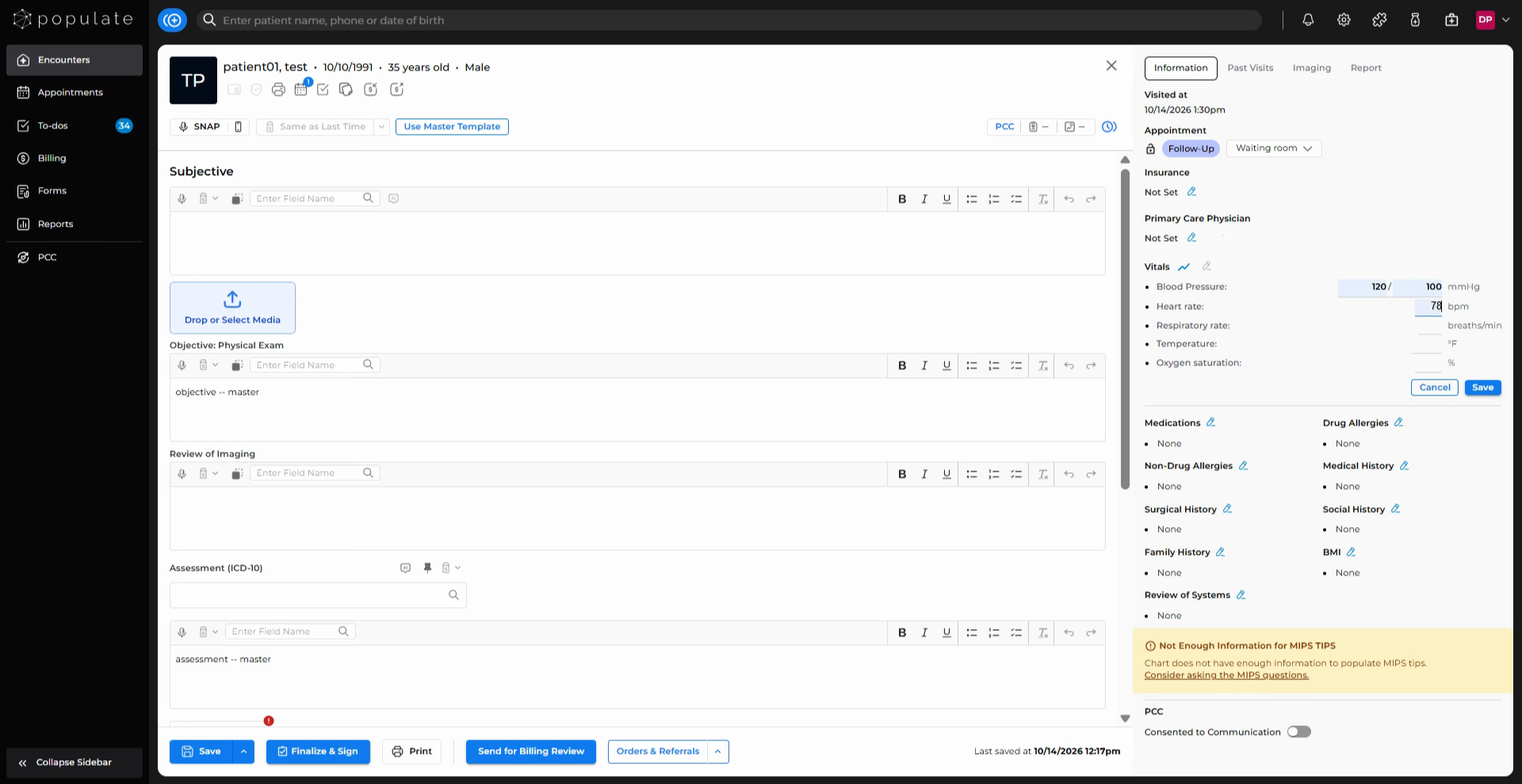
Enter the collected vitals in their respective fields.
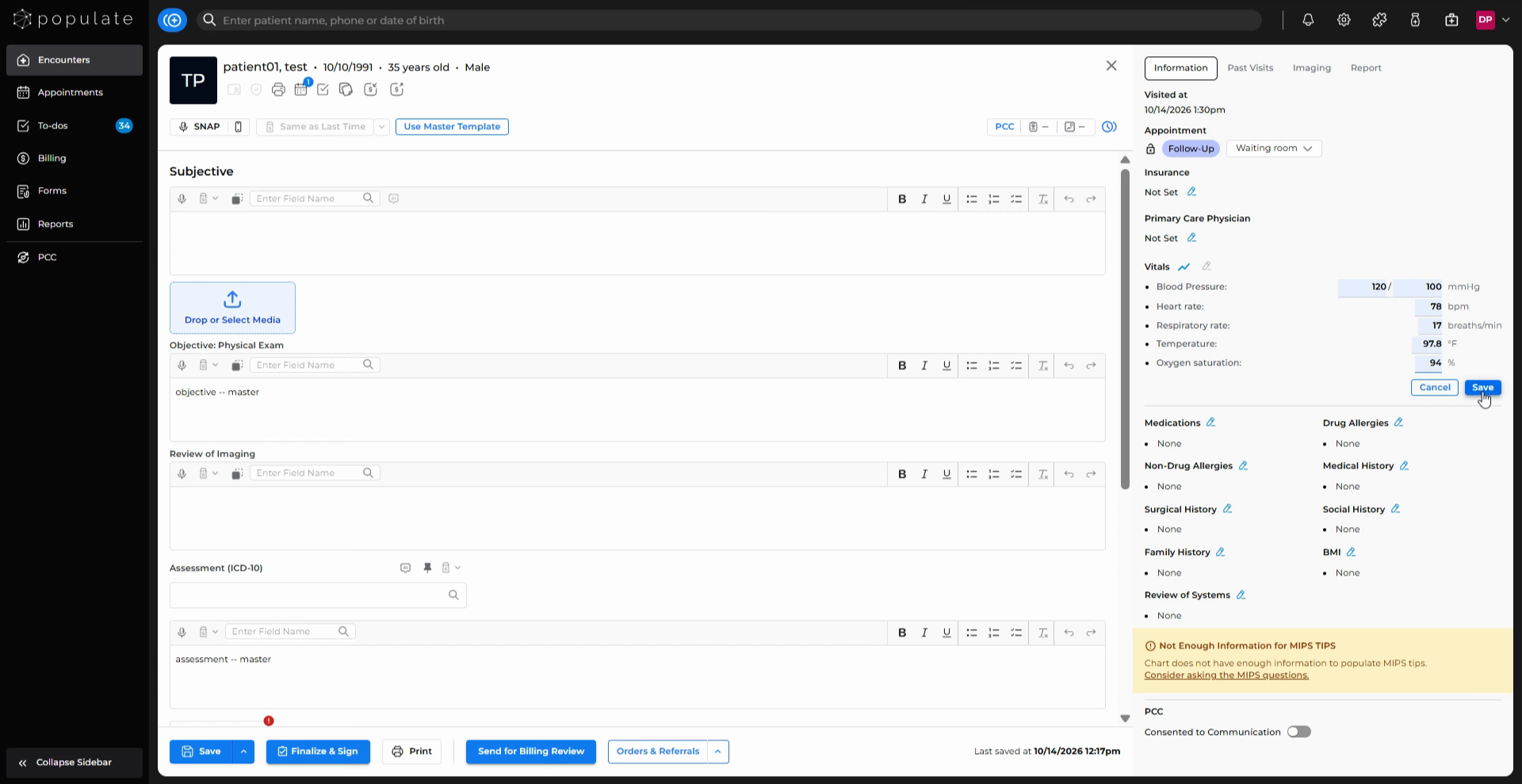
Click Save to record the information.
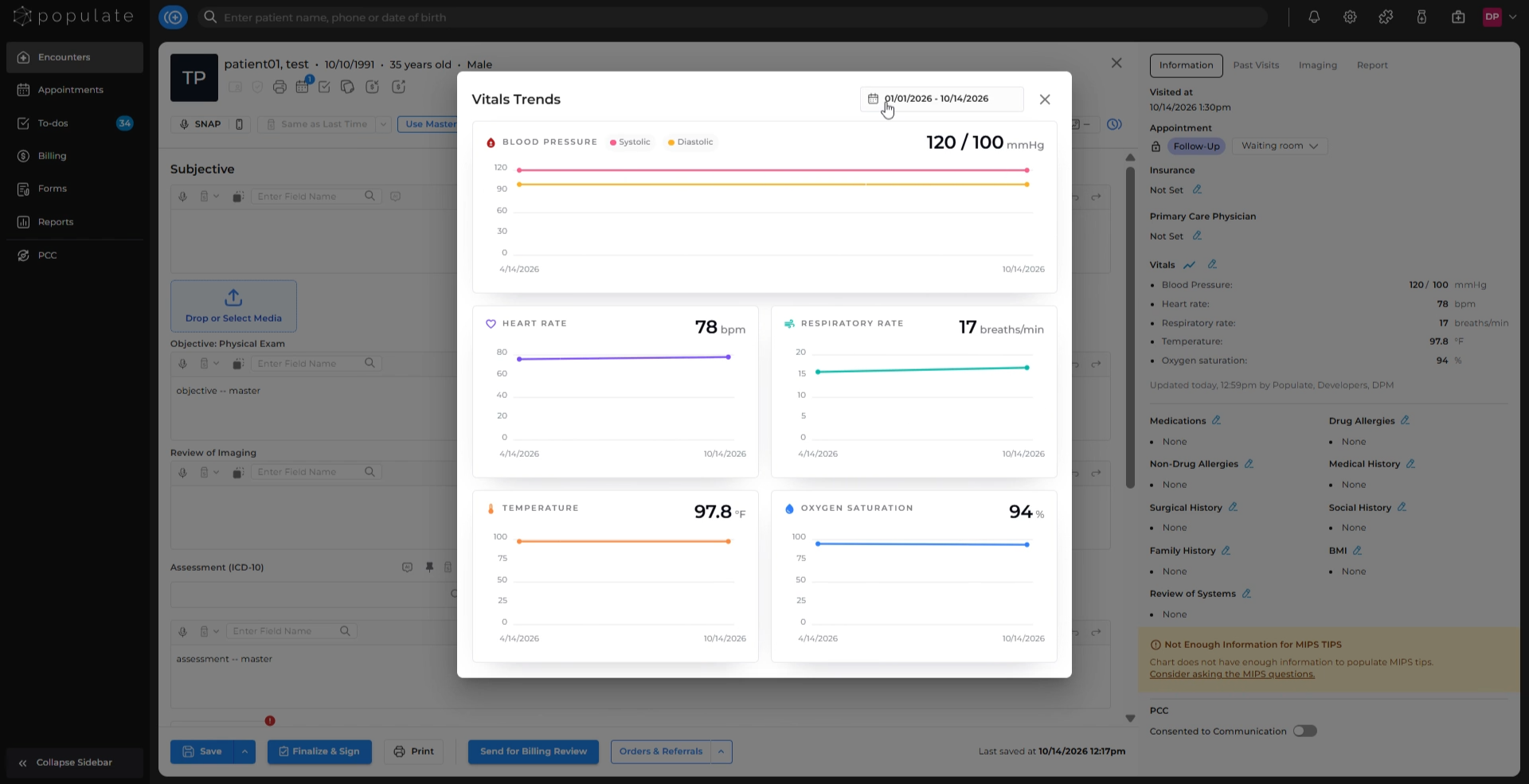
To see a comparative trend of the patient’s vitals across visits in the selected date range, click the Trend icon.
To edit the vitals, click on the Edit Vitals icon again and repeat steps 2–4.