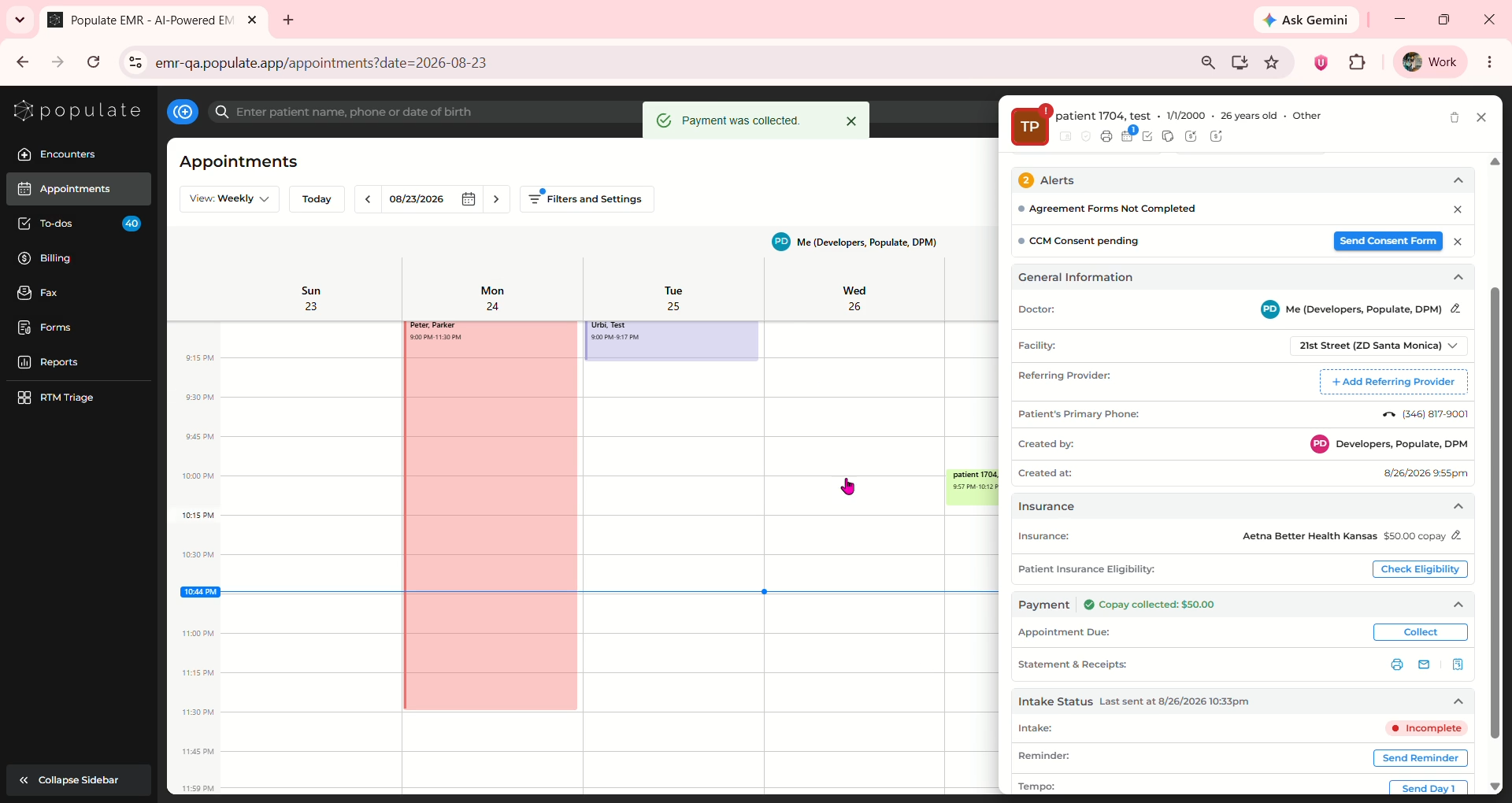
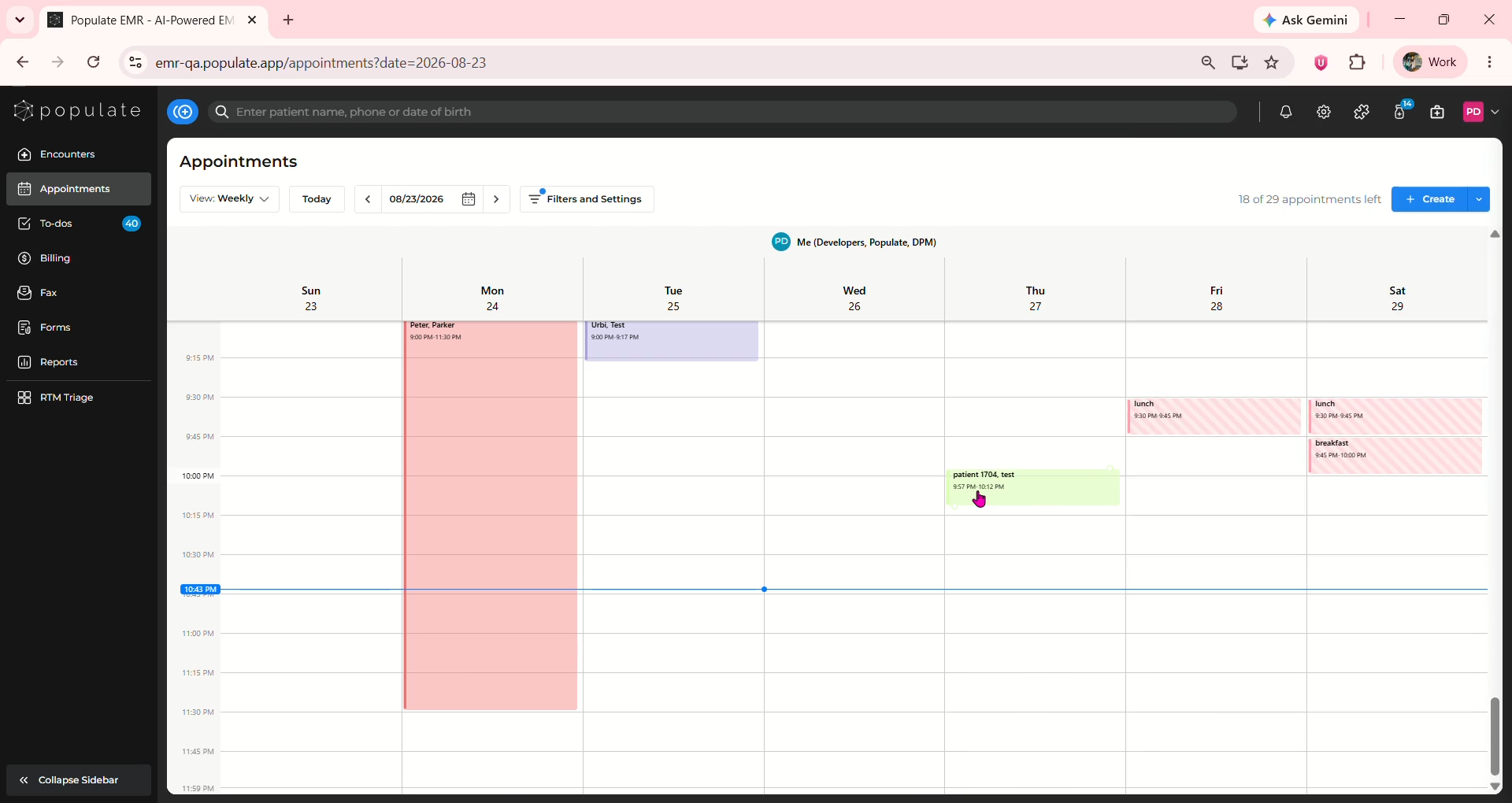
Navigate to the appointments page and click on the patient from whom the payment needs to be collected.
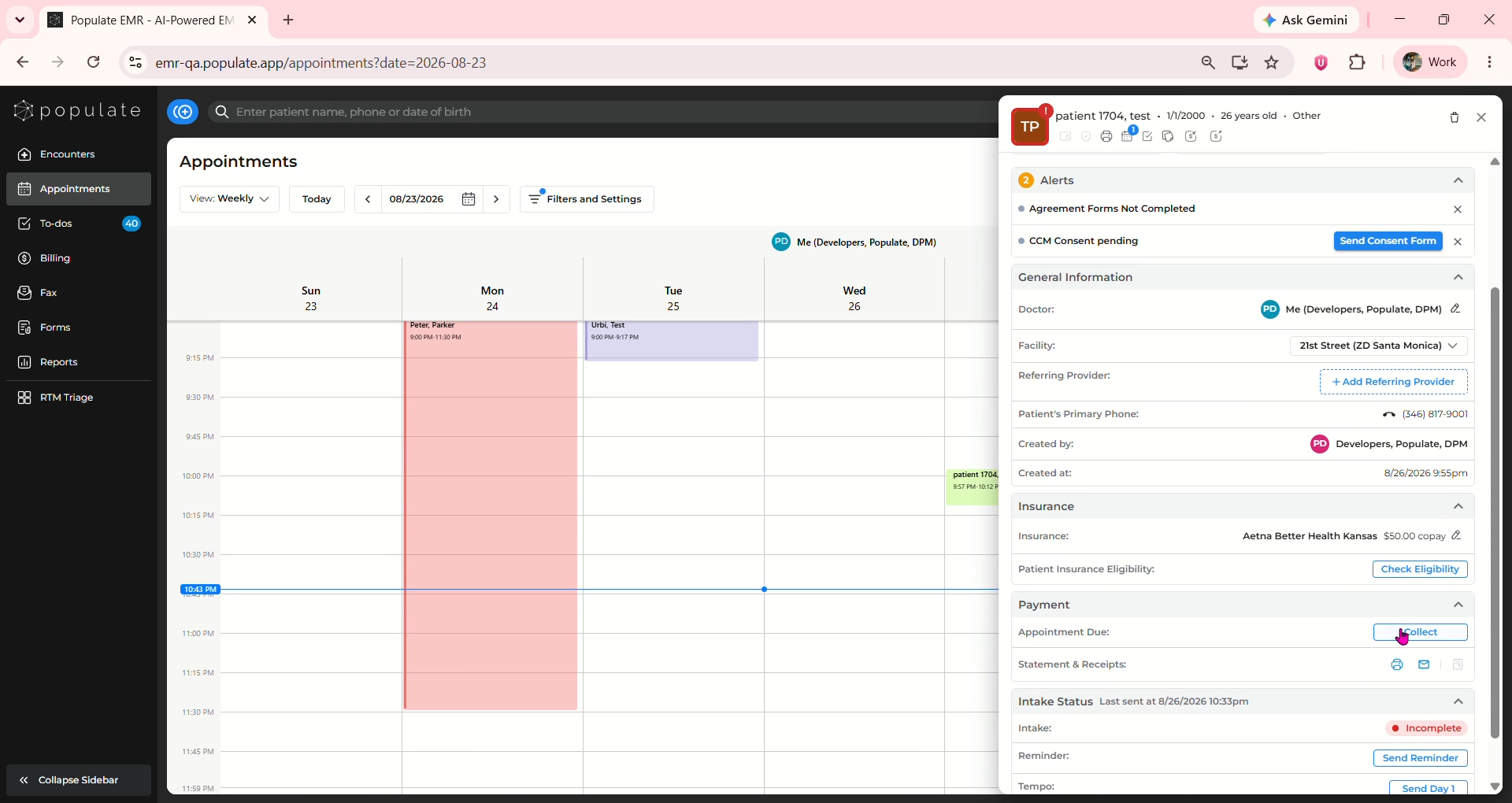
Navigate to the Payment section and click on collect to open the payment collection window.
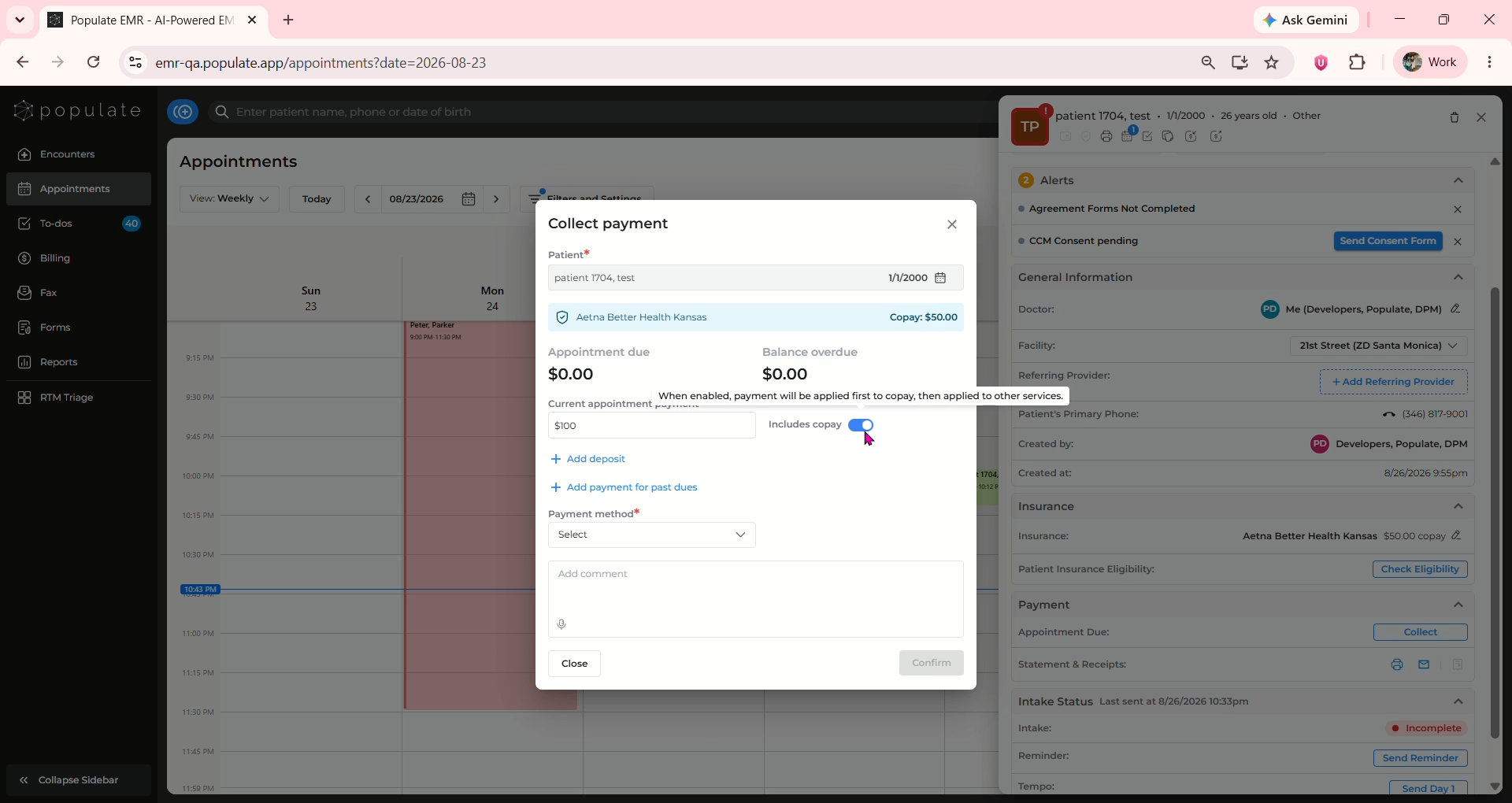
Enter the payment amount in the Current appointment payment field. Ensure “Includes copay” is enabled using the toggle button.
Click on the Payment method dropdown and select the appropriate payment method.
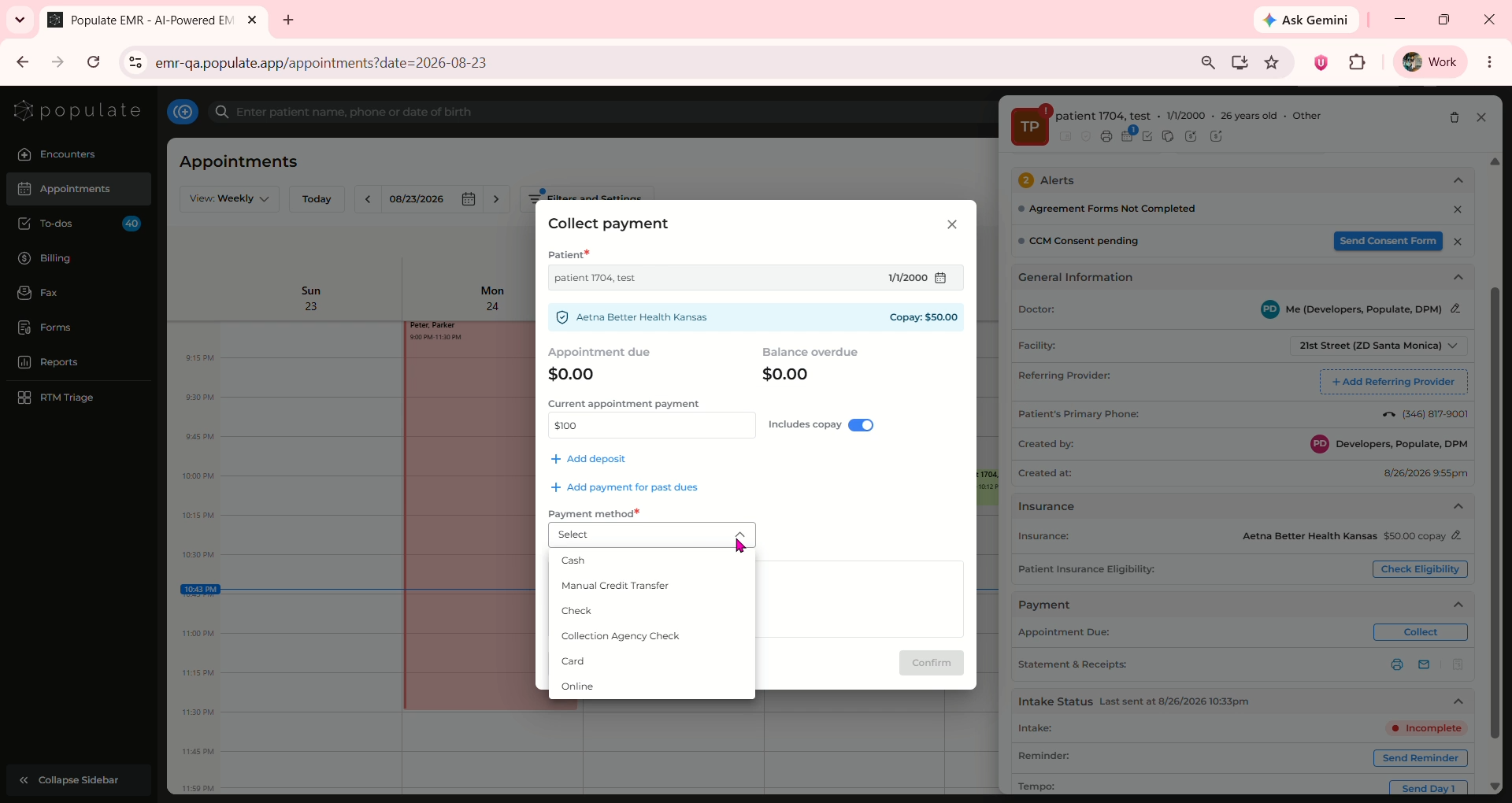
Once the payment information has been entered, click Confirm to collect the payment.
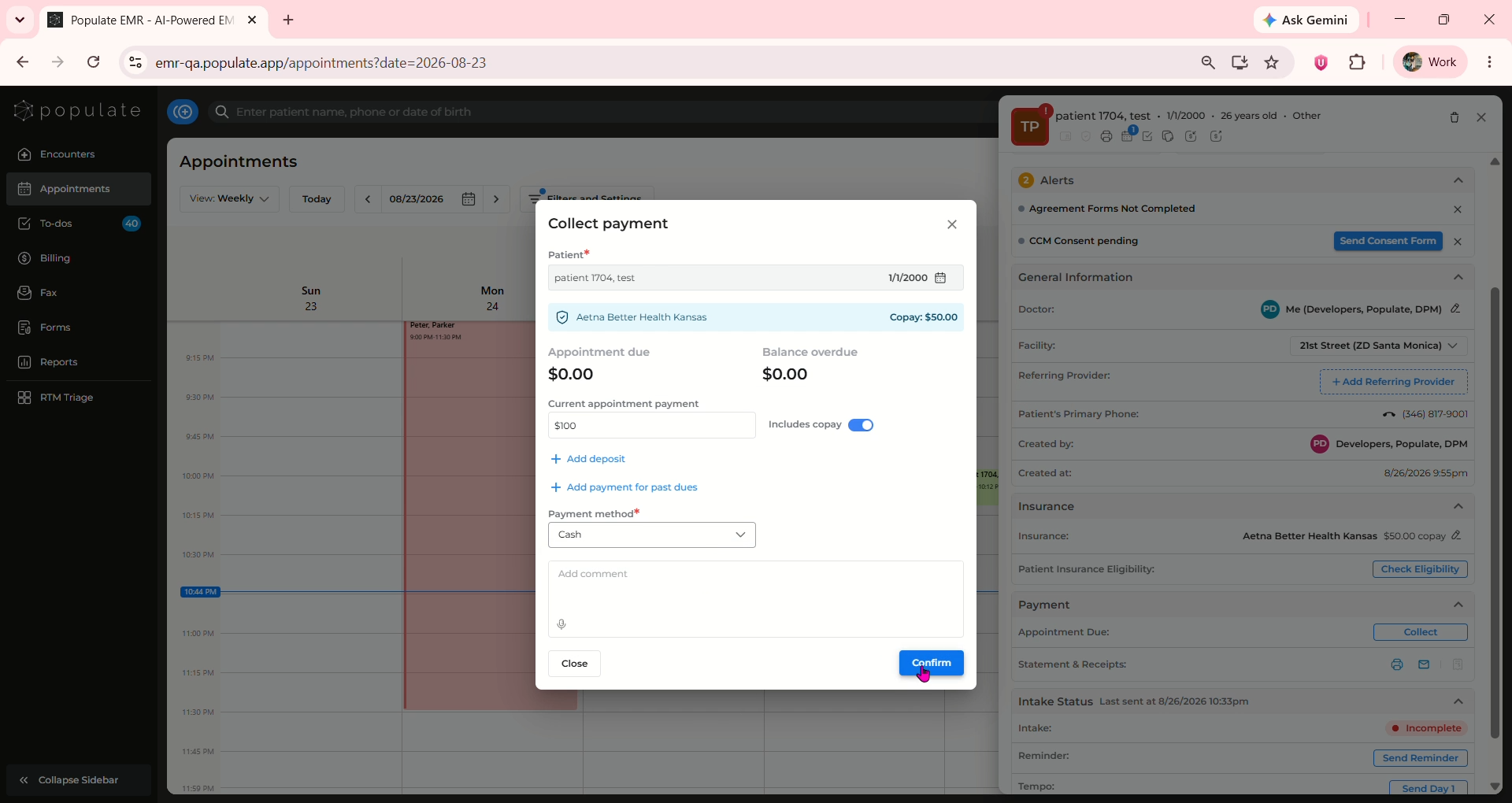
Once completed, a “Payment was collected” confirmation will appear.