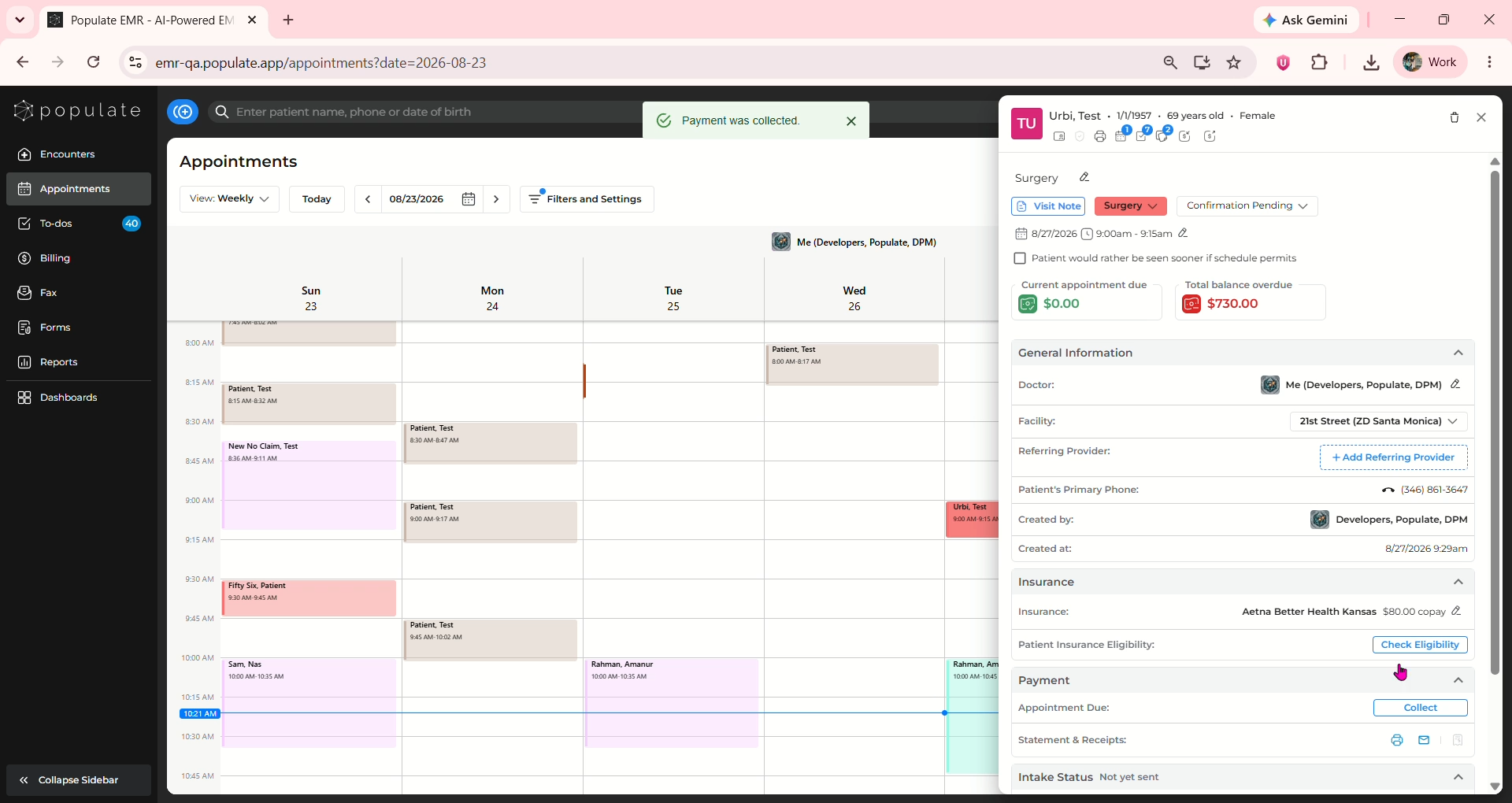
Navigate to the Appointments page and locate the patient's appointment on the calendar.
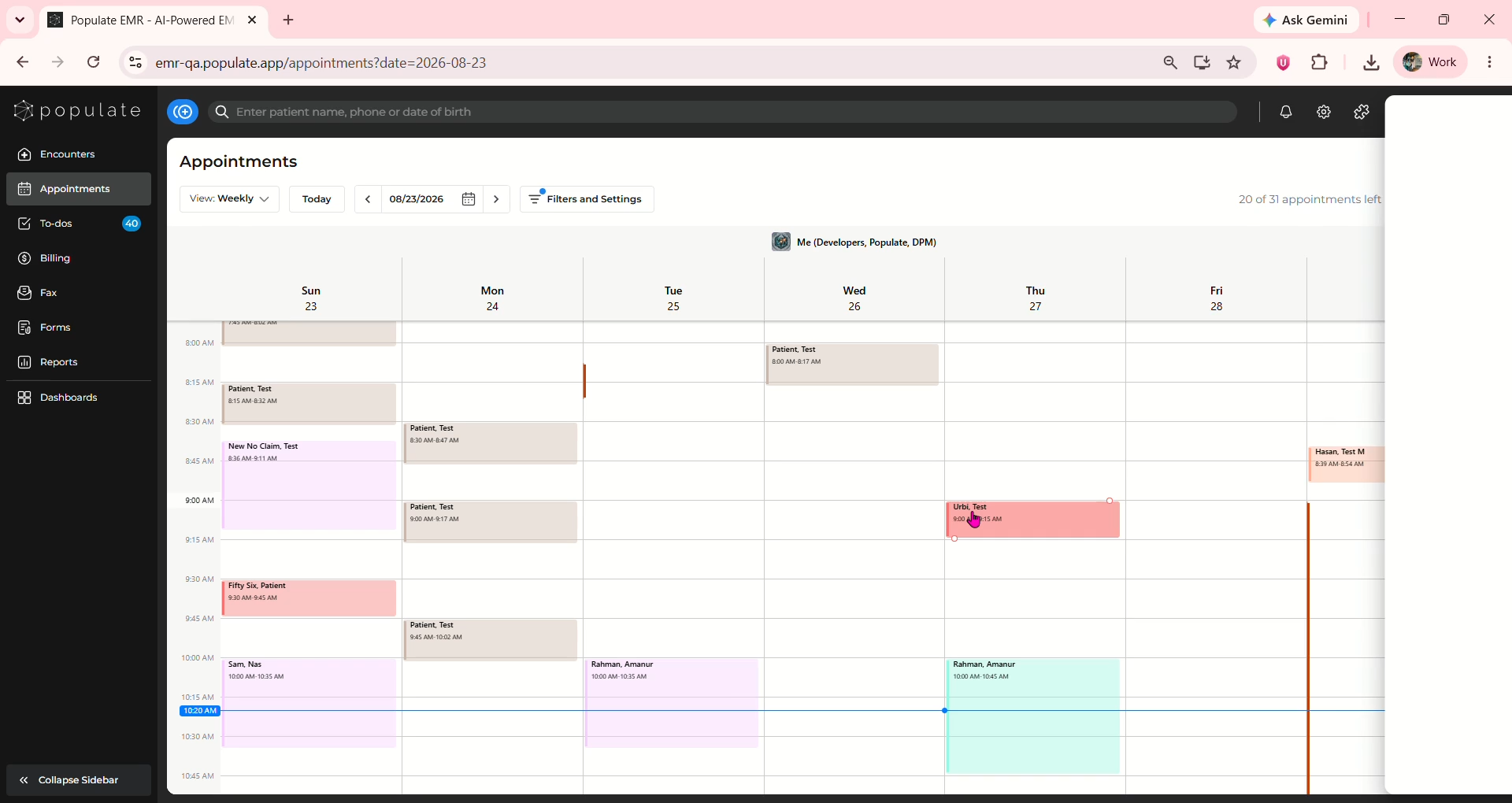
Clicking on the appointment will open the appointment details on the right side of the screen
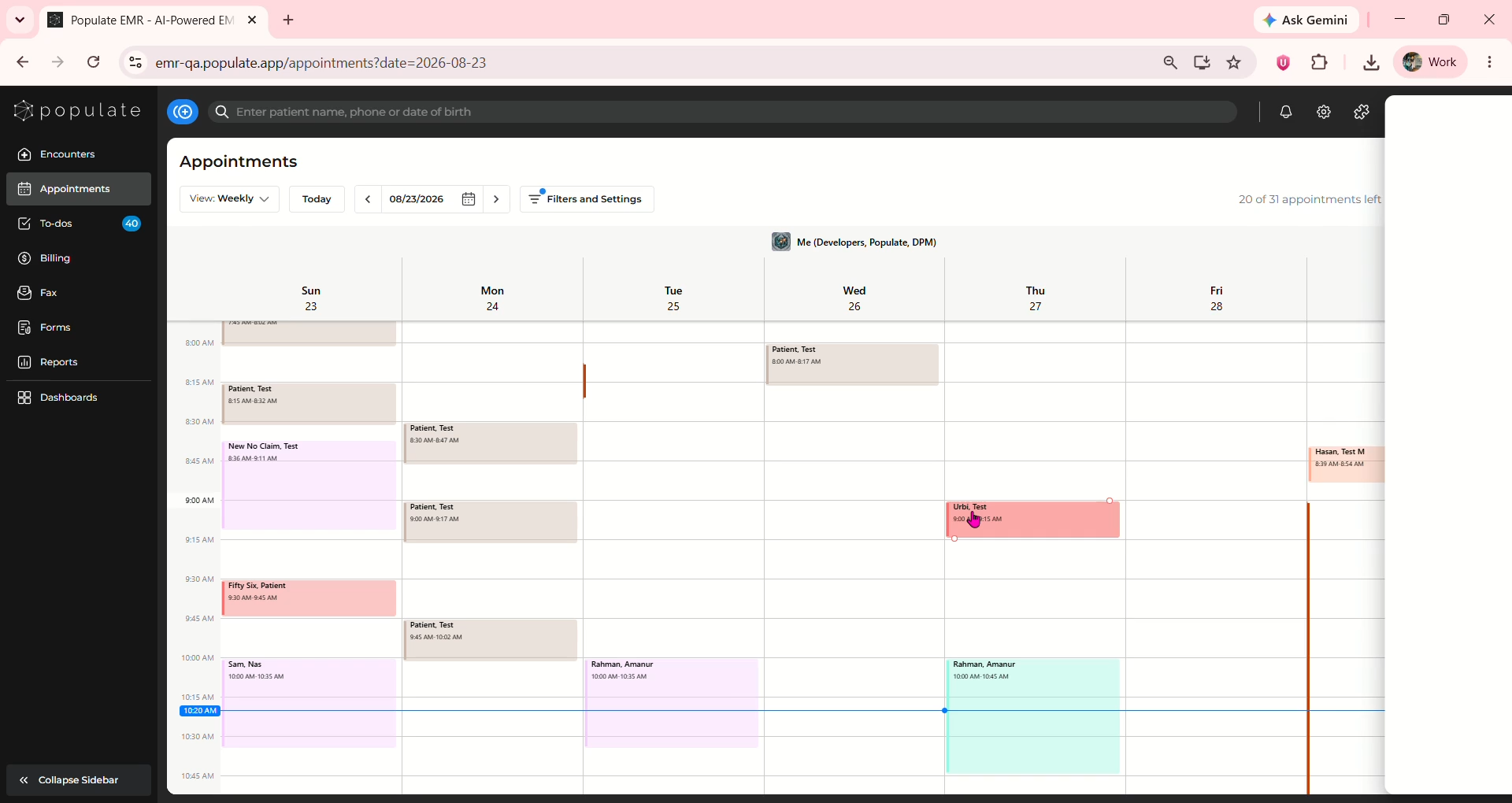
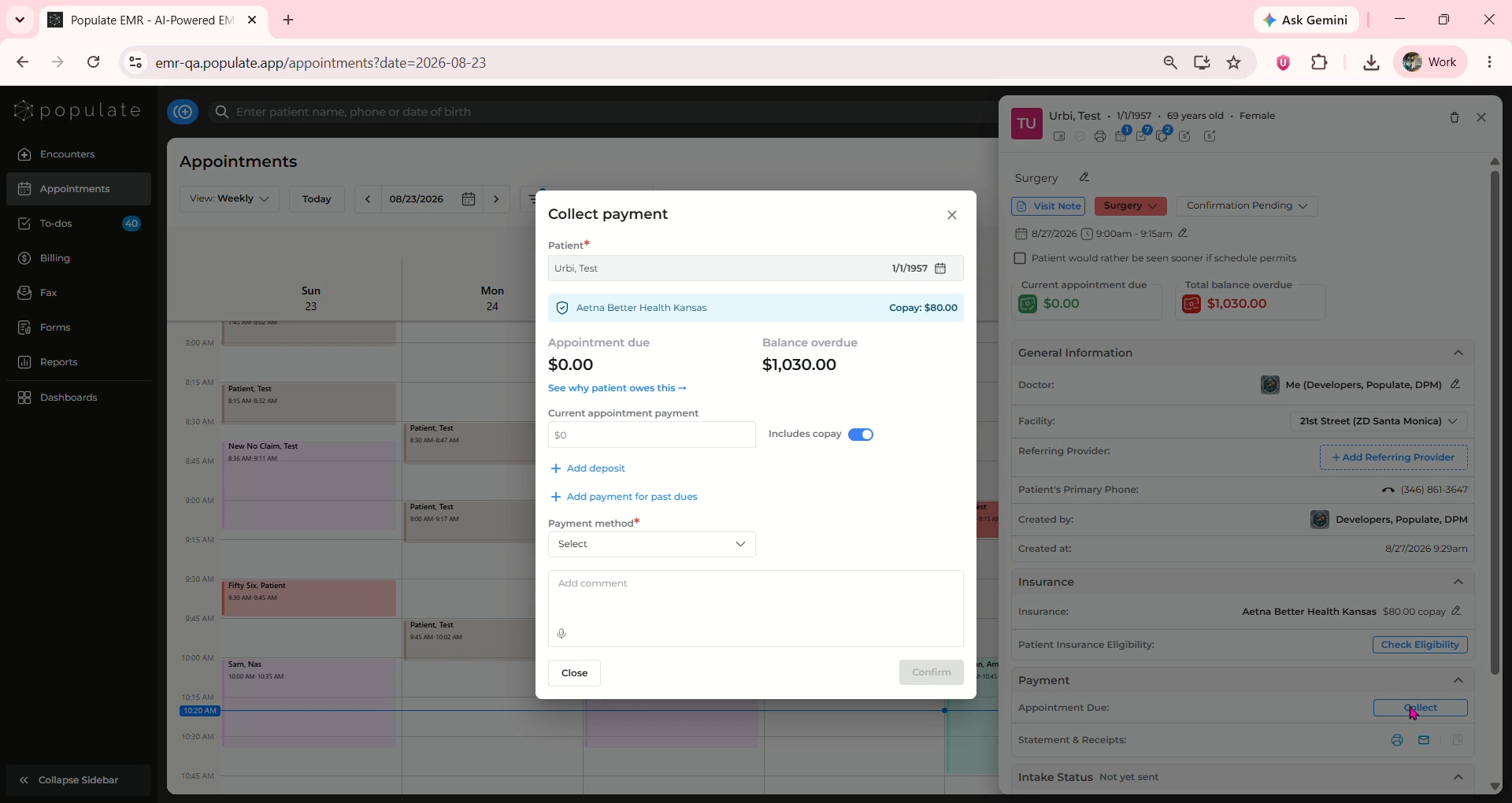
Navigate to the Payment Section and click on collect to open the collect payment window
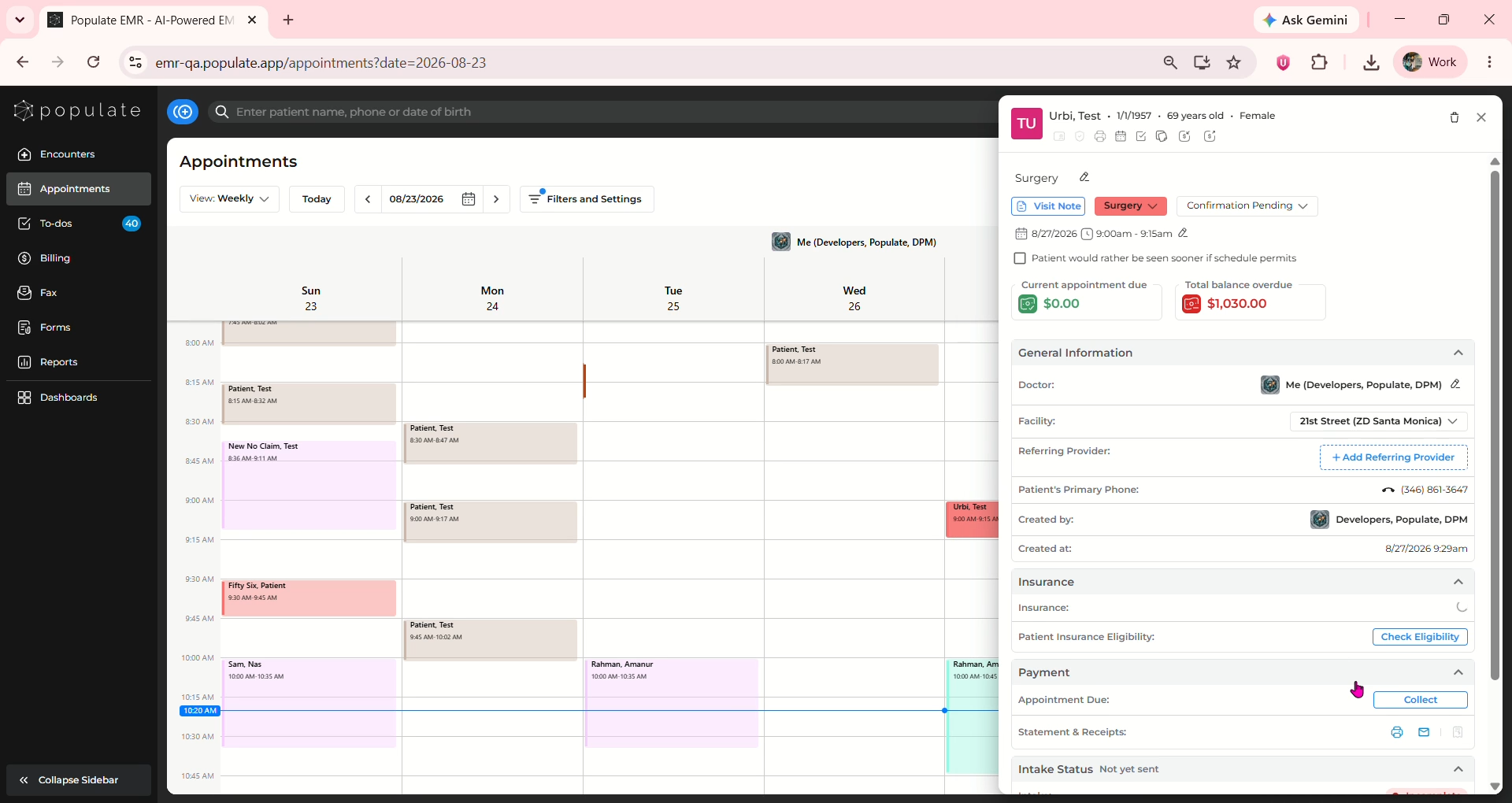
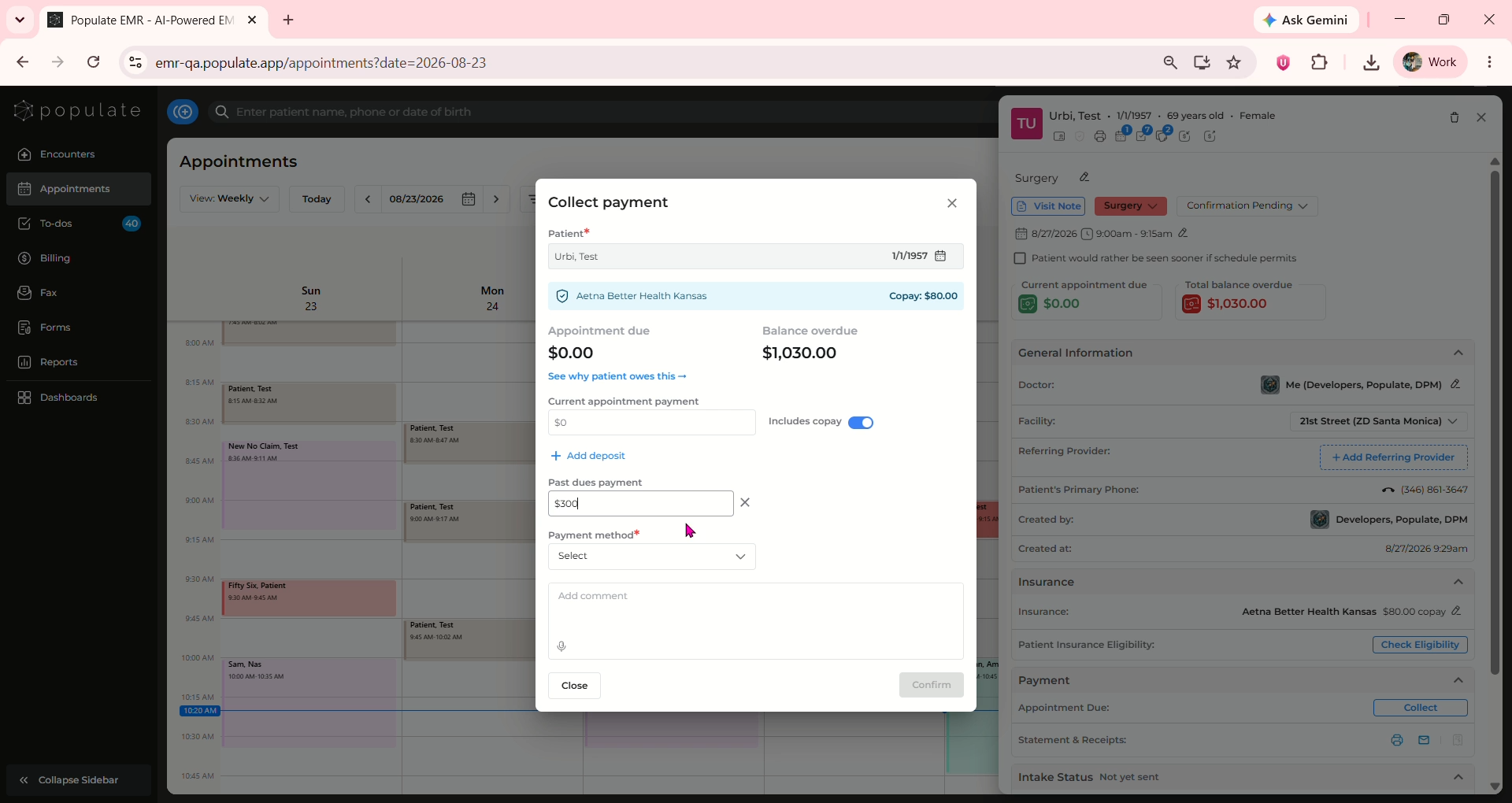
Under post dues payment, enter the amount the patient would like to pay toward their outstanding balance. The payment does not need to cover the patient’s entire outstanding balance.
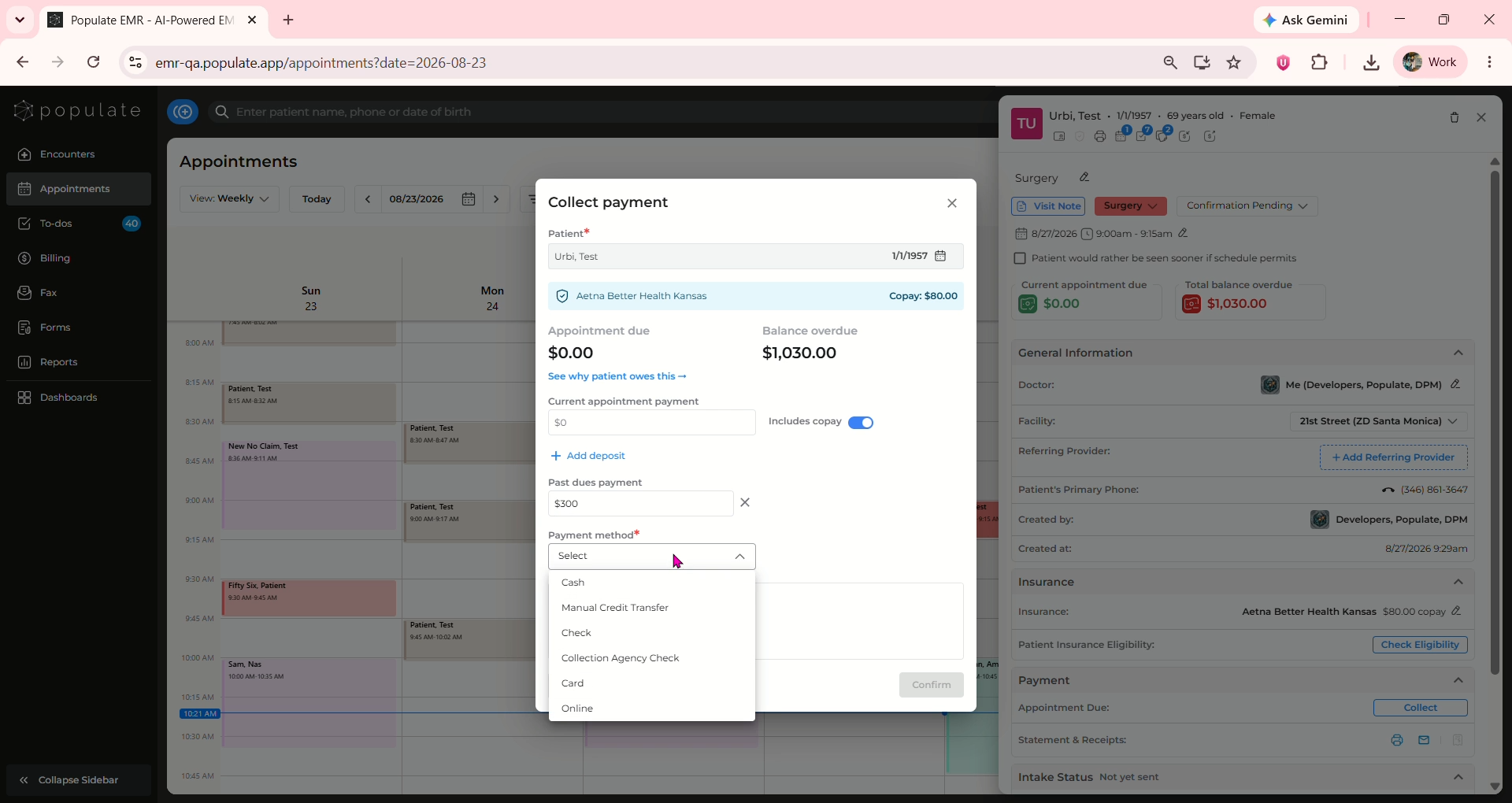
Click on the Payment method dropdown and select the appropriate payment method.
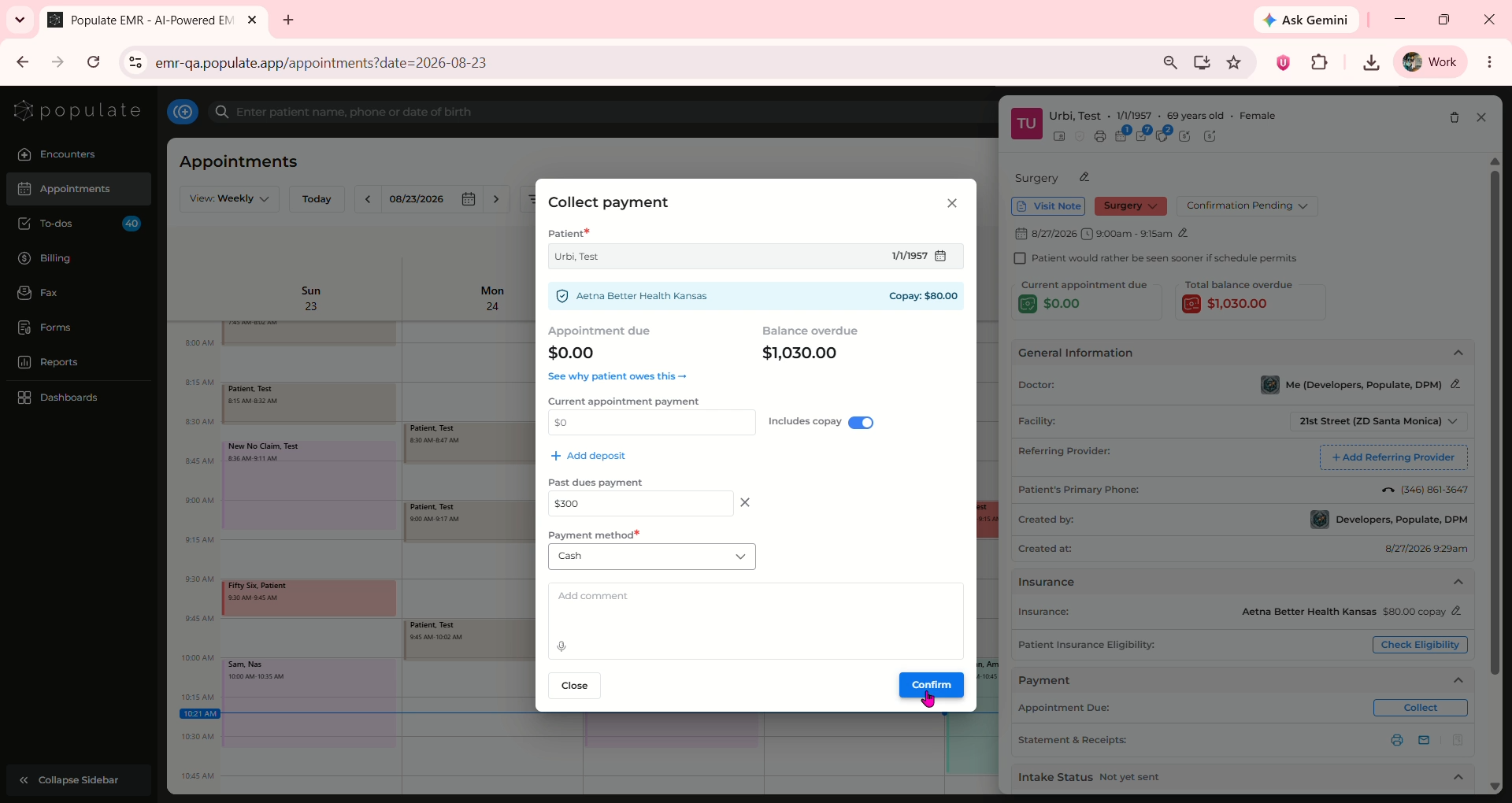
Click on “Confirm”
Once the payment has been processed successfully, a “Payment was collected” confirmation will appear.
You can also collect payment by clicking on the small "collect Deposit " button underneath the age of the patient and following the steps mentioned above.