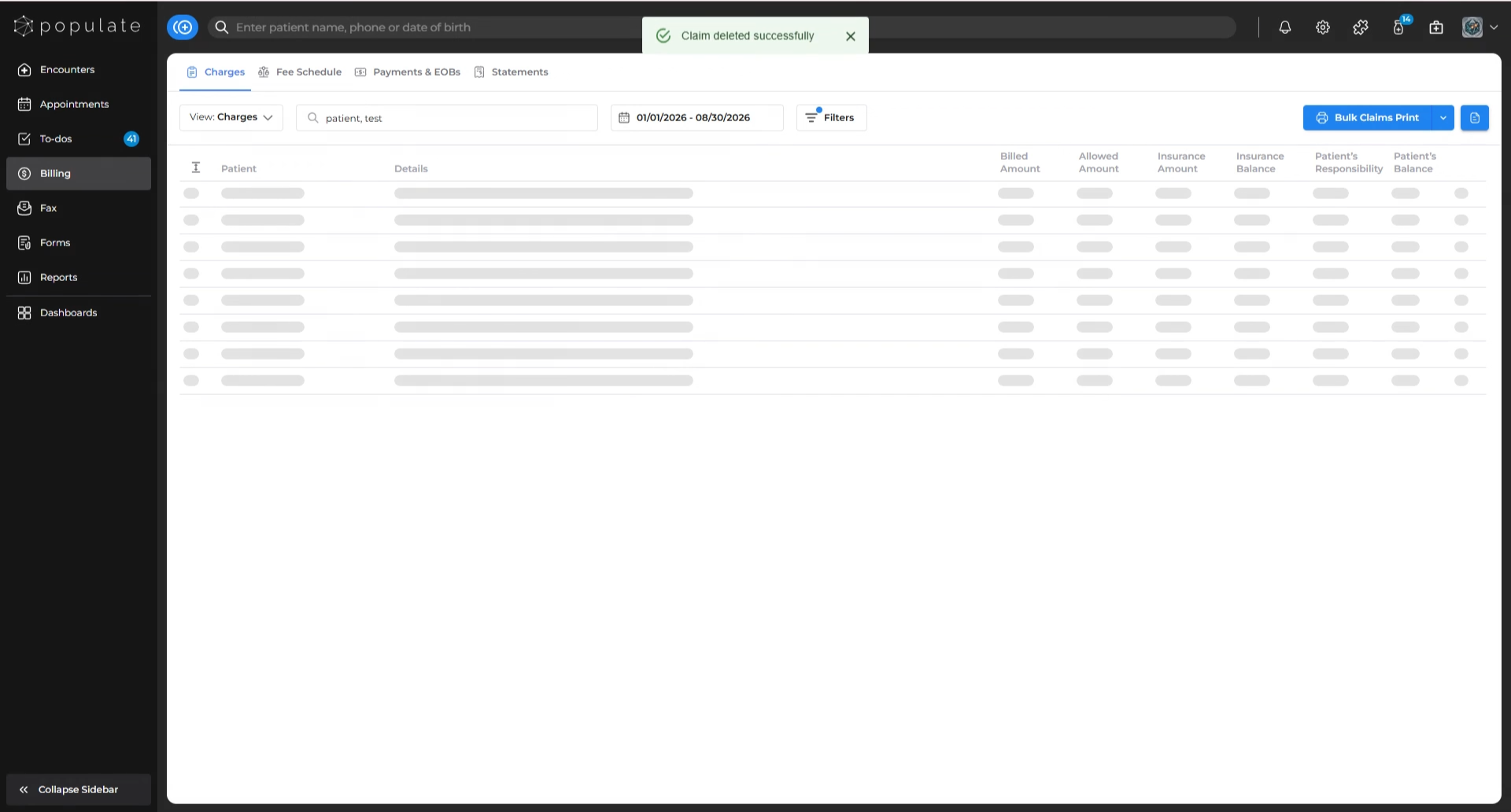
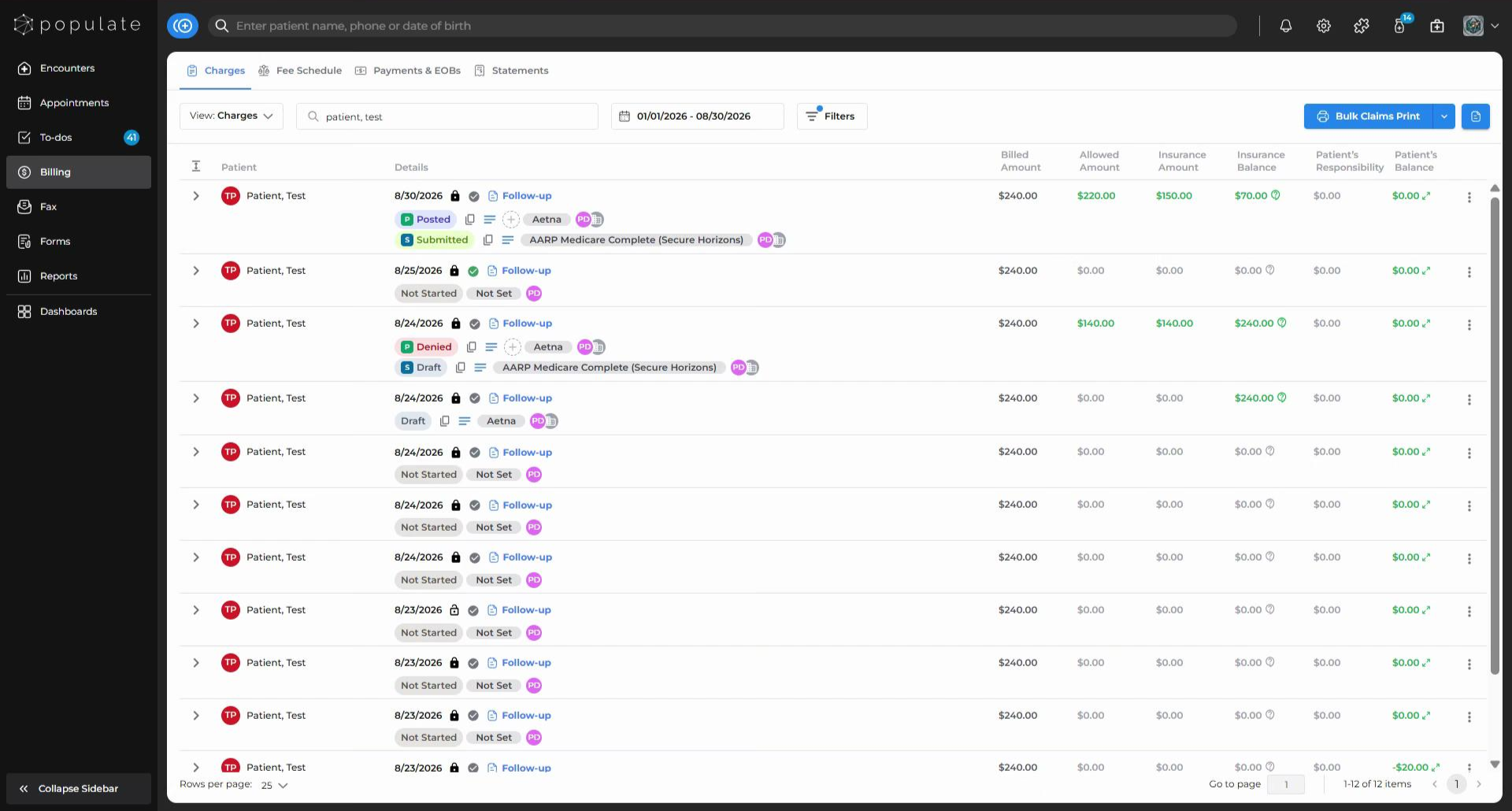
Navigate to the “Charges” tab under Billing. Select the charge for which you want to delete the claim.
Once you select the charge, the Charges side panel will open. Look for the delete button at the bottom right corner of this panel.
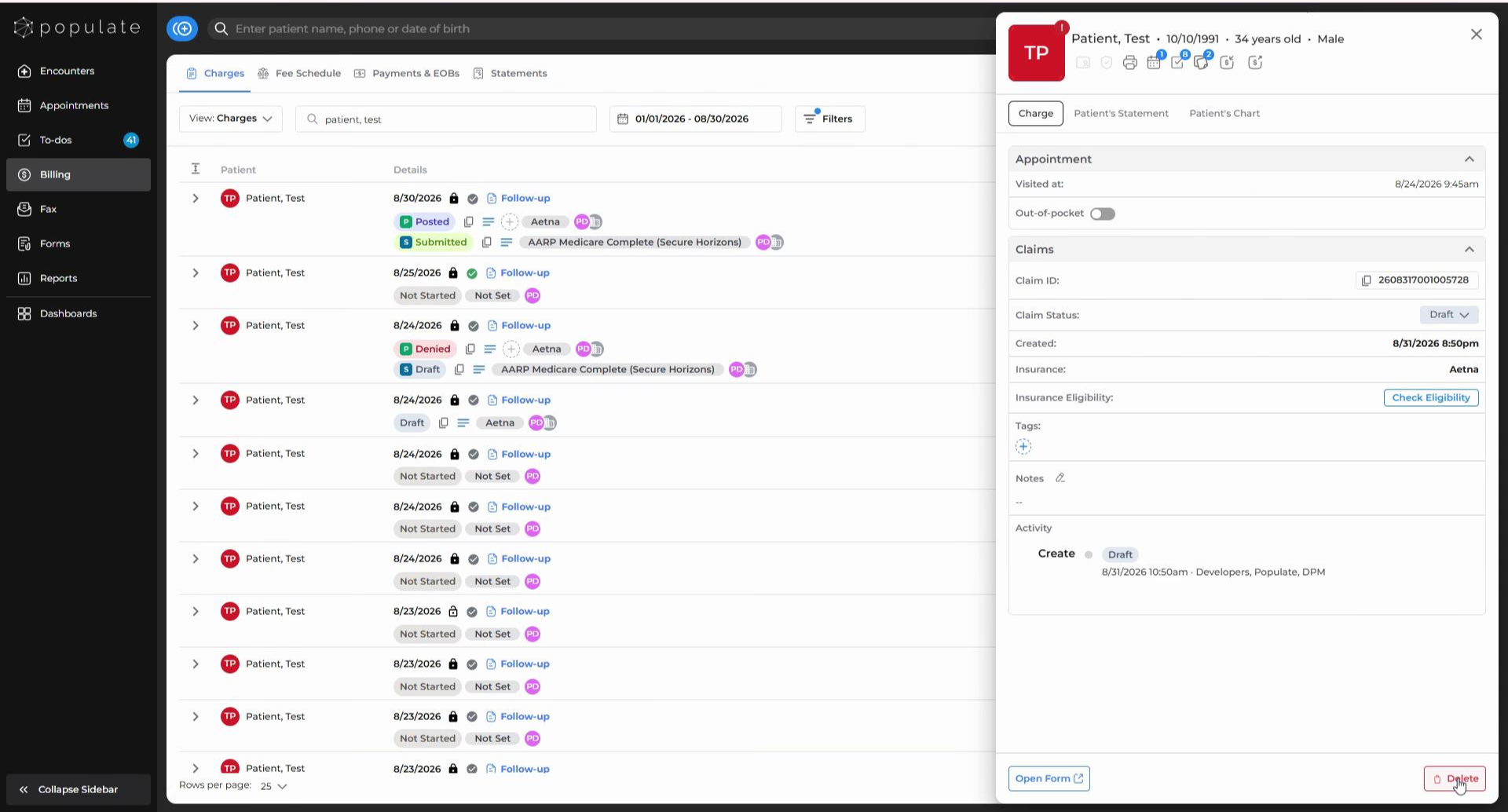
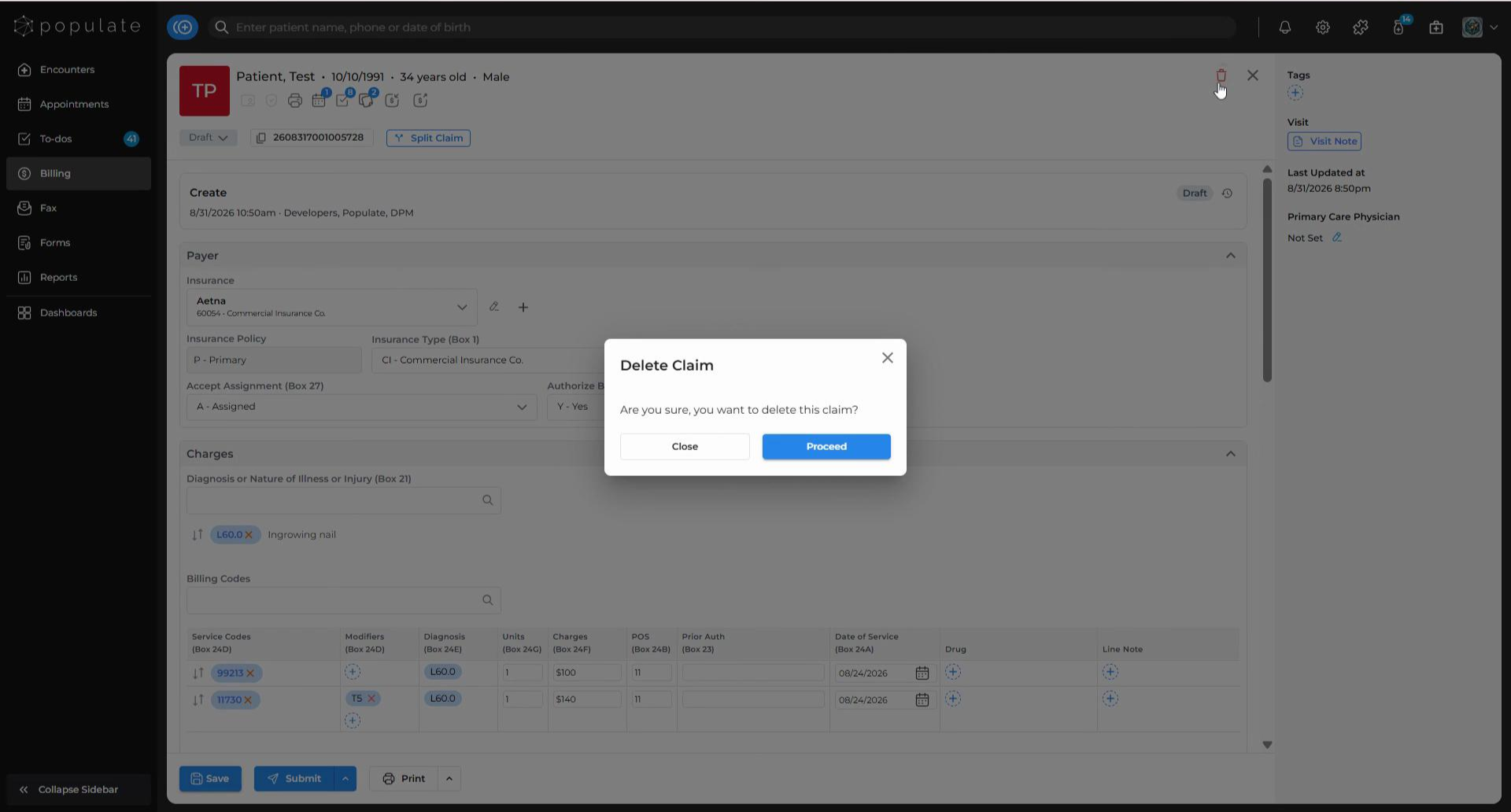
Alternatively, you can click on “Open Form” in the Charges side panel. This will take you to the Claim Form, where you’ll find the Delete icon at the top right corner of the page.
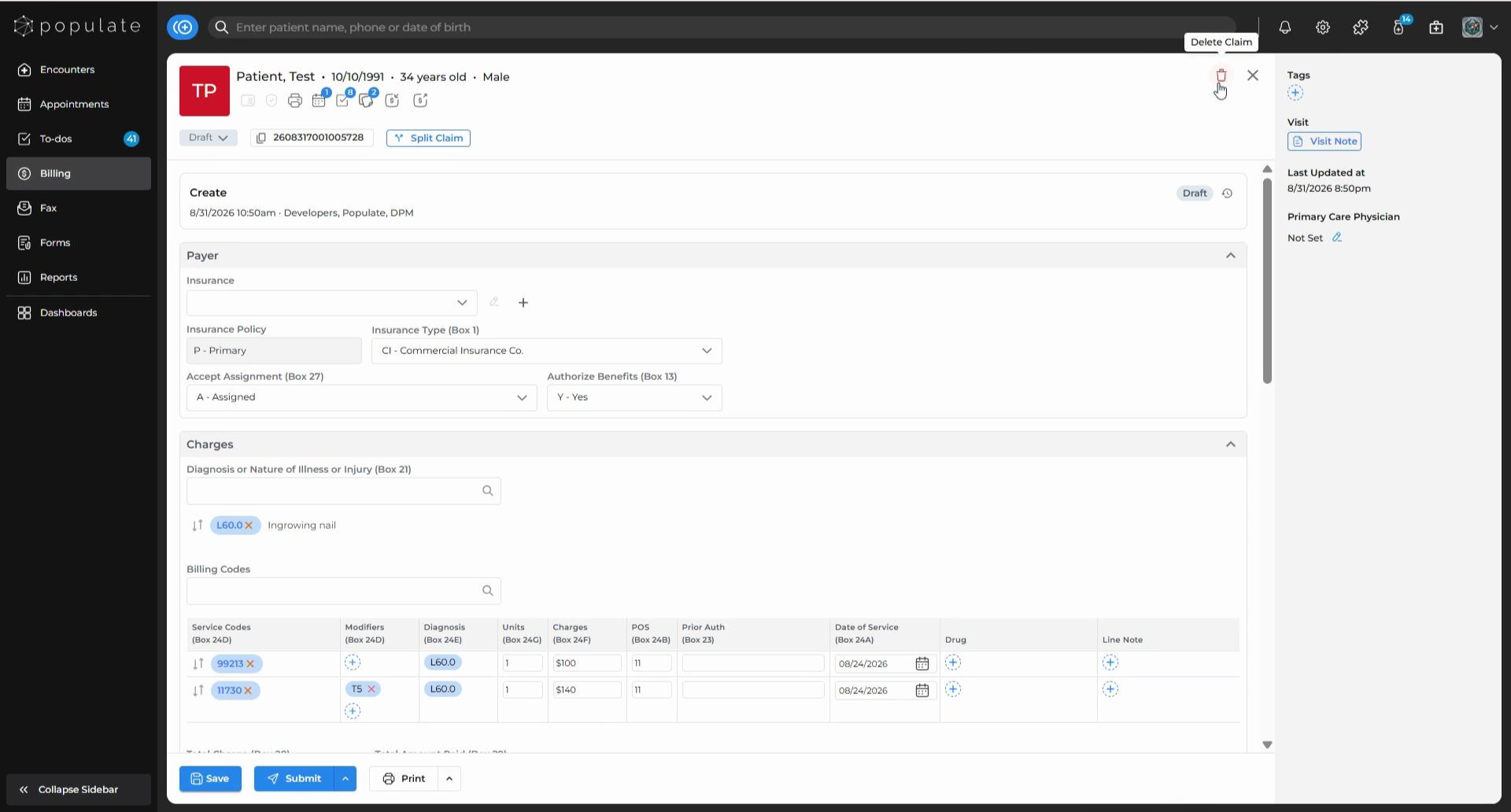
Click the Delete icon, then click “Confirm” in the confirmation dialog to proceed.
A confirmation message will appear, indicating that your claim was successfully deleted.