
You can enter an authorization number in Box 23 for the whole claim, for individual service lines, or both.
Claim-level Box 23
- Open the claim and click into Box 23.
- Pick from the suggestions, or type the number manually.
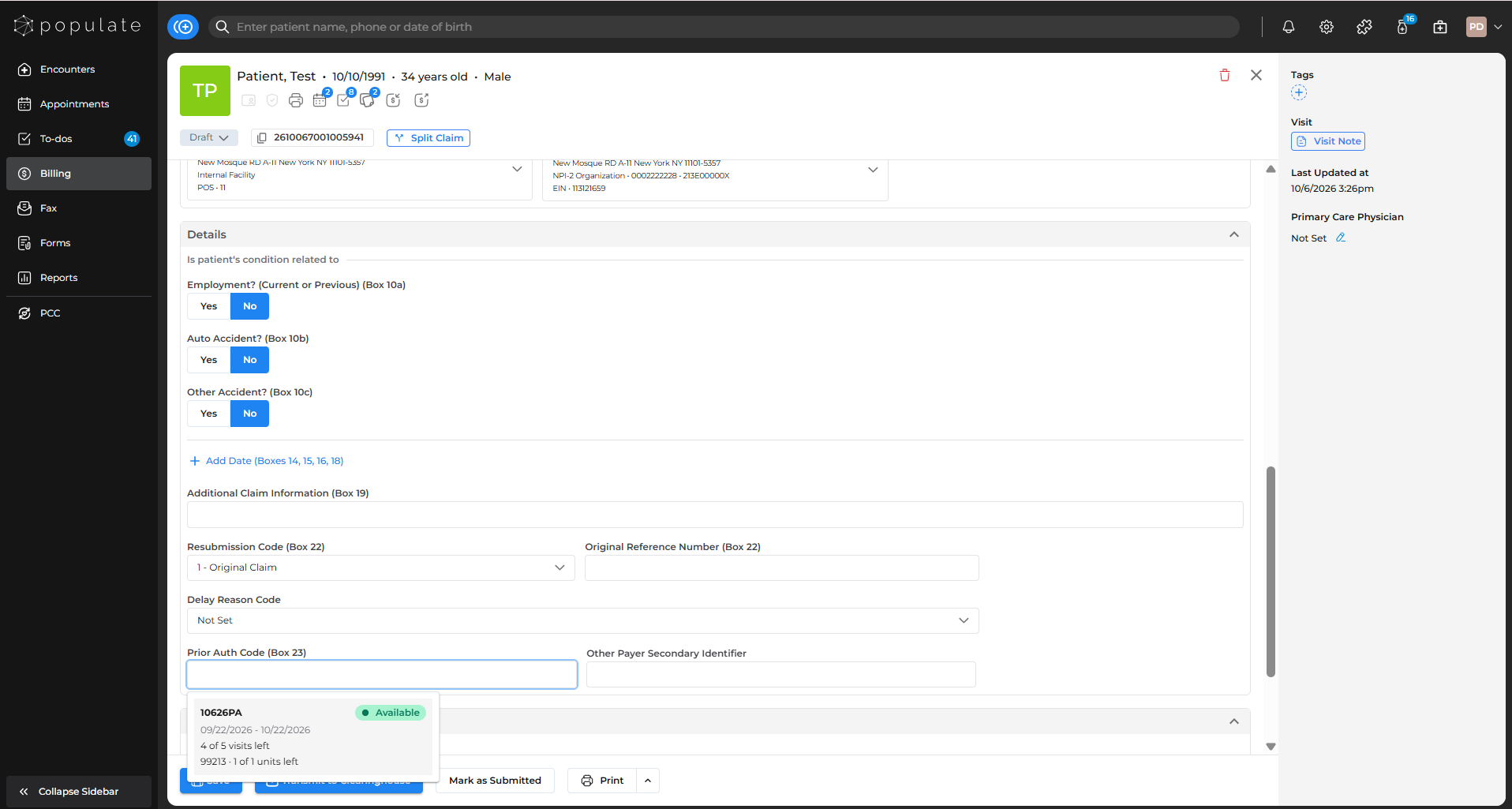
Suggestions show one choice per number. If a number has both Visits and Units authorizations, you'll see both, with separate totals and both sets of notes in one panel. If any allowance under that number is used up, the choice shows Exhausted. Expired authorizations aren't suggested.
Service-line Box 23
- On a service line, click into its Box 23.
- Pick a suggestion or type a number.
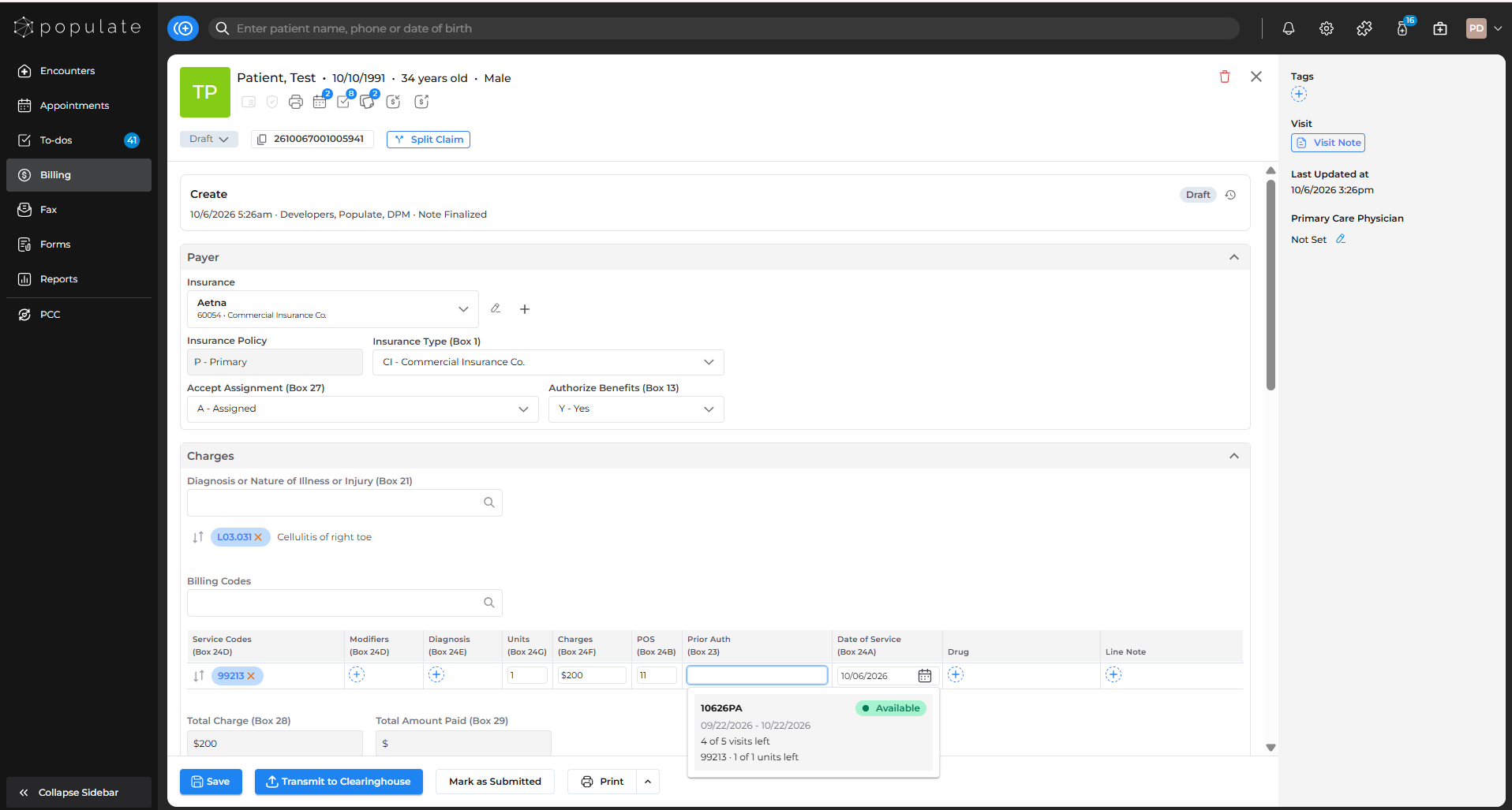
Line suggestions only include authorizations that cover visits or cover that line's CPT code. A number on a line overrides the claim-level number for that line's units.
Numbers not in Populate
You can type any number, even if it isn't recorded in the patient chart. Populate shows a warning and doesn't track usage for it. The claim can still be saved and submitted.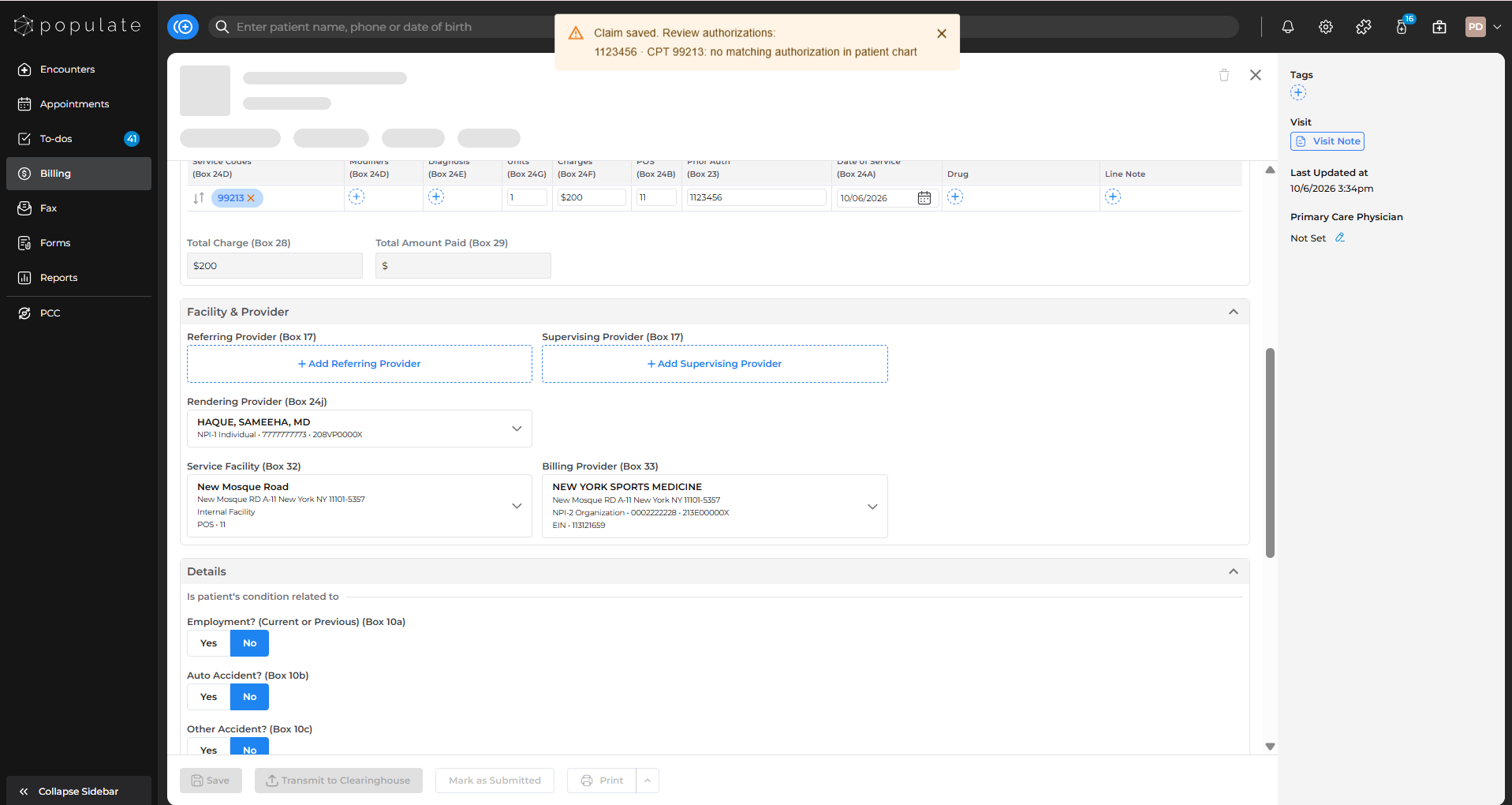
Changing insurance or splitting a claim
- Changing the claim's insurance clears all Box 23 entries.
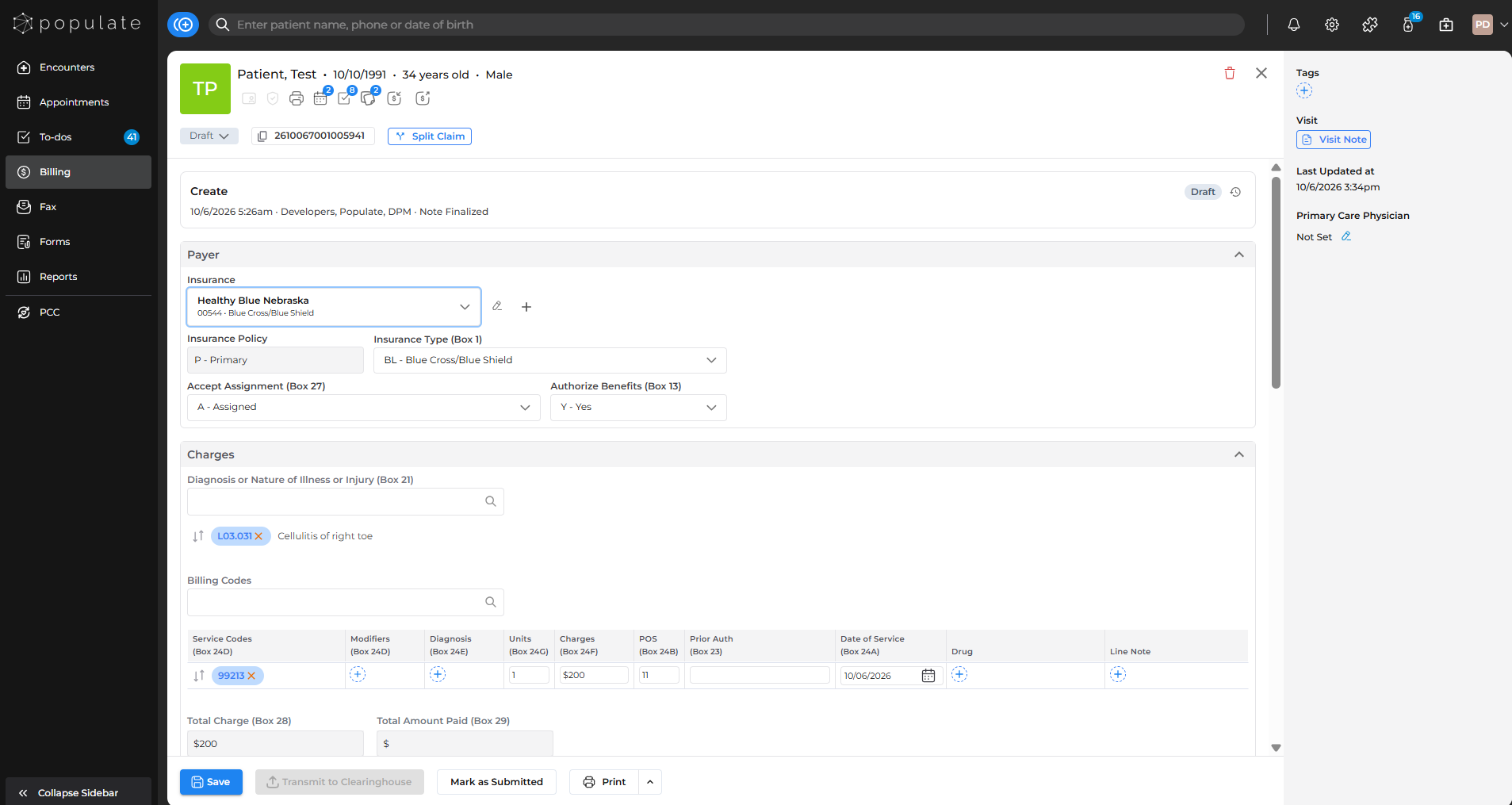
- Splitting to a different insurance: the new claim doesn't keep the authorization numbers.
- Splitting to the same insurance: the new claim can keep them.