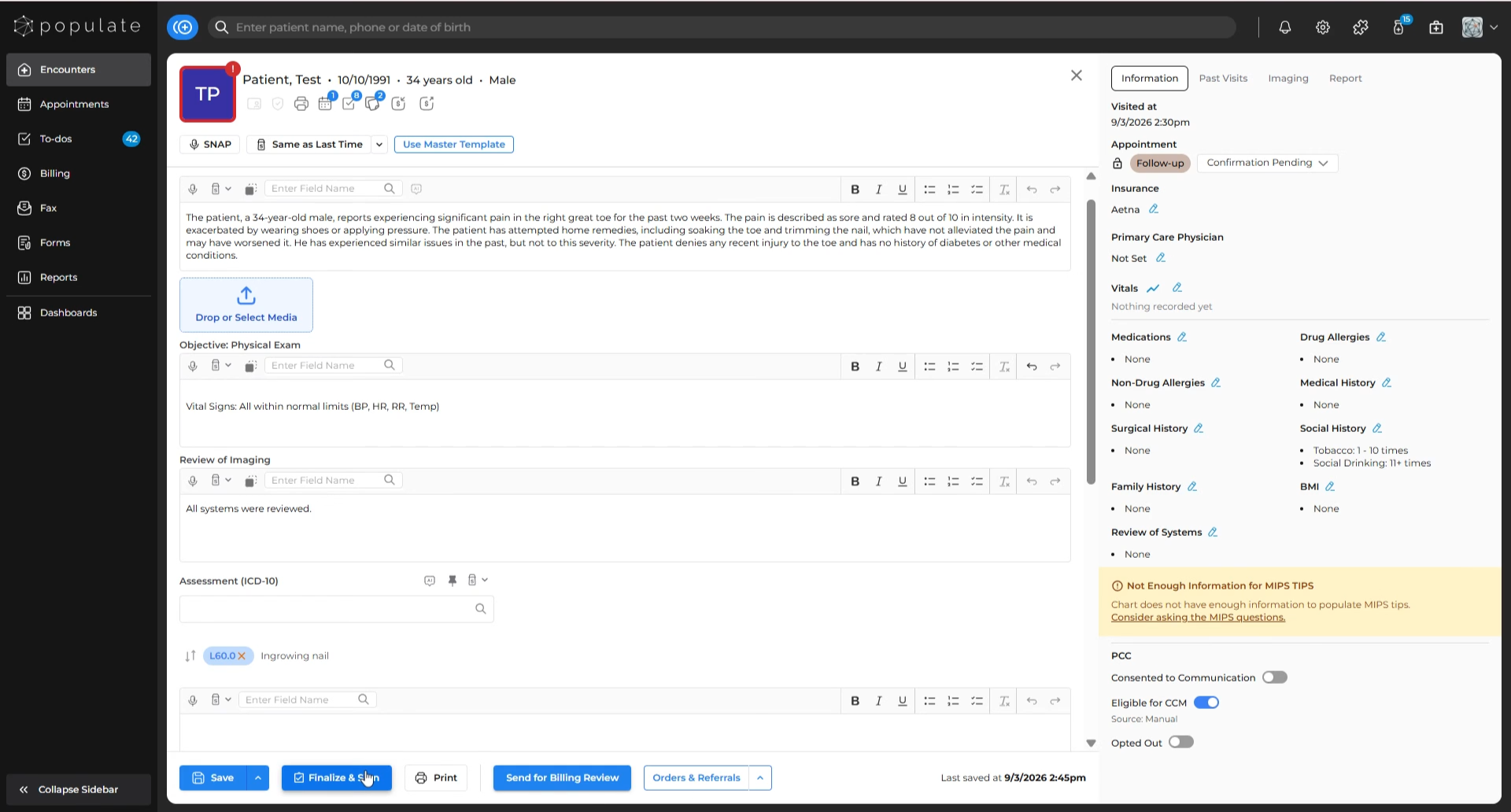
Go to the visit note you want to print and click “Finalize & Sign” in the bottom navigation panel.
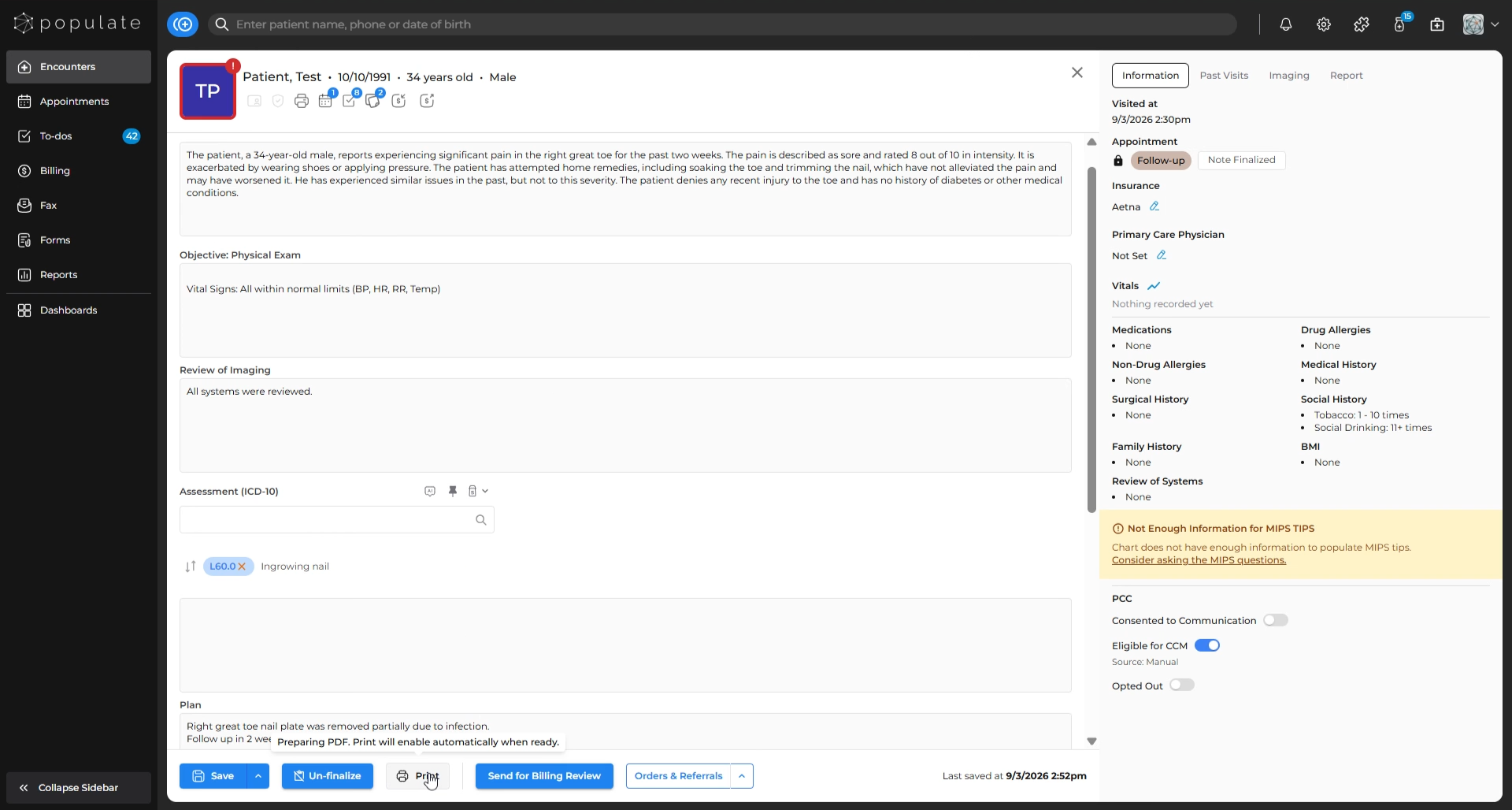
After finalizing, click the “Print” button.
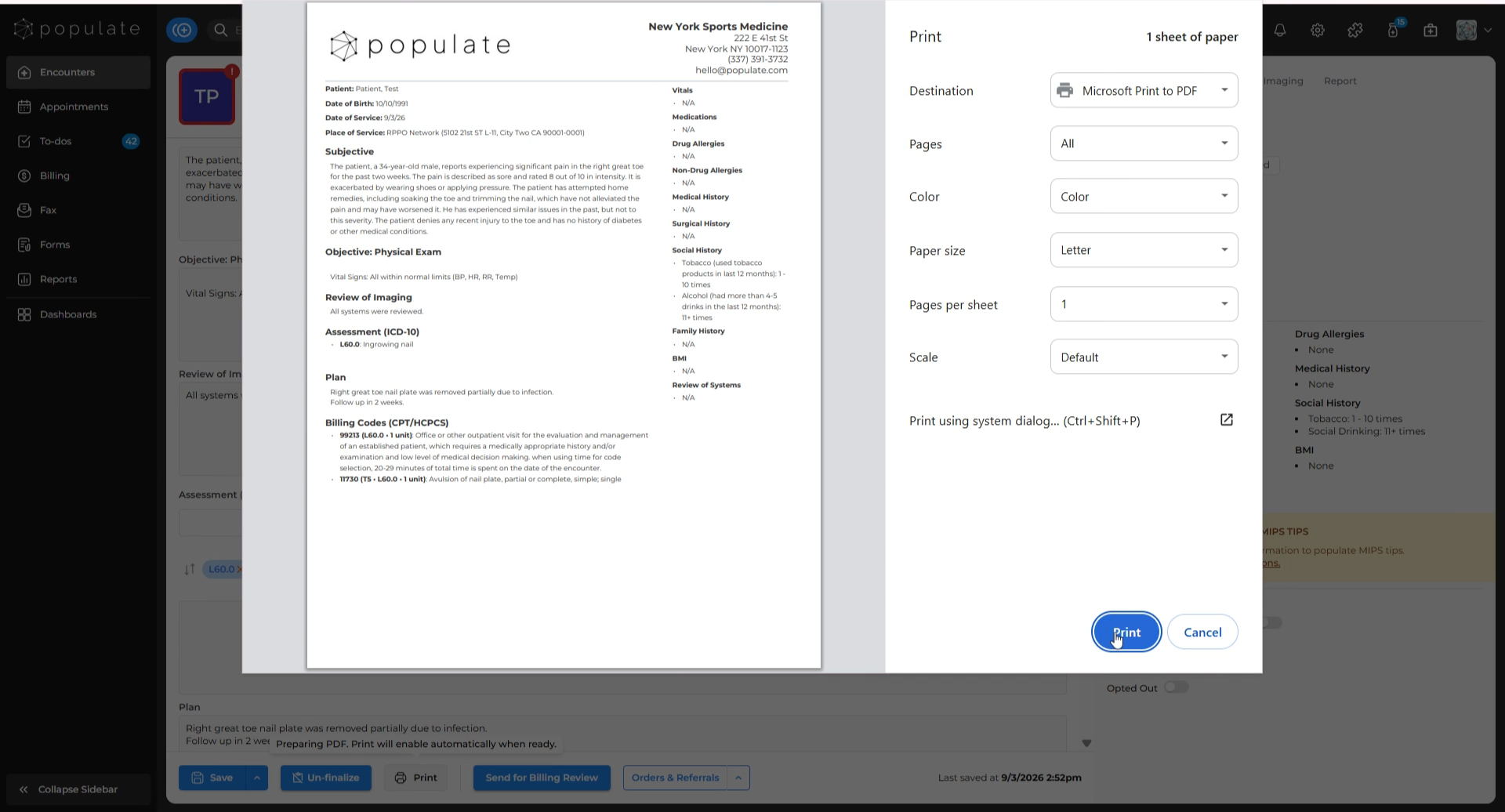
Review the visit note PDF and print settings, and after verifying, click on "Print" again.
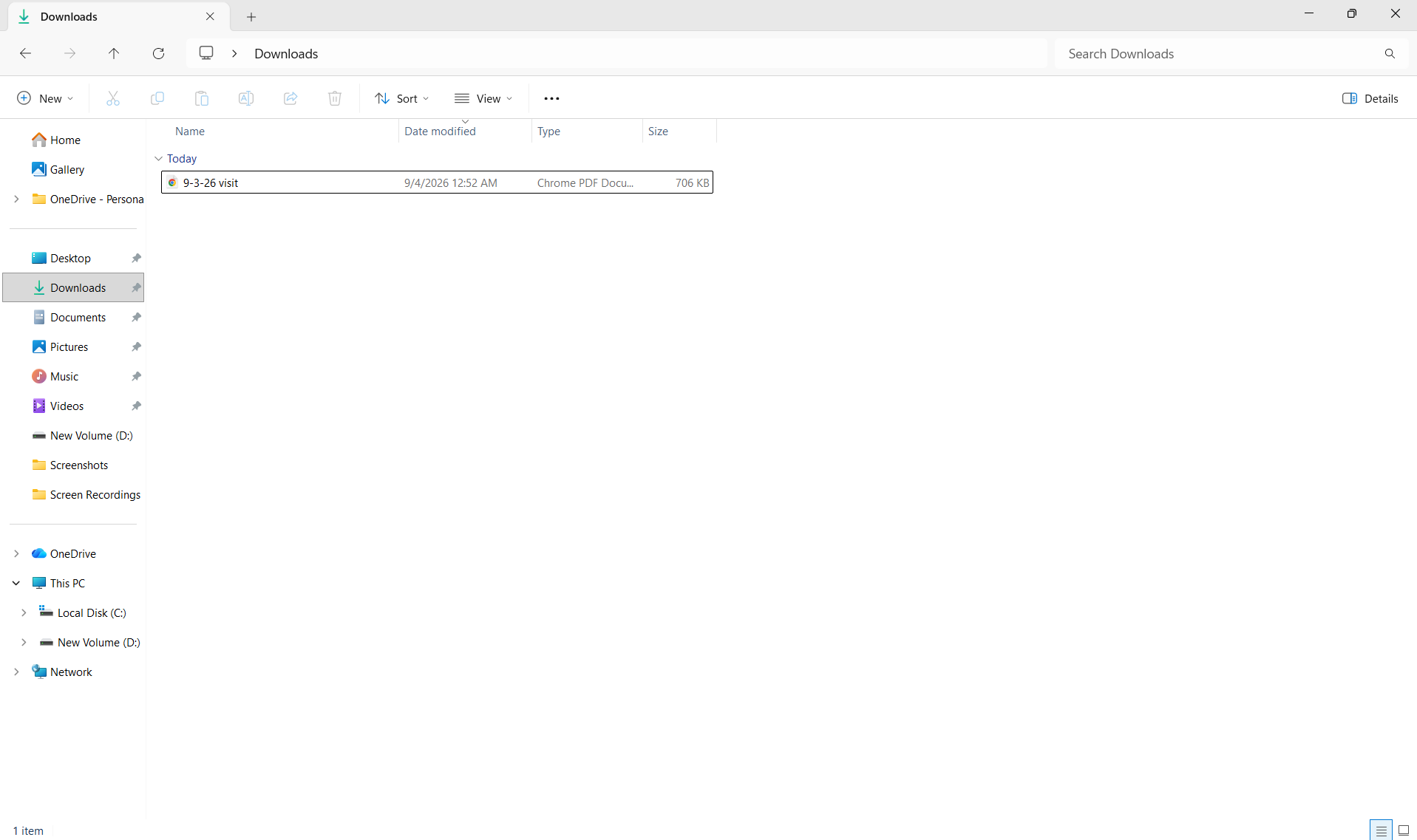
Save the visit note in your computer and your visit note should be printed.