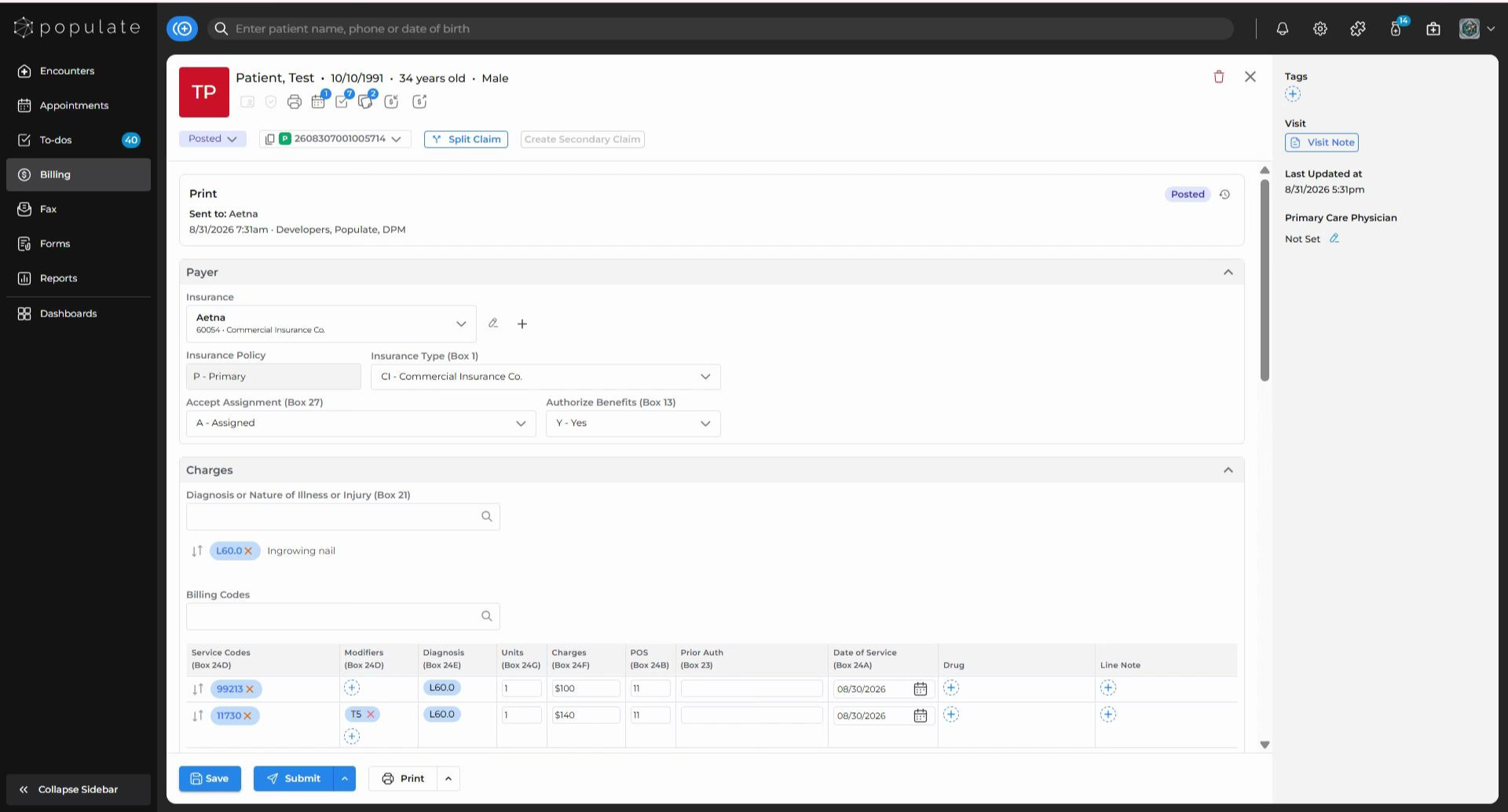
On the claim form page, find the “Print” button at the bottom left corner, right next to the “Submit” button.
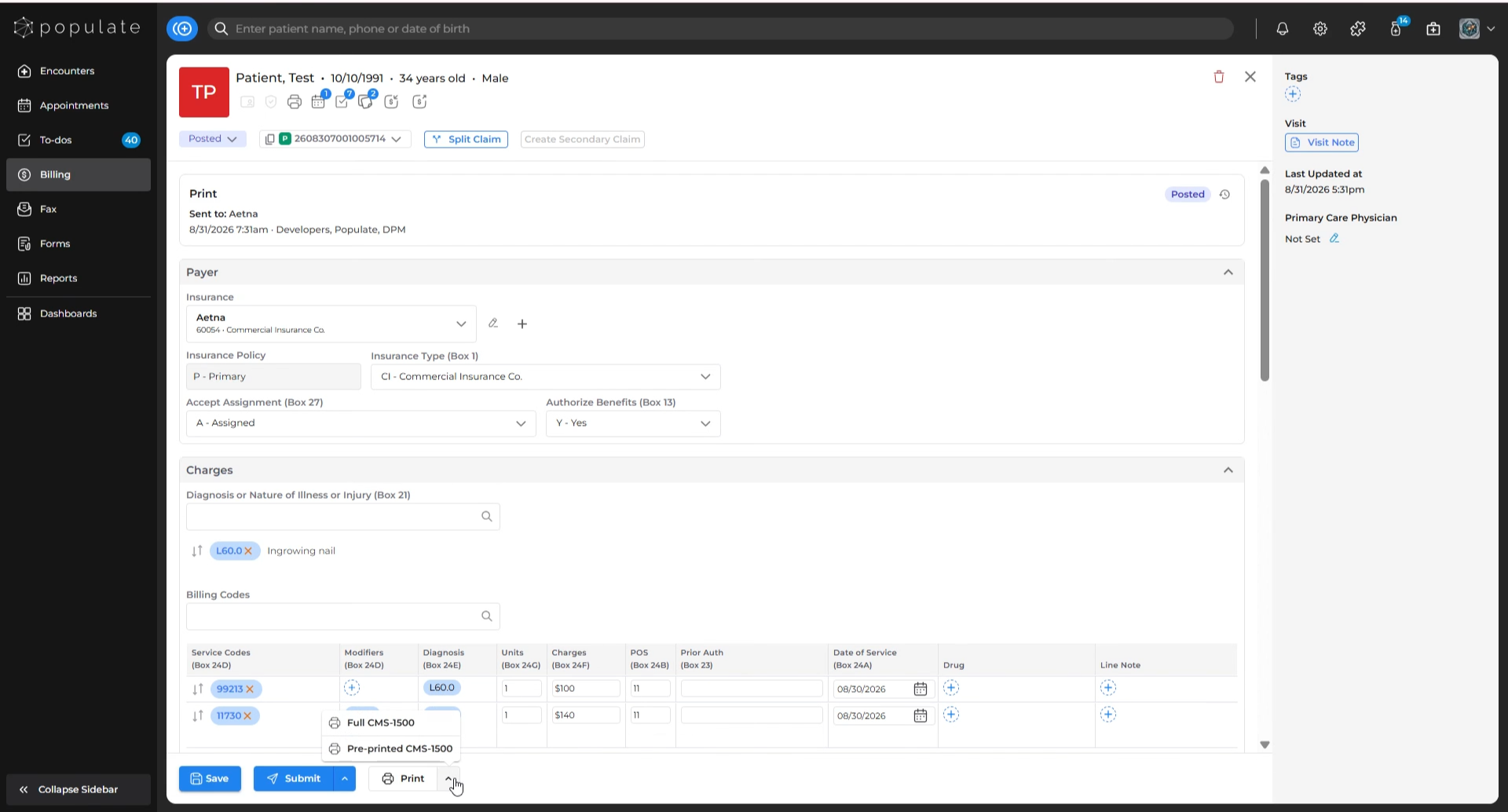
Hover your mouse over the “Print” button. 2 options will appear. Click on the option that fits your needs to continue.
The system will open a preview of the CMS-1500 form populated with your claim details. When you’re ready, click the “Print” button again on this screen.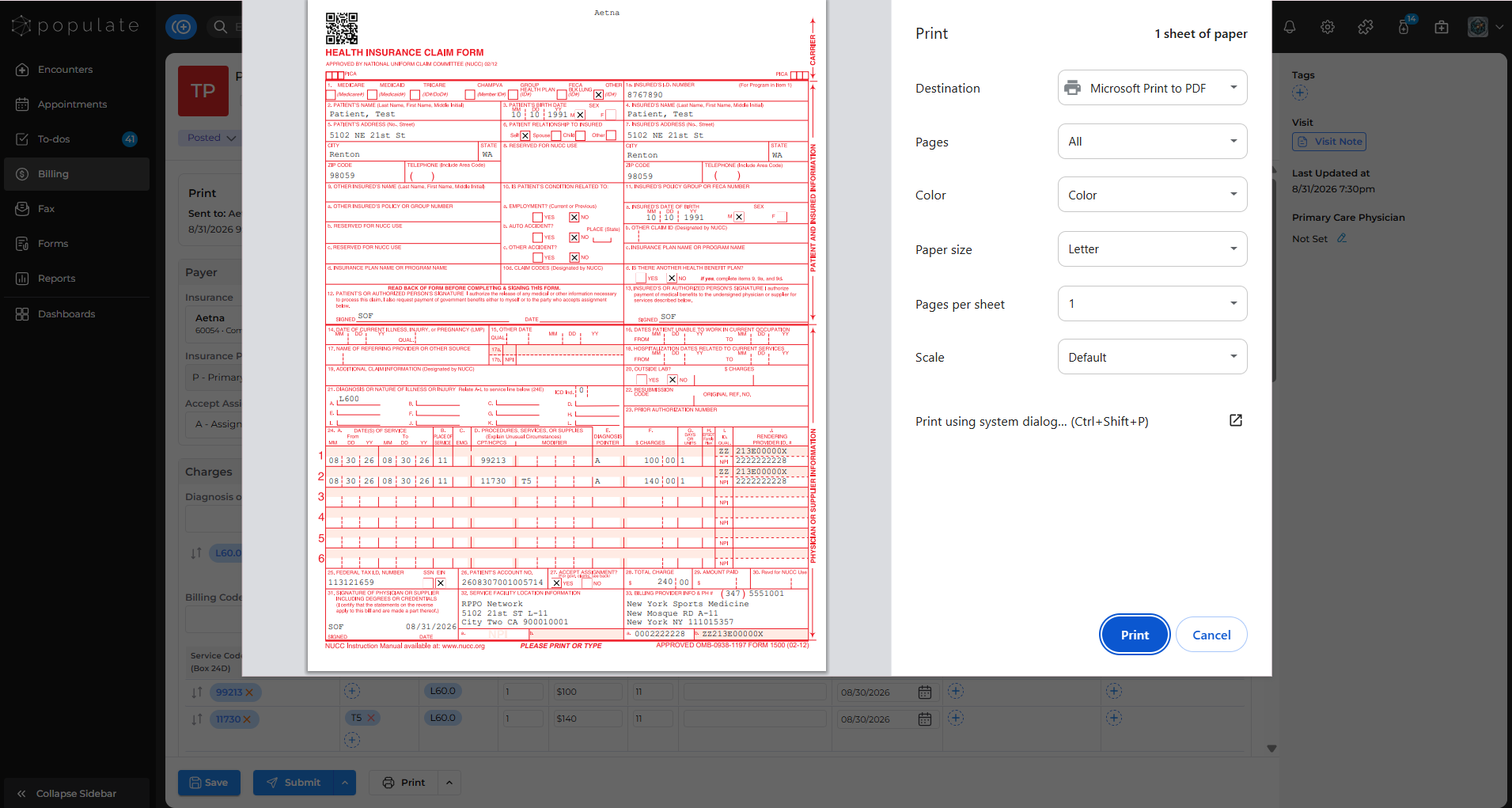
Choose to save the document to your computer. As soon as you click “Save,” your CMS-1500 form will start printing. You’re done!