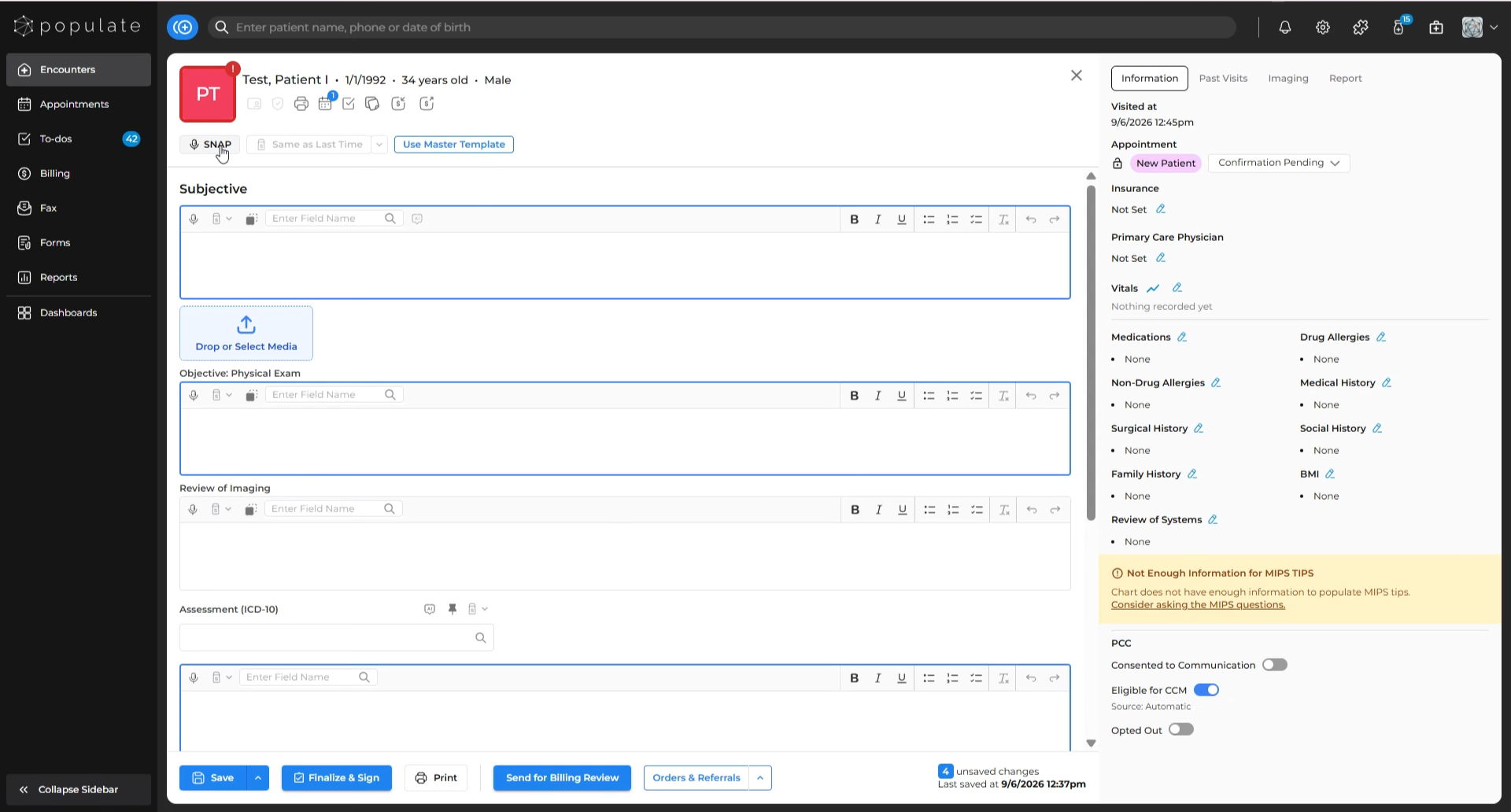
Click the SNAP button.
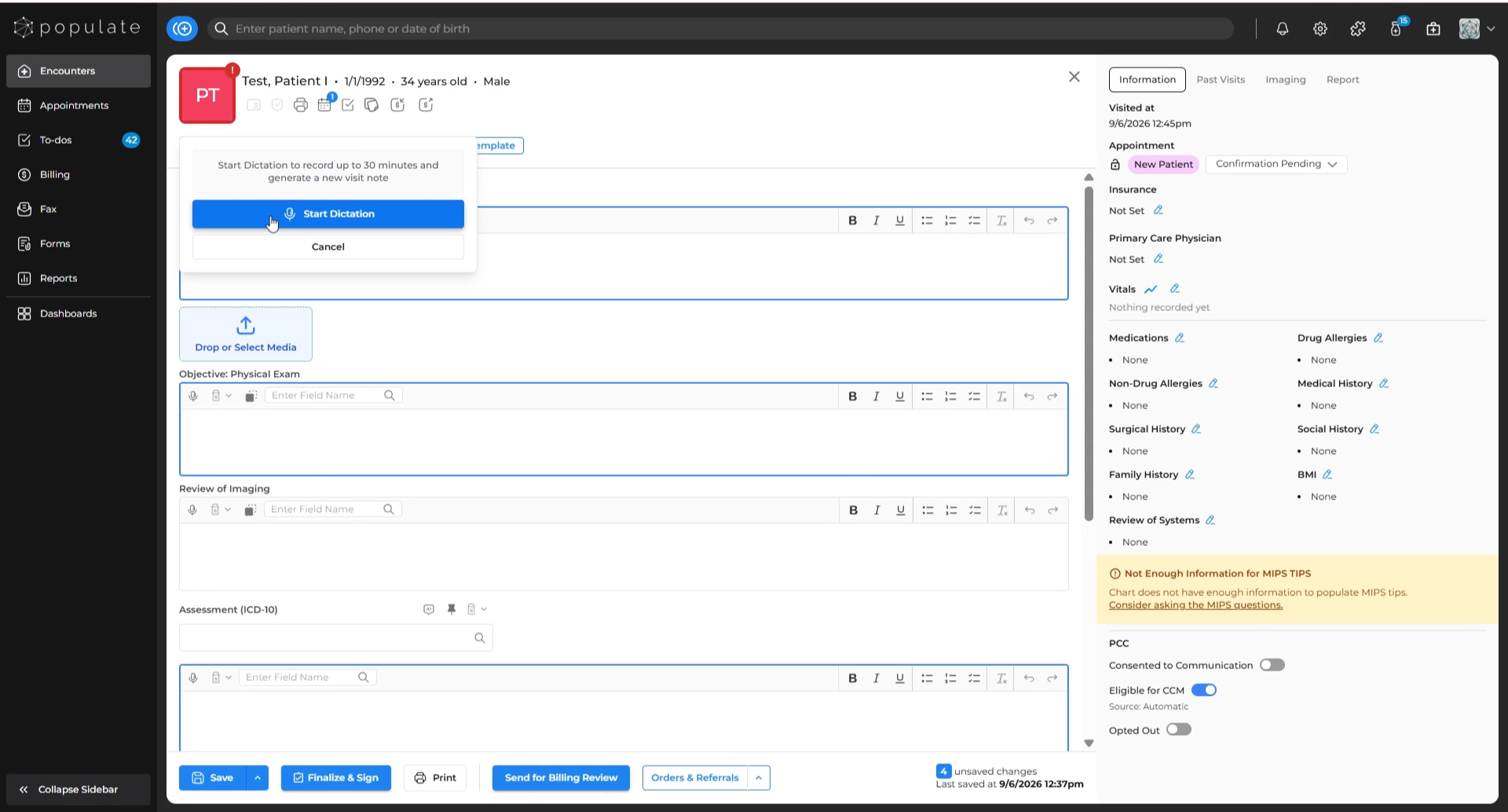
Select "Start Dictation" to begin recording your conversation.
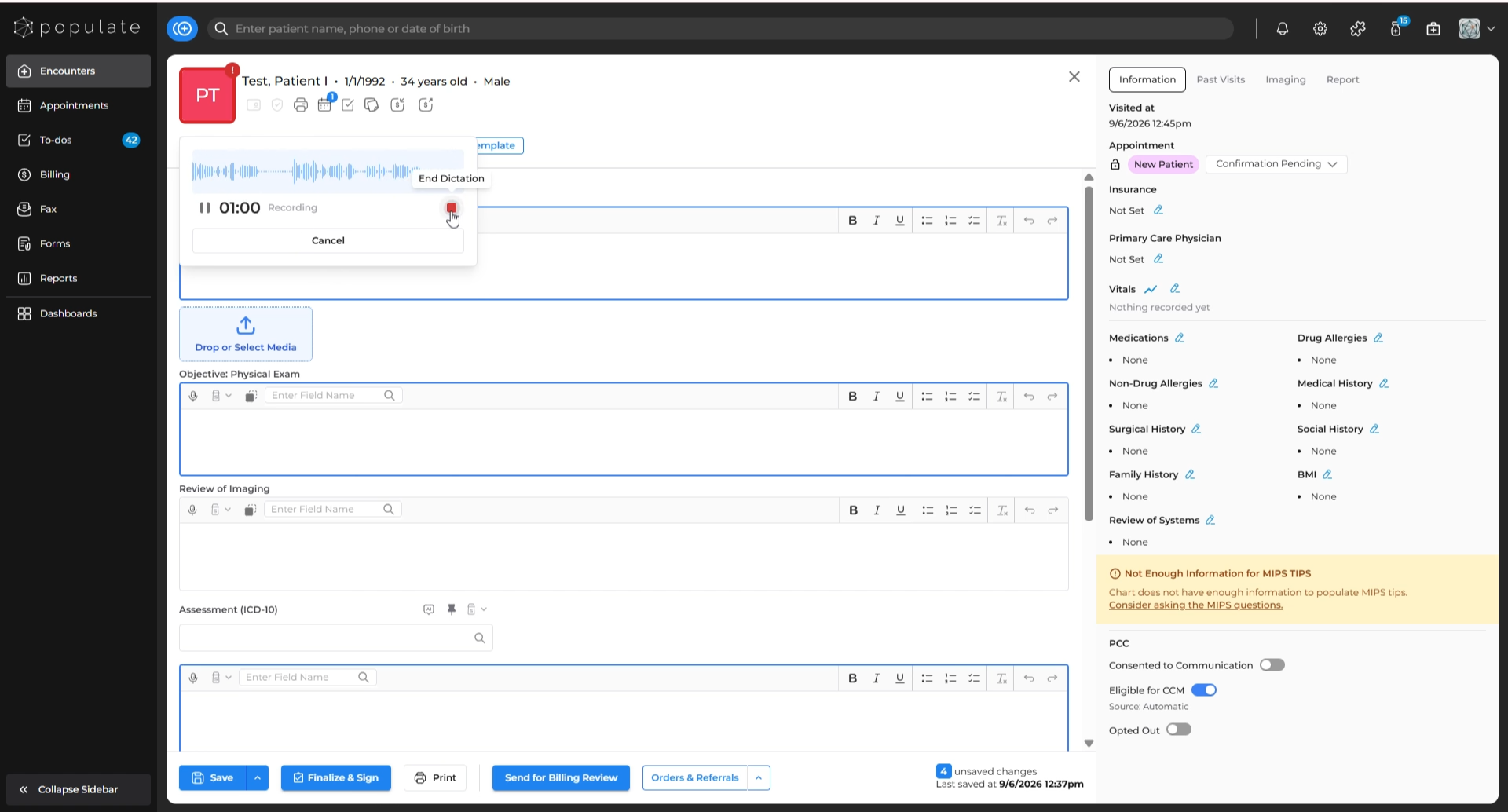
Conduct your patient visit. When finished, click the red square button to stop the recording.
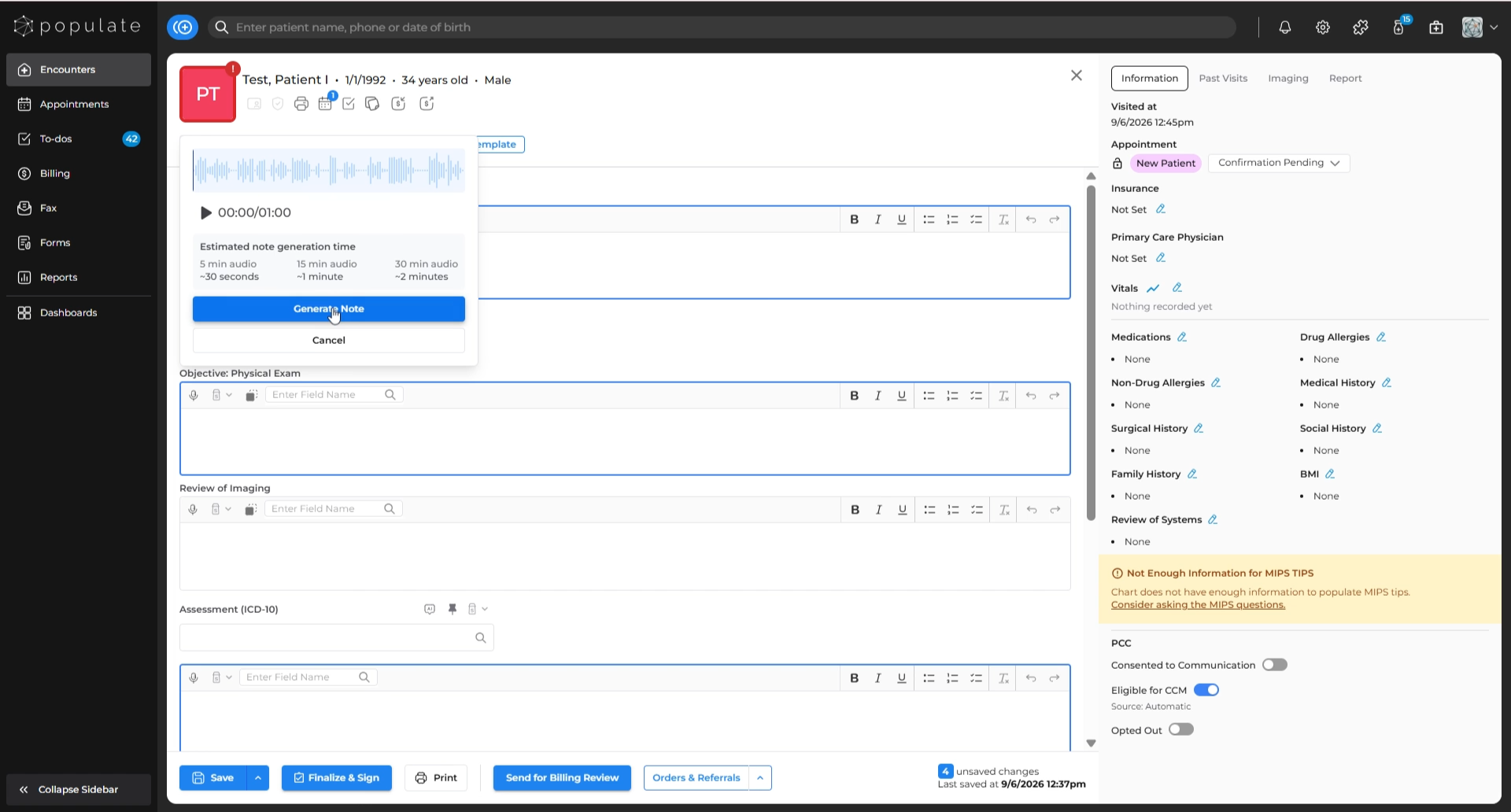
Click "Generate Note". (If it is a longer conversation, it might take some time for SNAP to successfully generate a note. The estimated time of completion is shown above the "Generate Note" option)
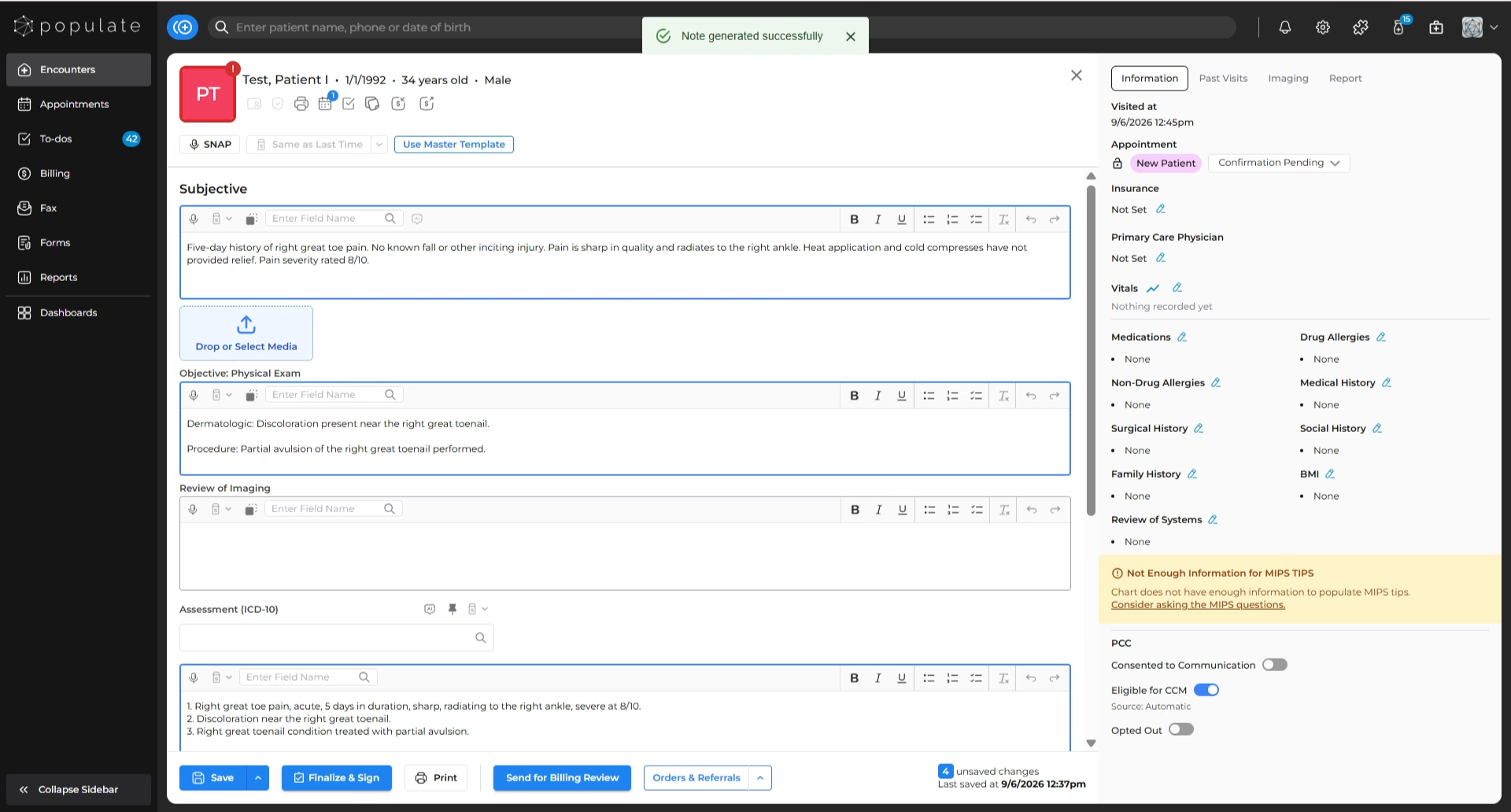
SNAP will automatically generate and organize the visit content into the appropriate note sections.
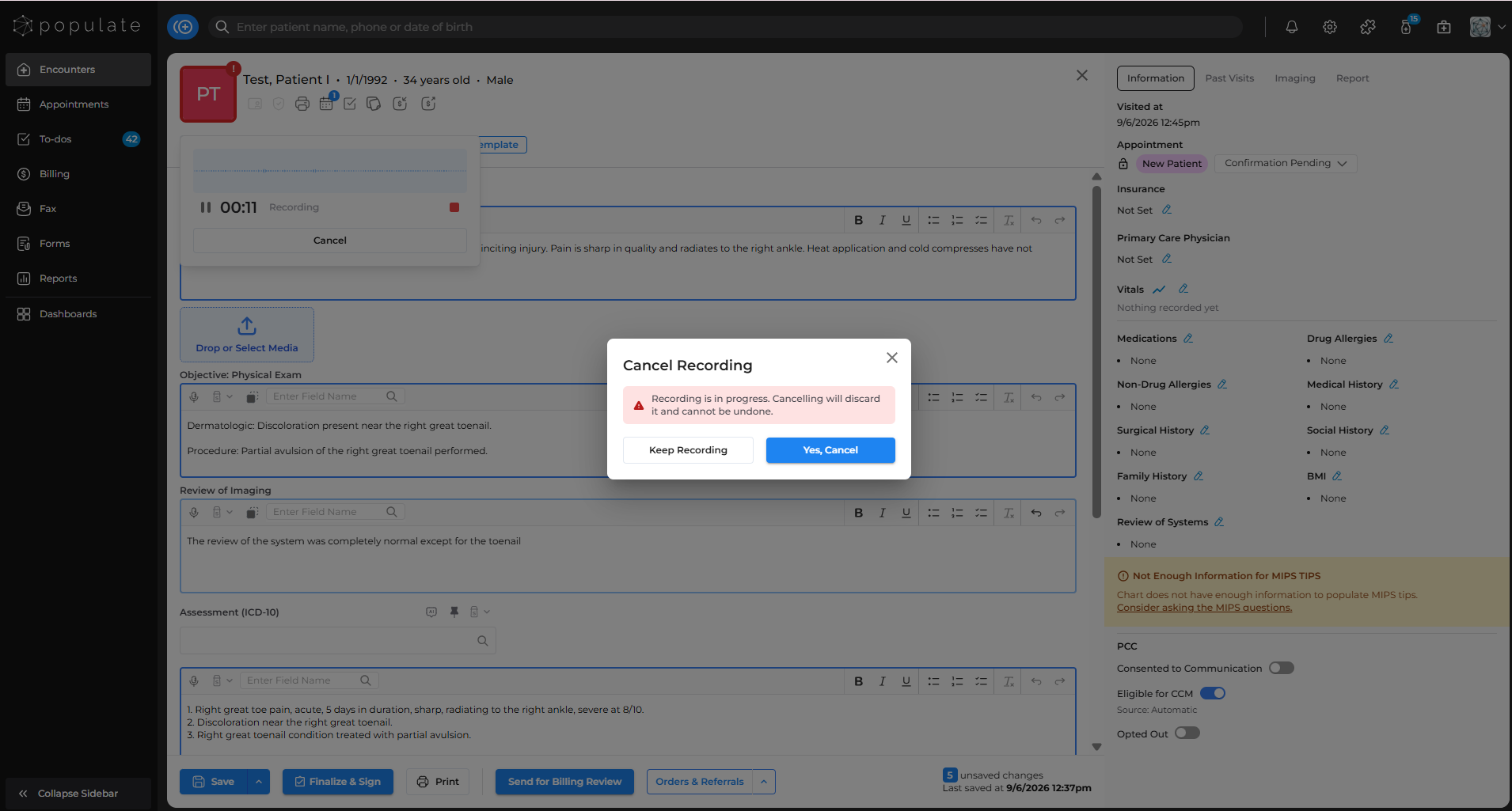
To stop without saving, click the cancel option and confirm cancellation.