
You can quickly view a patient’s upcoming appointments using either the Appointments module or the Encounters module. Here’s how:
From the Appointments Module
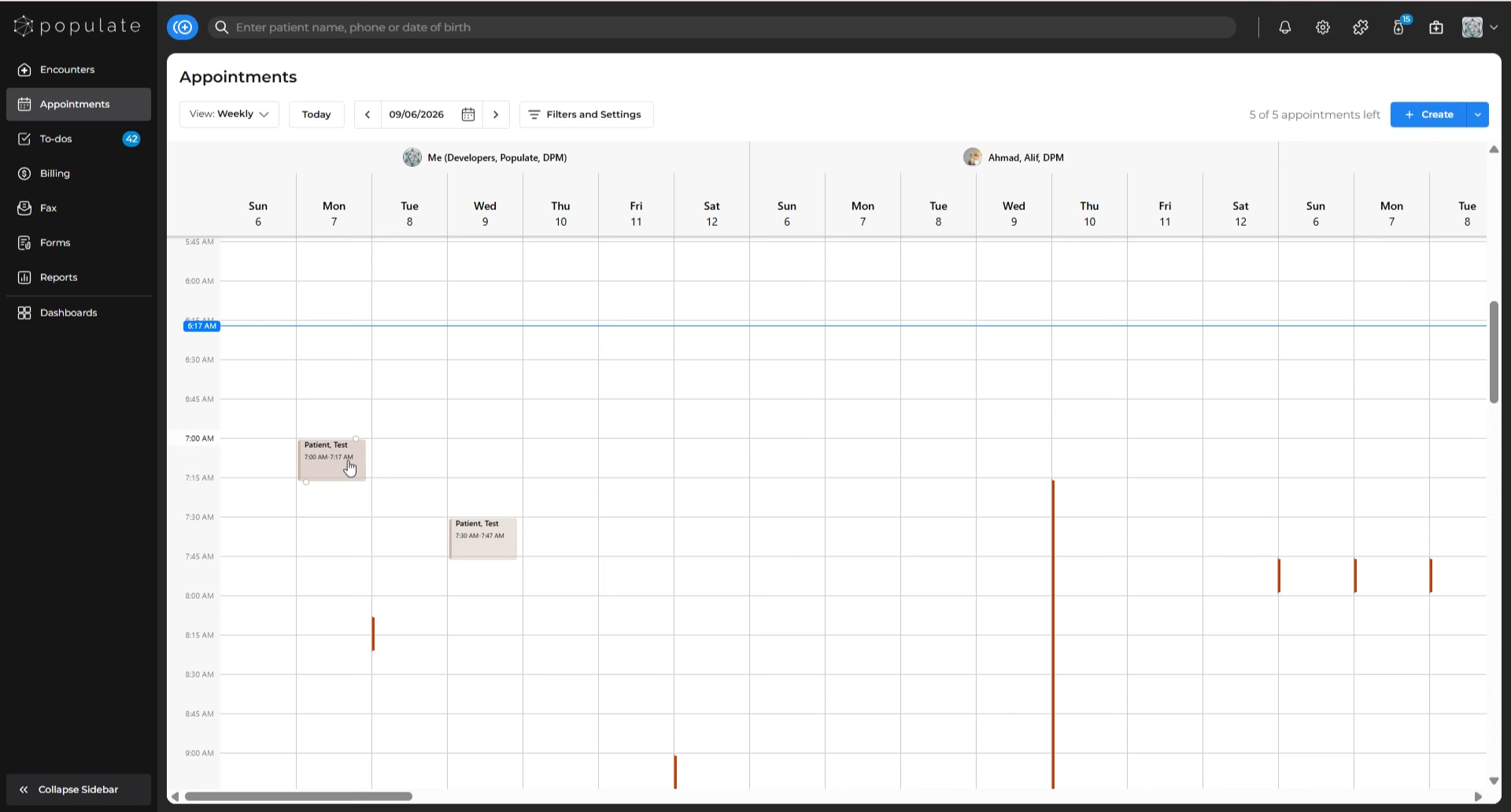
Navigate to the Appointments Module, and click on the patient’s name within the Appointments module. This will open the appointments side-panel.
Under the patient’s name in the side-panel, look for the calendar icon labeled "View Upcoming Appointments" (next to the print icon). Note: The number shown on the icon displays the total number of future scheduled visits for this patient.
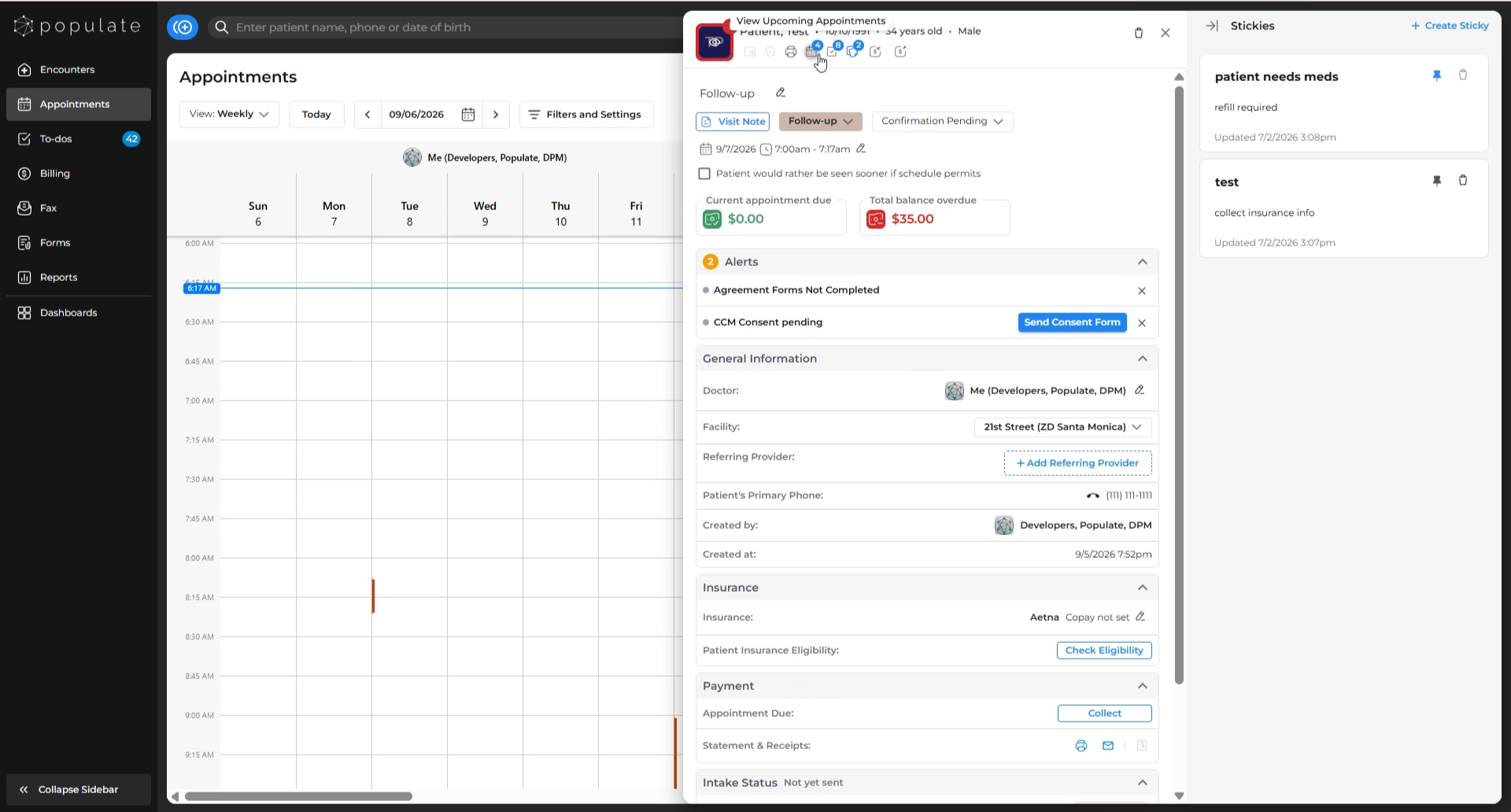
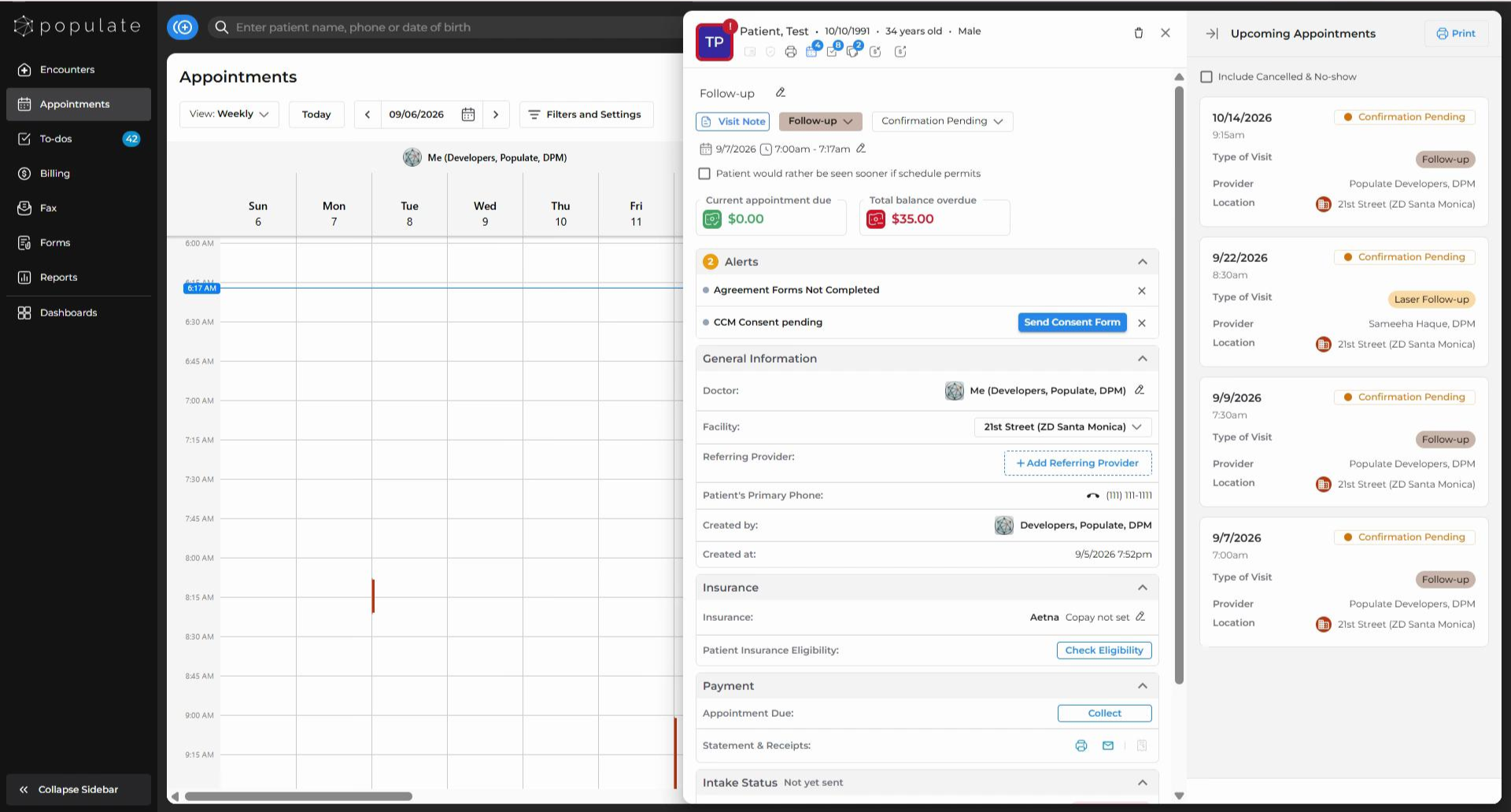
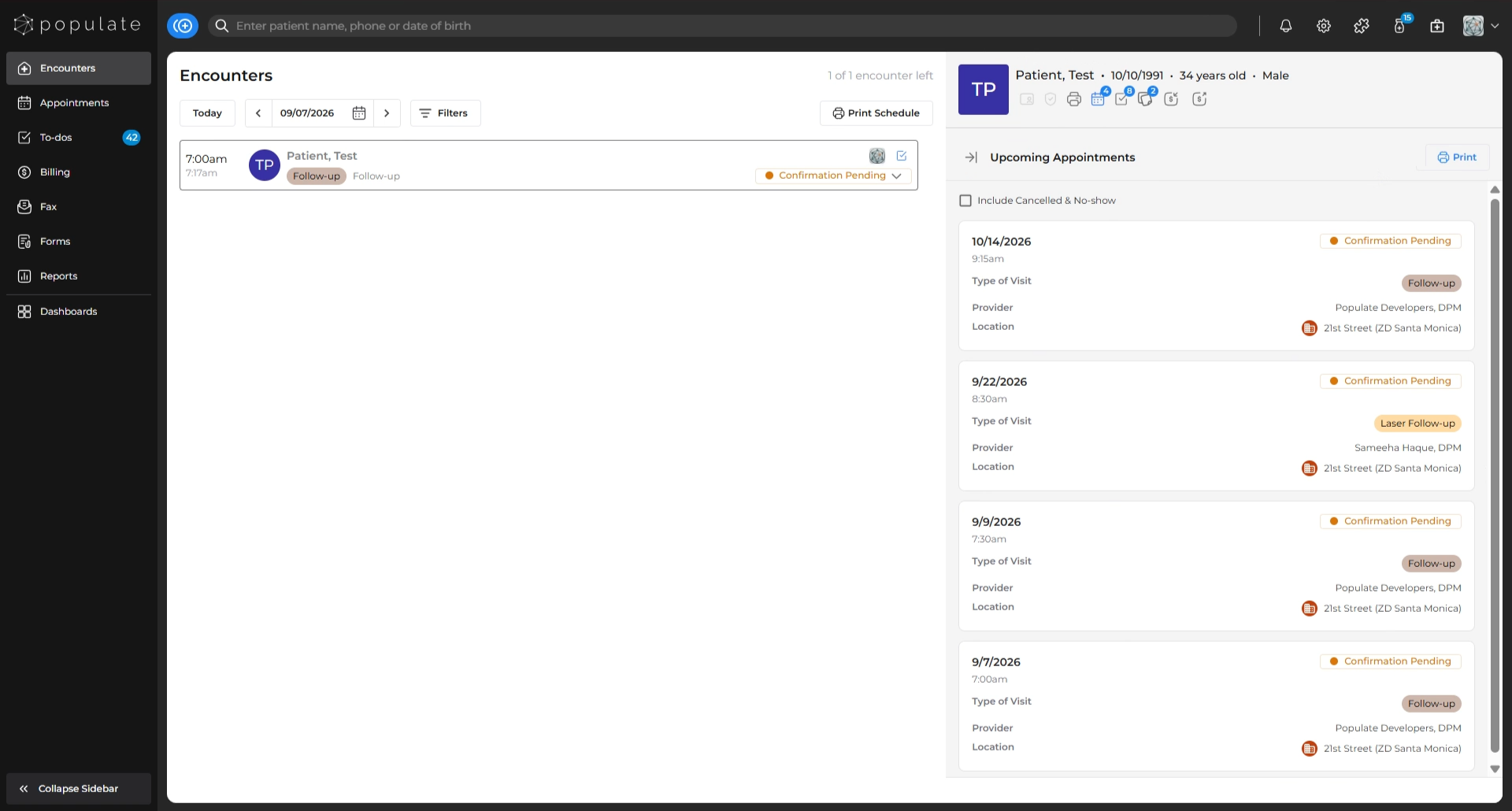
Click on the calendar icon. You’ll see a list of all upcoming appointments, including: Date and time, Confirmation status, Appointment type, and Clinic location.
From the Encounters Module
Navigate to the Encounters module, and click on the patient.
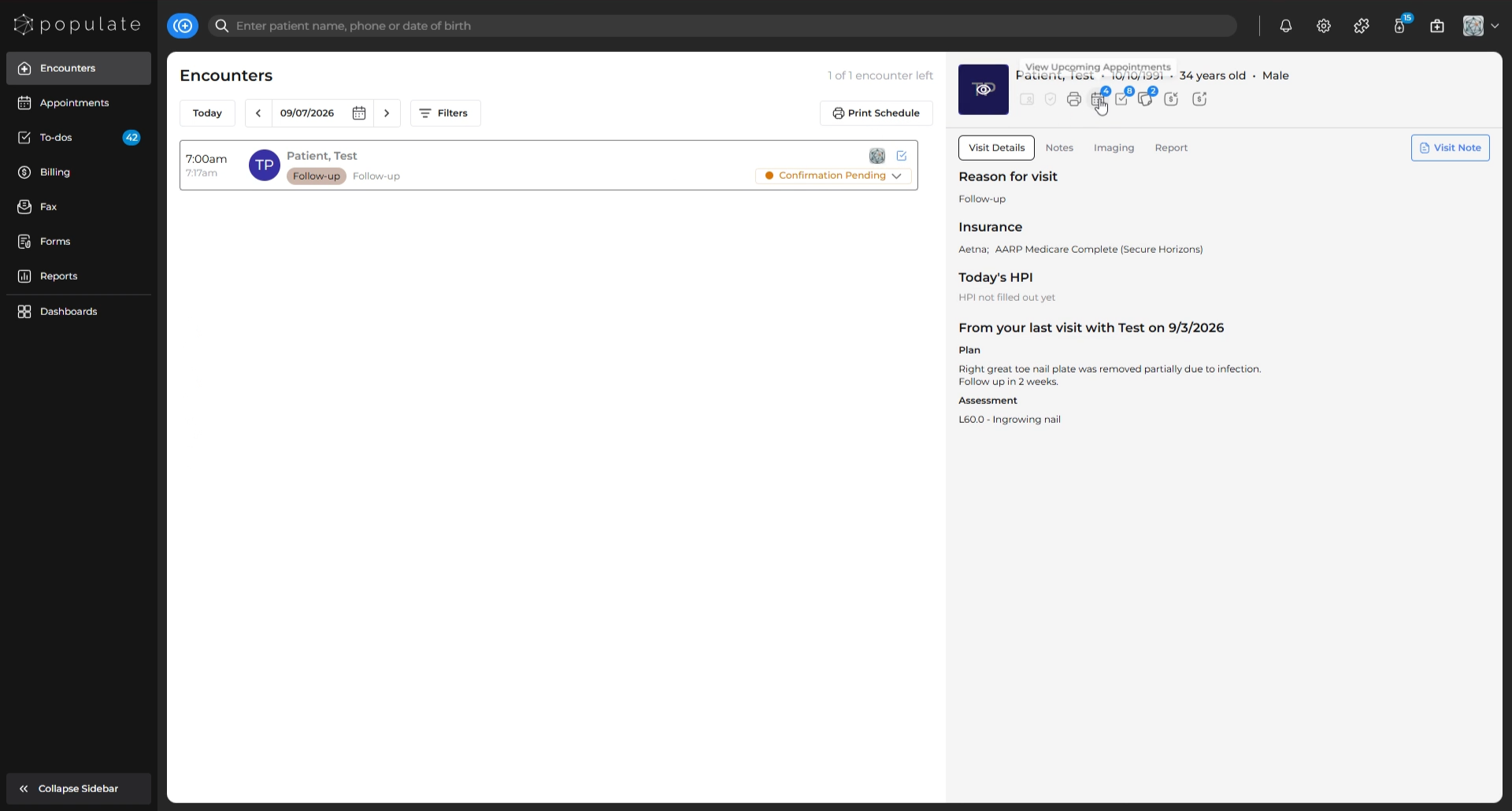
Click the same calendar icon to view their upcoming appointments in the split-screen view. Appointment details will be displayed as described above.
That’s it!
Using either method, you can easily stay up-to-date with a patient’s future appointments.