
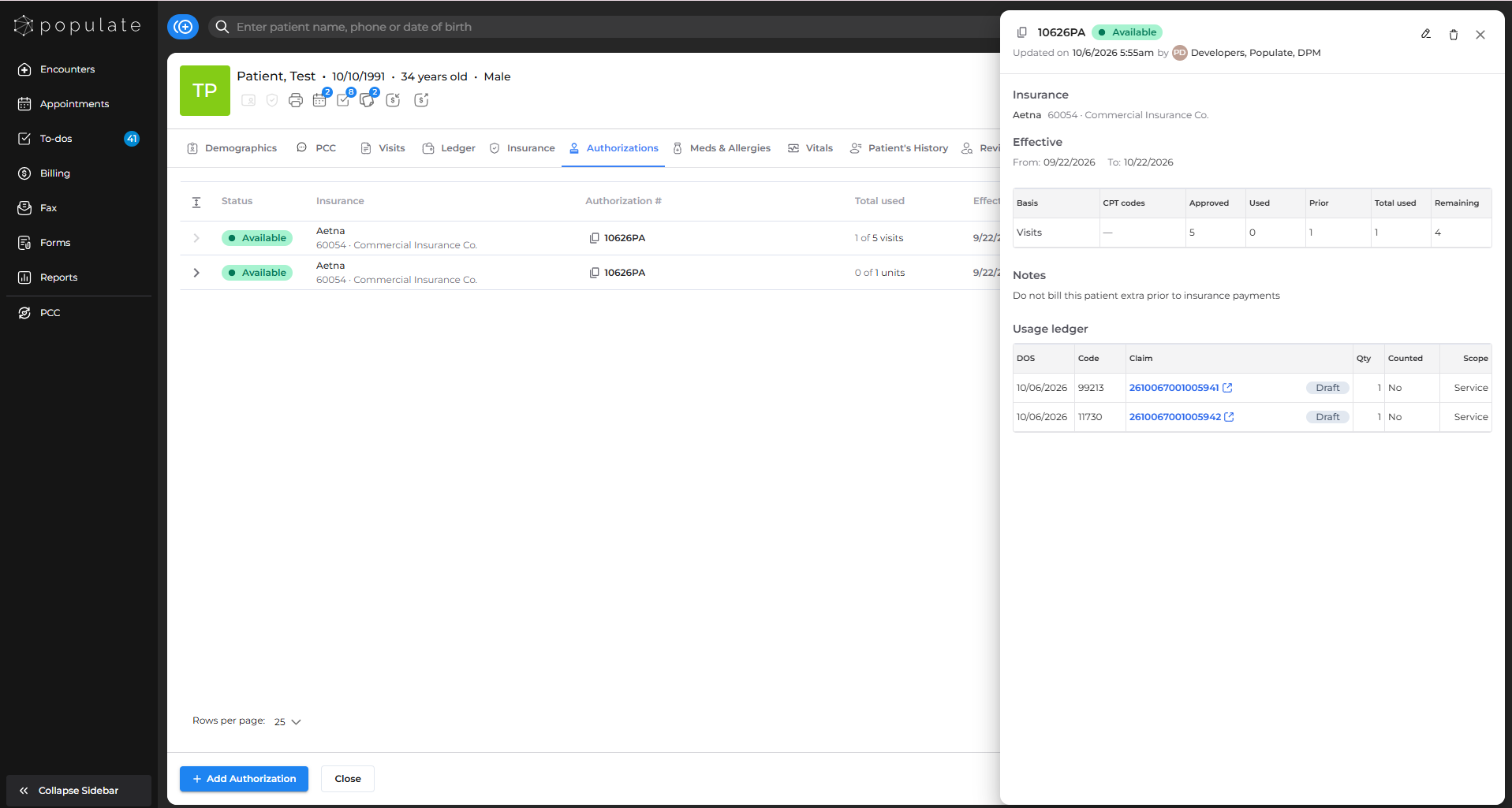
The authorization details panel shows an authorization's totals and every claim linked to it.
Open the panel
- Open the patient chart and go to the Authorizations tab.
- Click an authorization to open its details panel.
What you'll see
- Totals: Approved, External usage, Used, and Remaining, for each allowance.
- Ledger: every claim linked to the authorization, with its status and contribution. Claims in Draft, Hold, Voided, or Archived appear but don't add to Used.
- Notes: any notes saved on the authorization.
If a total looks wrong, check the linked claims in the ledger for their status, CPT codes, and units. Totals update as soon as a claim changes.